
The framework adopts a modular architecture, integrating multimodal preprocessing, semantic vector indexing, intelligent recall, and large model generation inference to build an efficient and controllable document Q&A workflow. The core retrieval process is based on the RAG (Retrieval-Augmented Generation) mechanism, which combines contextually relevant passages with language models to achieve high-quality answer generation. LangBot currently supports two application types for WeKnora:
Knowledge Base Q&A (chat) and Agent Intelligent Conversation (agent).
Obtaining API Key from WeKnora
Please deploy the WeKnora service and complete knowledge base creation and document upload according to the WeKnora Official Documentation.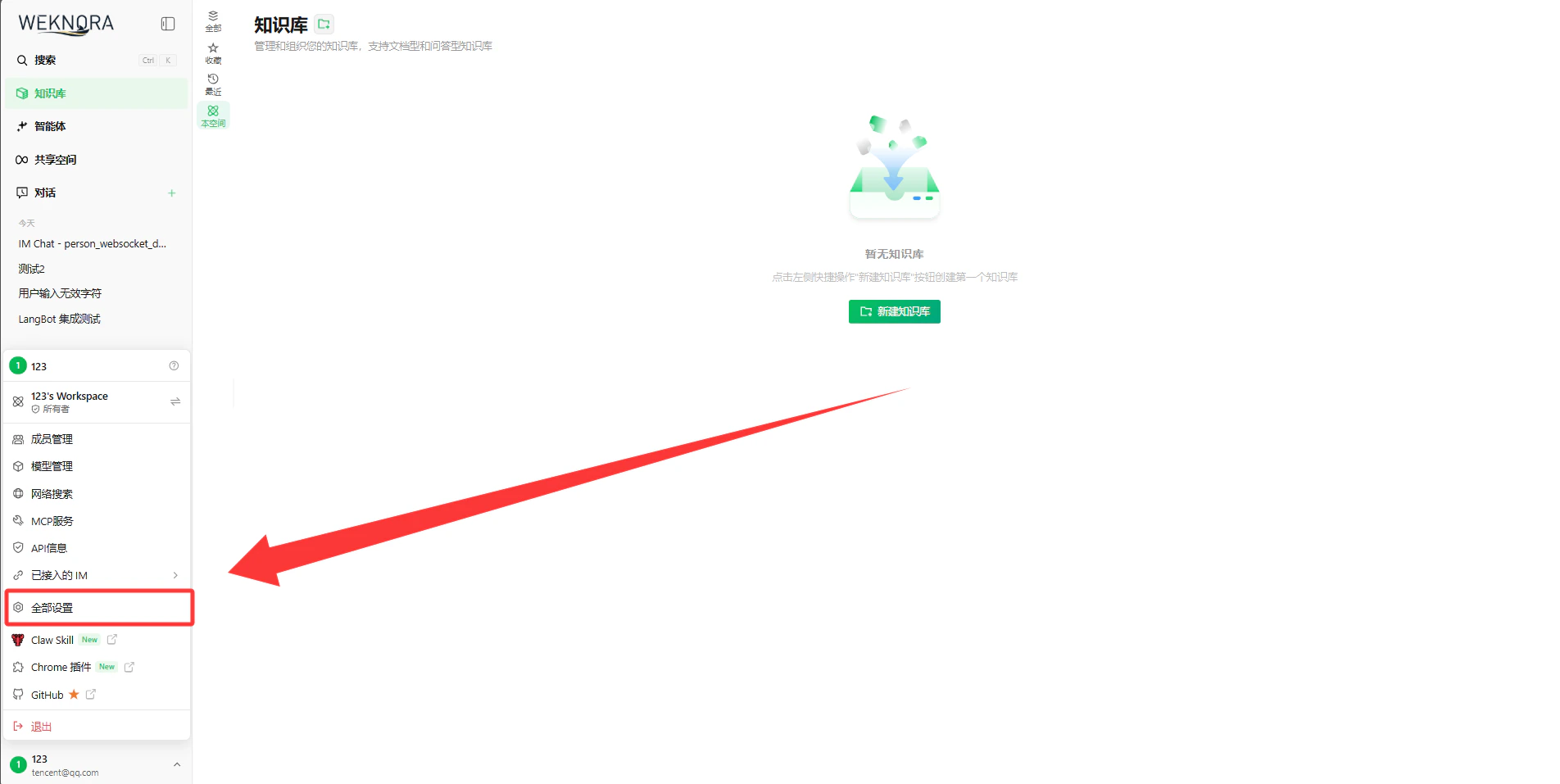
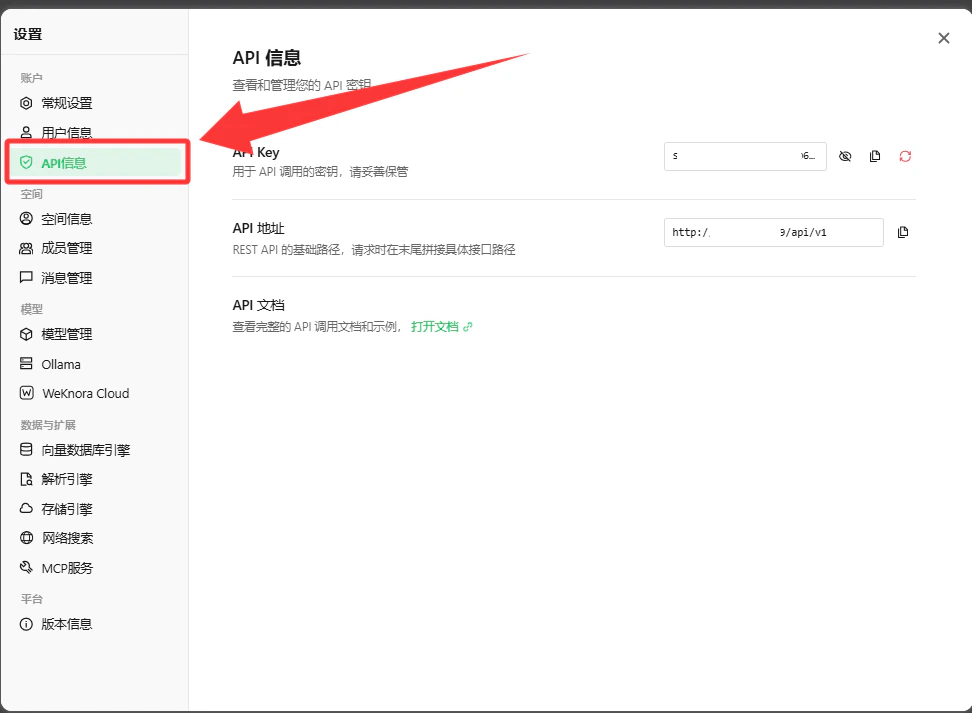
http://localhost:80), navigate to Settings -> API Keys page, click Generate API Key and copy it for safekeeping.
API Key: Used for authentication. Please keep it secure and do not expose it.Knowledge Base ID: You can view the ID (formatted askb-00000001) for each knowledge base on the knowledge base management page, which can be specified in LangBot to invoke the corresponding knowledge base.
- If LangBot and WeKnora are deployed on the same host and both use Docker deployment, you can refer to the article: Network Configuration Details. Please add the WeKnora container to
langbot-networkwhen starting, and set theAPI Base URLin LangBot configuration to the container interconnection address, for examplehttp://weknora-app:8080/api/v1. - For other scenarios, please consult your company’s operations team.
Obtaining WeKnora Agent Information
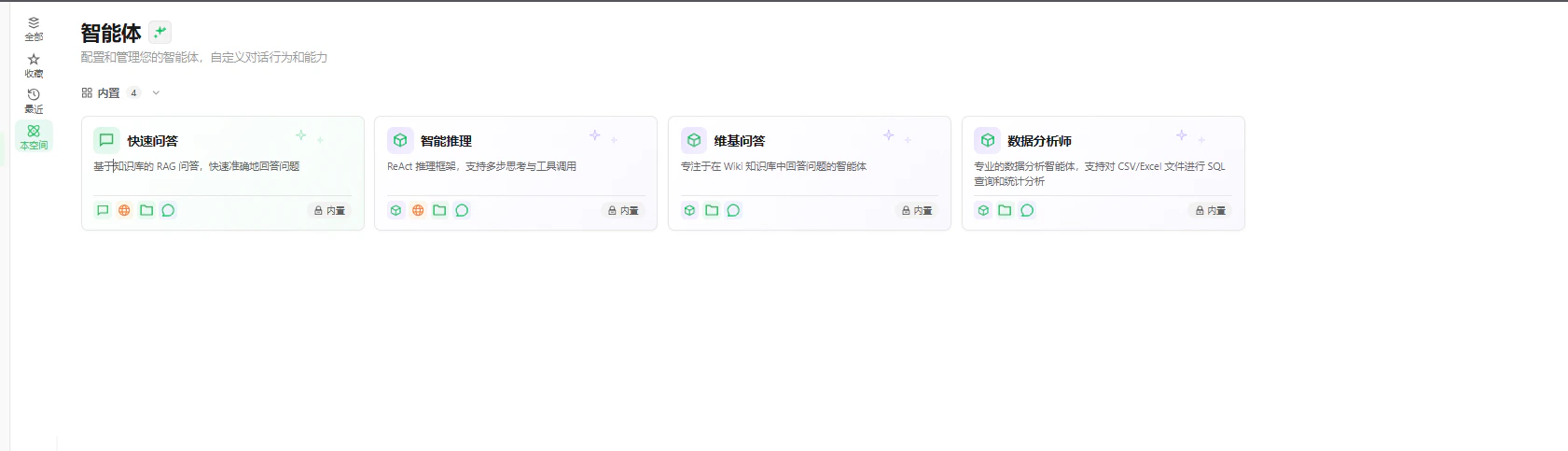
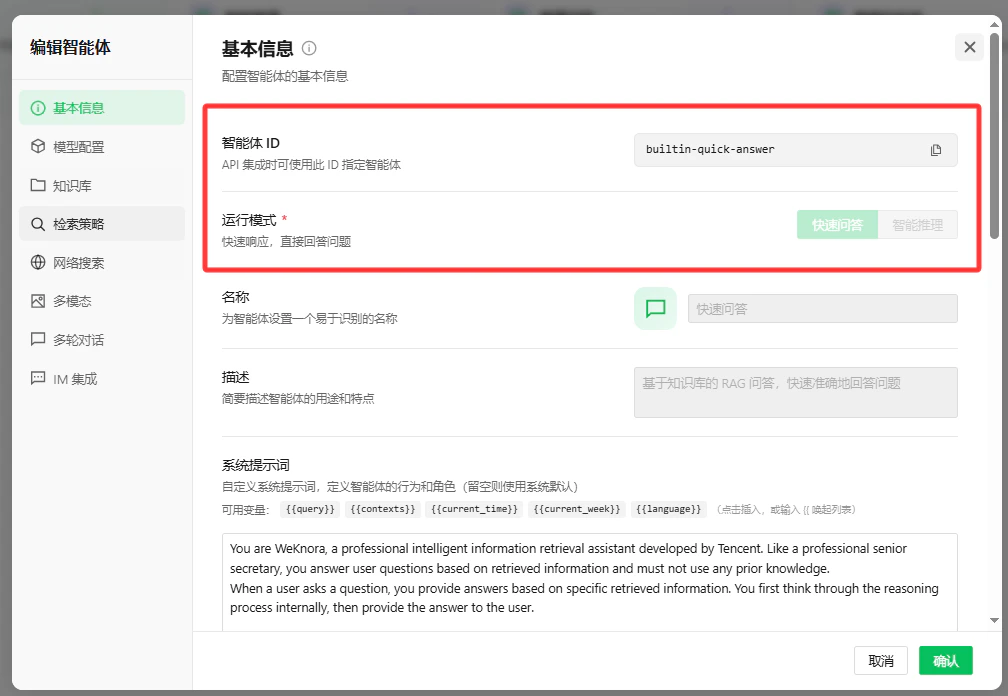
Agent Configuration, you can view the Agent ID (formatted as builtin-smart-reasoning), and in Tool List, you can view the tool names (such as web-search, file-search, etc.) that the Agent can call. These information will be needed when configuring LangBot.
Configuring LangBot
Open the LangBot WebUI page, add a new pipeline or switch to theAI Capabilities configuration page in an existing pipeline.
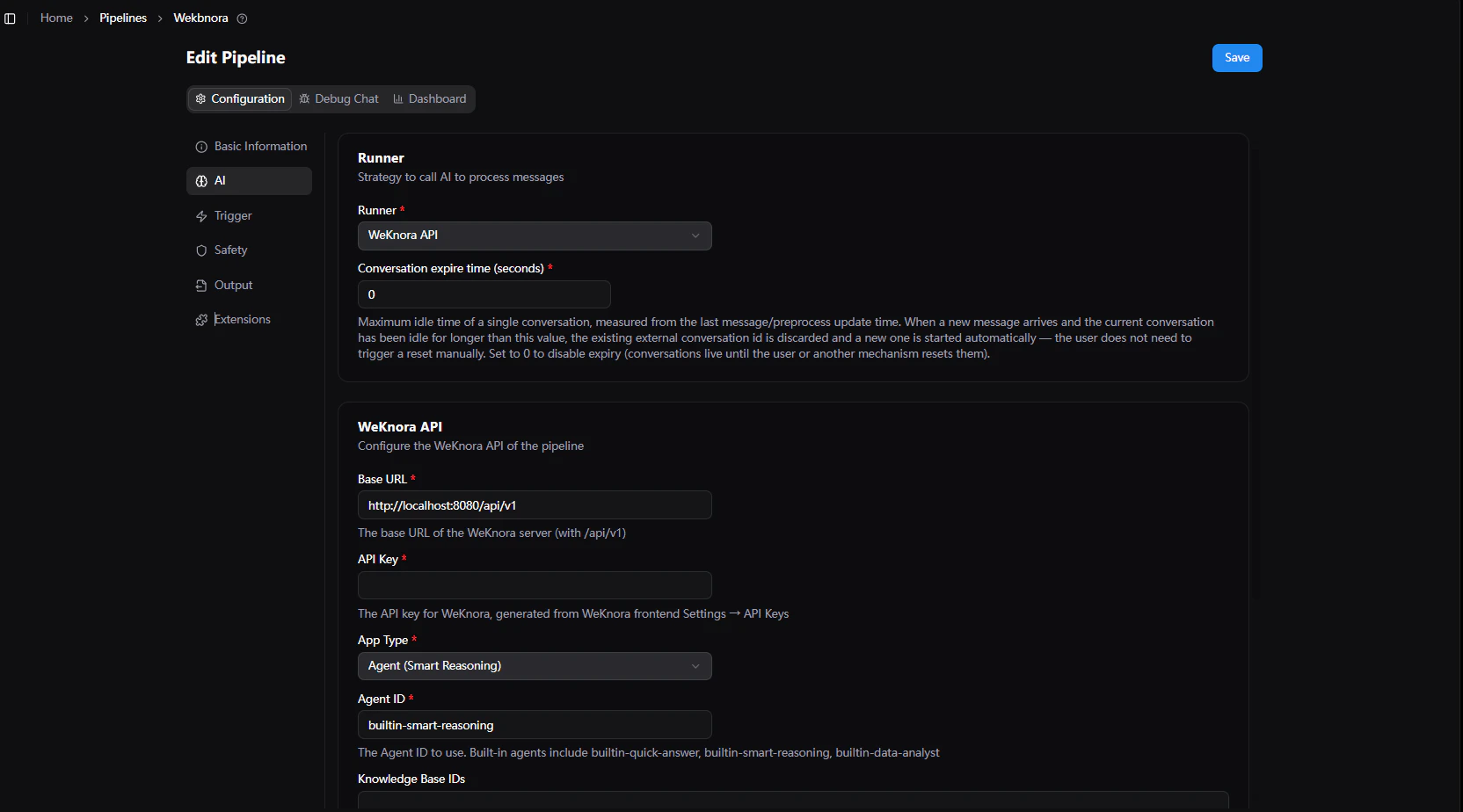
- Select
WeKnora APIinRunner. - In the runner configuration items, fill in:
API Base URL: The API address of the WeKnora service, defaulthttp://localhost:8080/api/v1.API Key: Paste the API Key generated on WeKnora.Application Type: Selectagent(Agent Intelligent Conversation, supports tool invocation, web search, chain of thought) orchat(Knowledge Base RAG Q&A).Agent ID: Built-in Agent identifier, common values:builtin-smart-reasoning: Intelligent Reasoning Agent (recommended foragentmode)builtin-quick-answer: Quick Answer Agent (recommended forchatmode)
Knowledge Base ID List: Fill in the knowledge base IDs to retrieve from (formatted askb-00000001), multiple can be filled.Enable Web Search: Only effective inagentmode, allows the Agent to call Web search tools when enabled.Timeout (seconds): Request timeout, default120.Default Prompt: The default question used when the user does not send text content.
- Click
Saveto complete the configuration.
Output Processing
- When using the
agentapplication, iftrack-function-callsis enabled in LangBot pipelineOutput Processing, a messageCalling function xxxwill be output to the user each time WeKnora executes a tool call. - The
thinking(chain of thought) content returned by WeKnora will be sent wrapped in<think>tags, which can be collapsed and displayed on the frontend. - The
references(knowledge base citation sources) returned by WeKnora will be attached after the answer as reference source messages.
Frequently Asked Questions
- Save failed or invocation error: Please verify that the
API KeyandAPI Base URLare correct. The URL must include/api/v1at the end. - No knowledge base content returned: Please verify that the
Knowledge Base IDis correct, and that documents have been successfully uploaded and parsed in that knowledge base. - Cannot select
WeKnora API: Please verify that your current LangBot version supports this runner; if not supported, please upgrade to a version that includes the WeKnora runner.