
Webhook node in n8n workflows.
Using n8n as the runner
Please open the configuration page of an existing pipeline or create a new pipeline (recommended) and open the configuration page. Selectn8n Workflow API as the runner in AI.
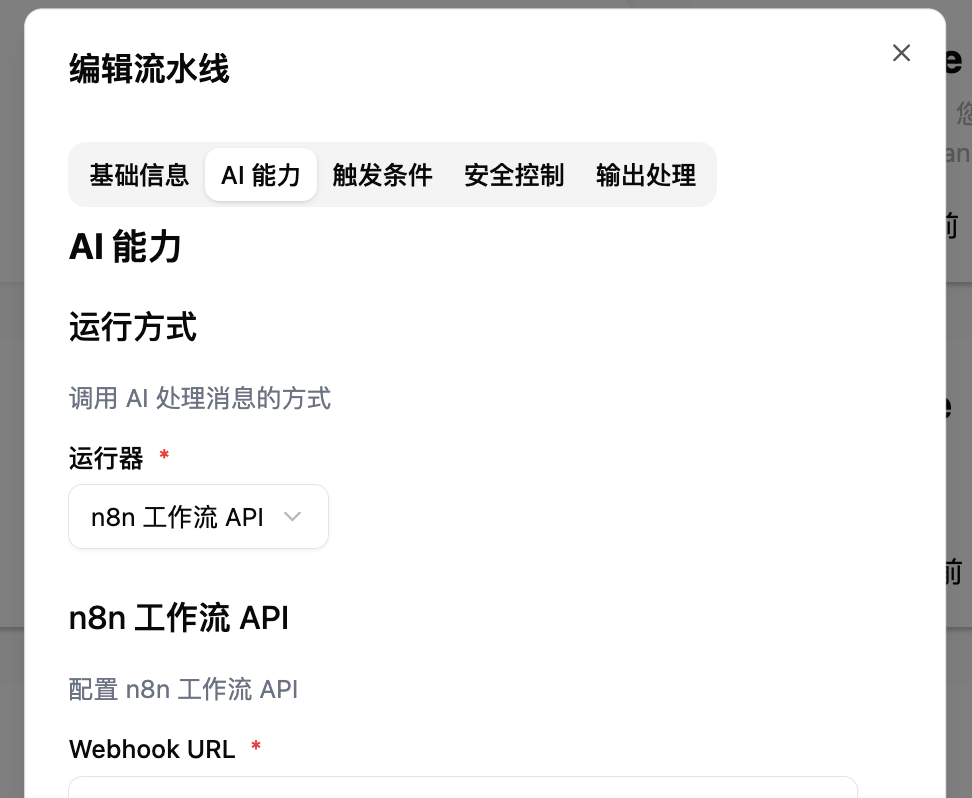
Configuring n8n Workflow Connection
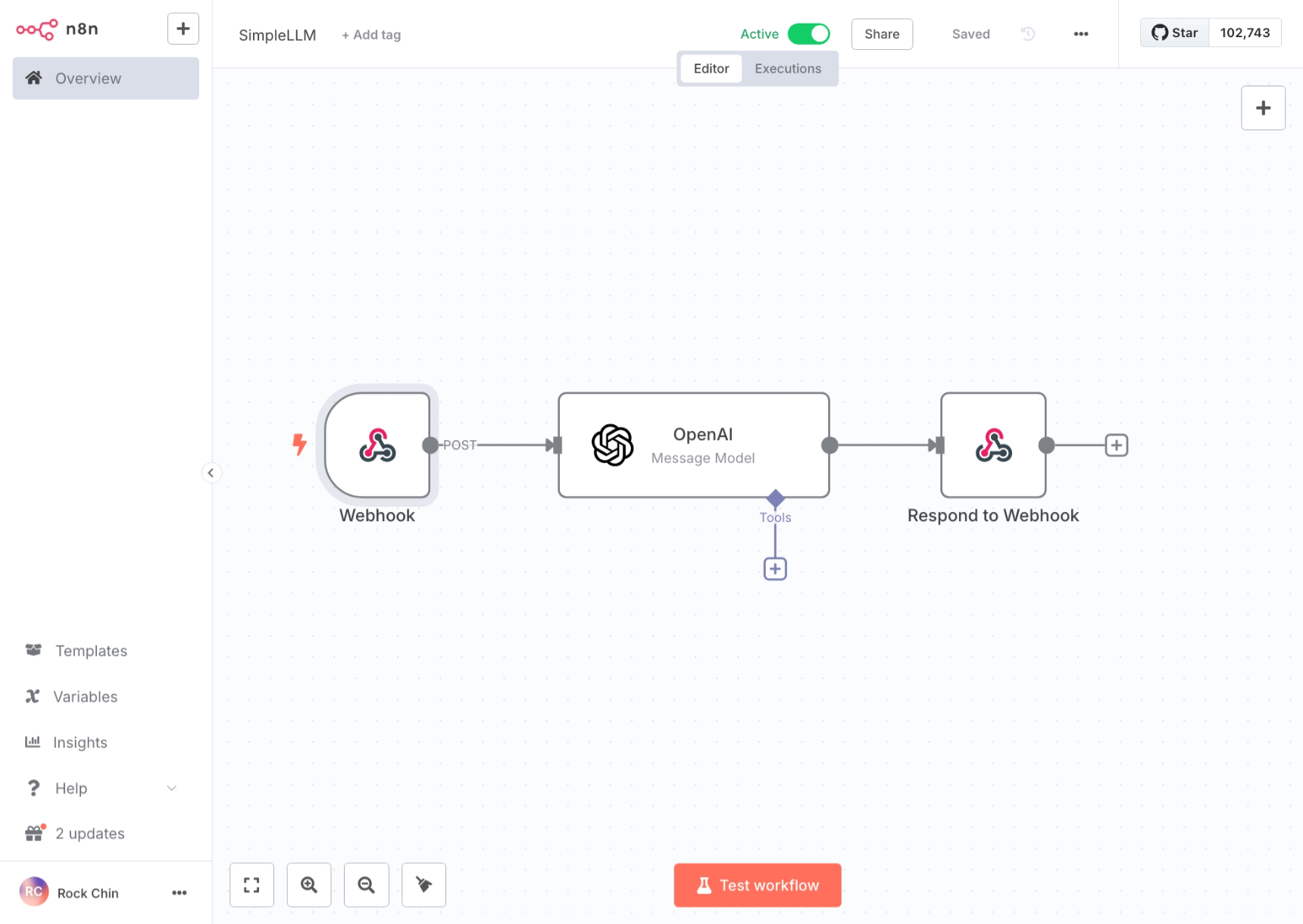
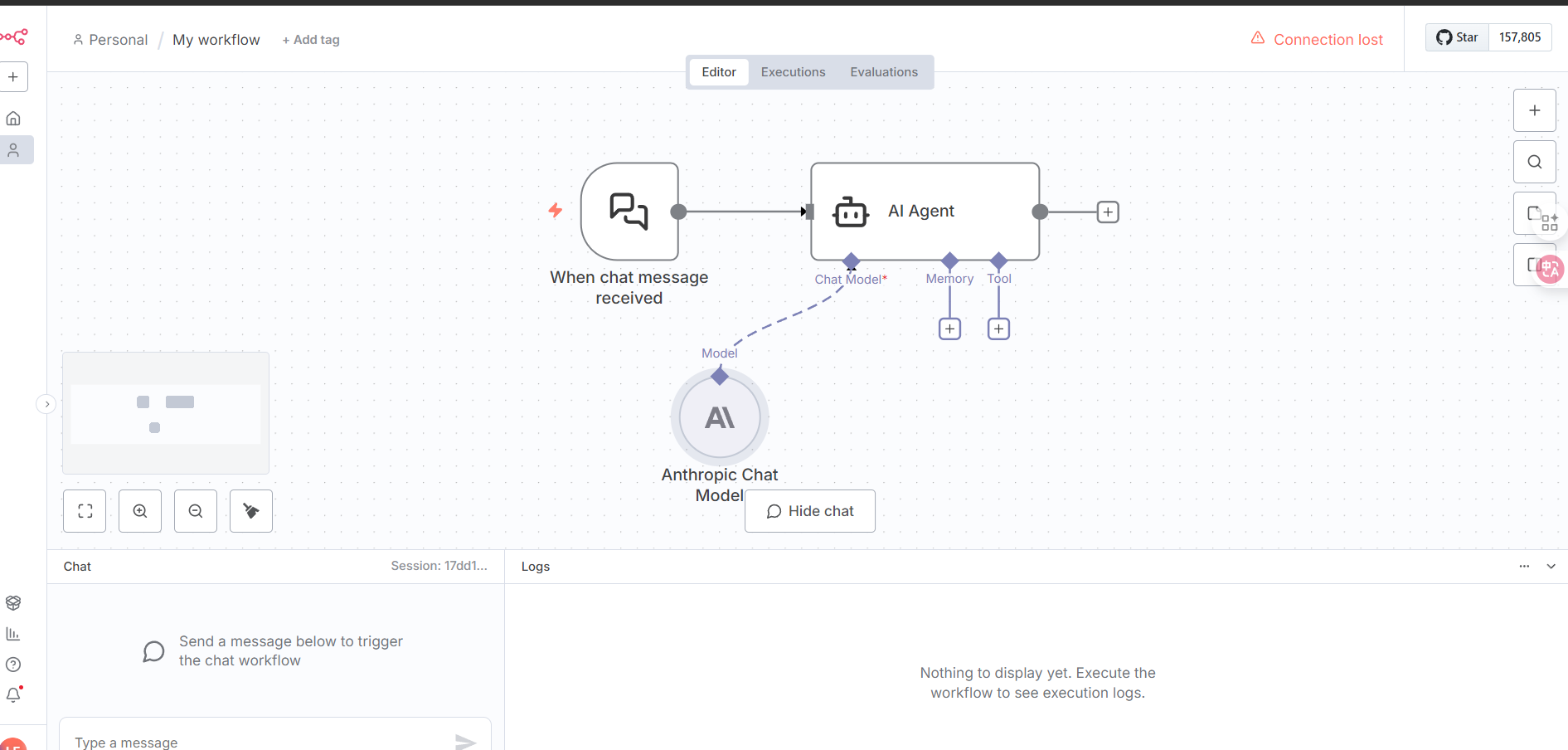
Webhook or On chat message as the trigger and configure as follows:
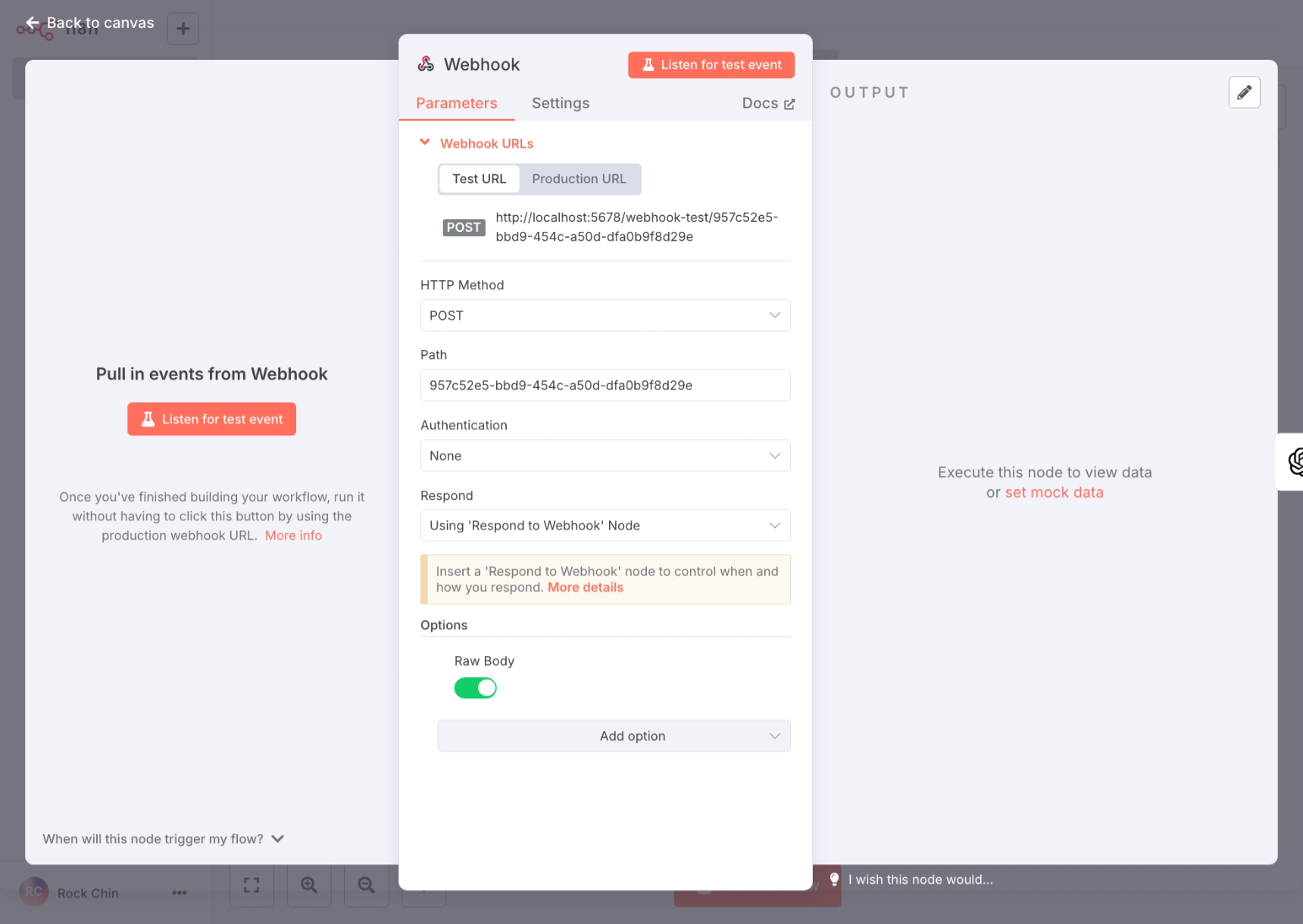
- Webhook:
- On chat message:
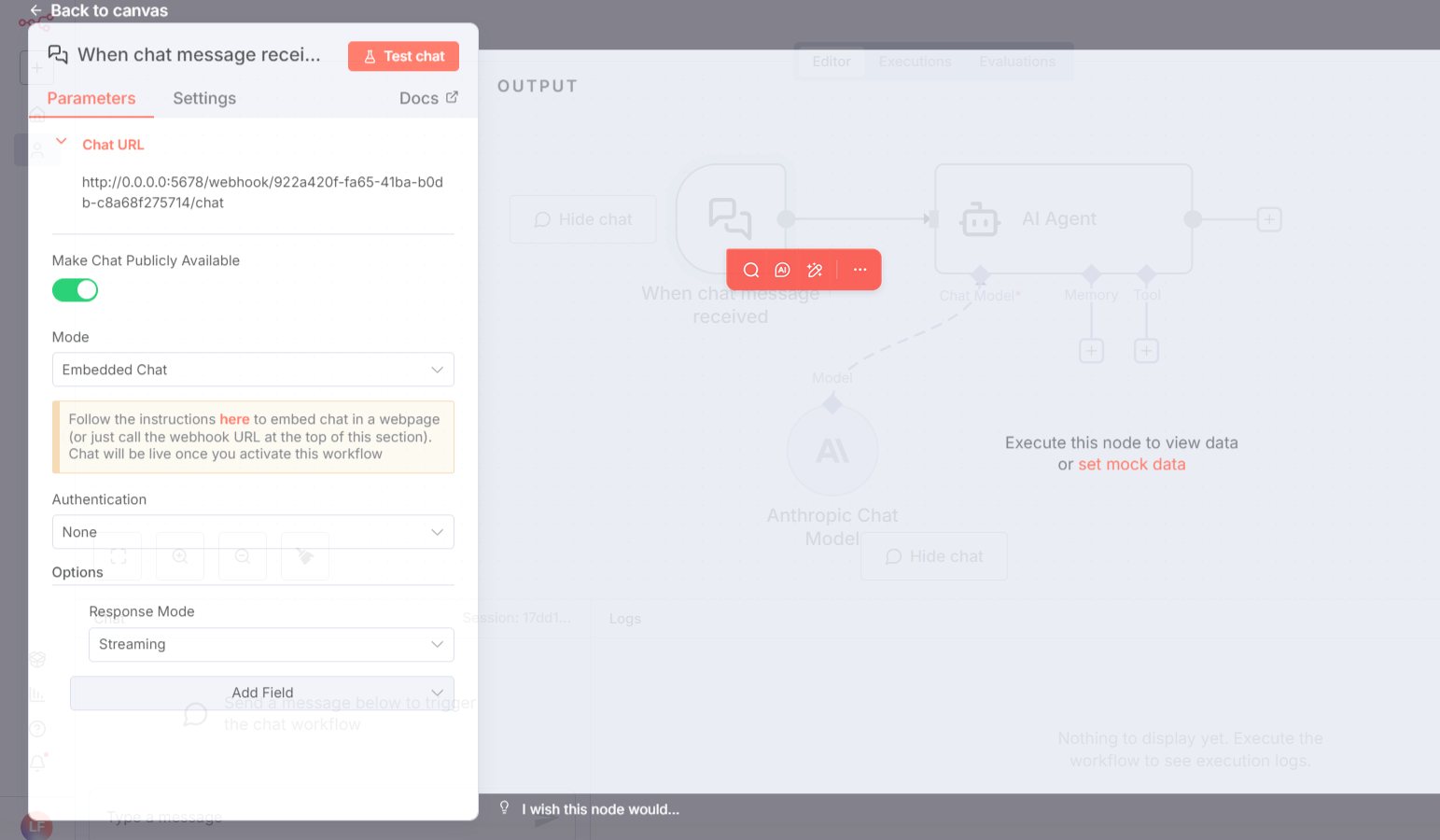
If you need streaming responses, set 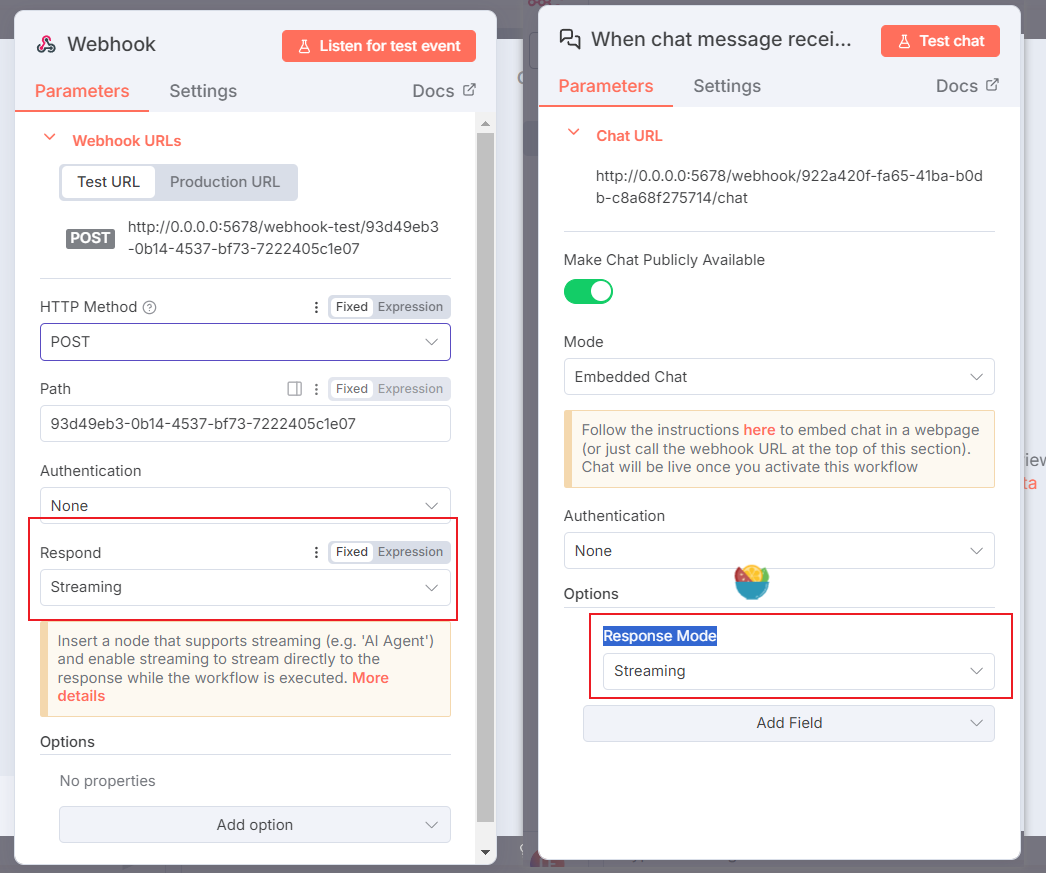
Response Mode to Streaming.Authentication corresponds to the authentication methods in LangBot’s pipeline configuration, which you can modify as needed.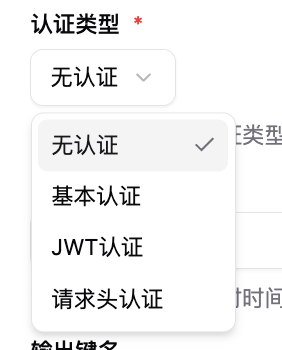
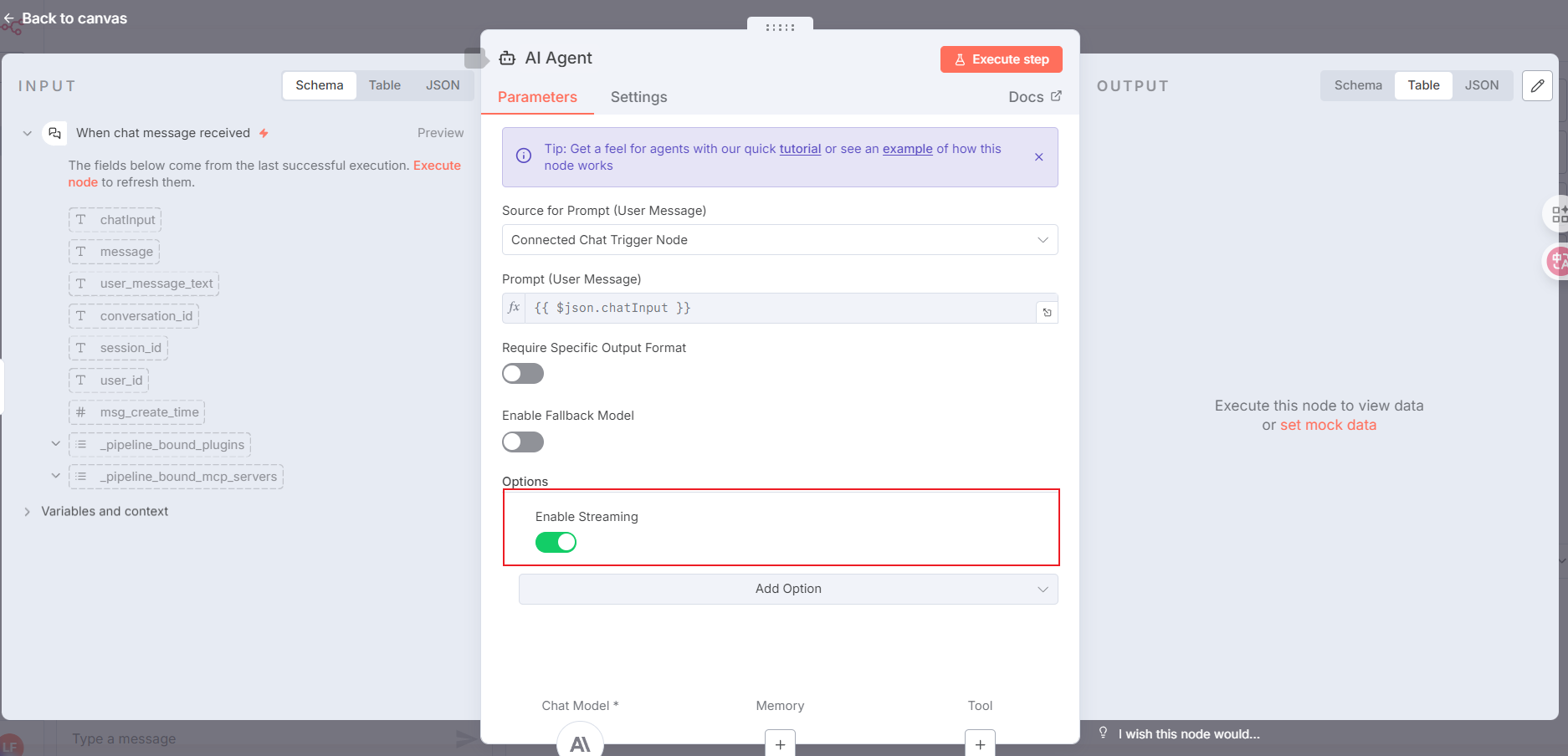
AI Agent, following the setup below:
For streaming responses, add the items highlighted in the red box. If you don’t need streaming, you can skip this.
Respond to Webhook node and configure it according to the image below (if you choose streaming responses with the AI Agent node, you do not need this step):
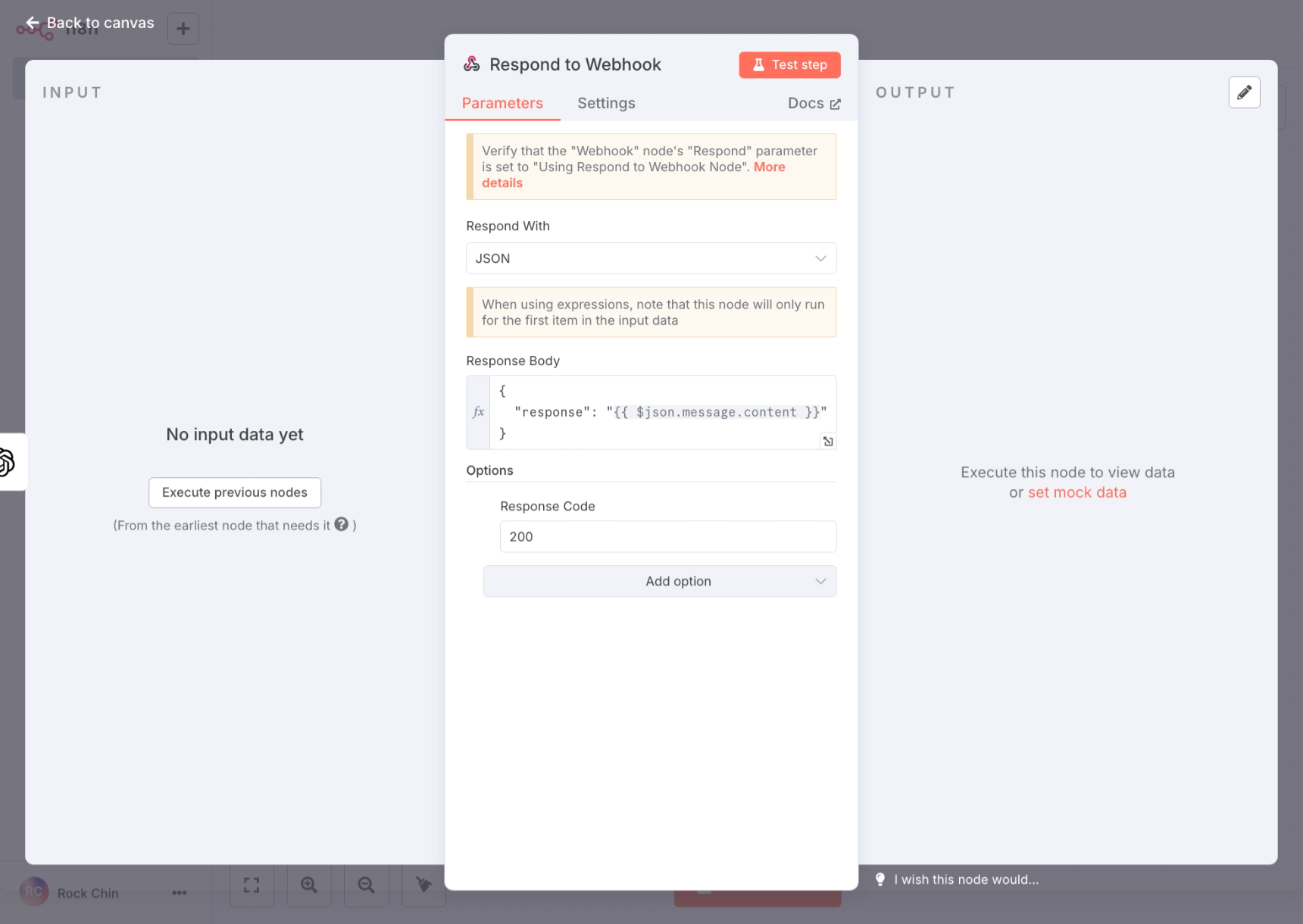
Response Body needs to match the output key name in LangBot’s pipeline configuration.
After completing the n8n workflow configuration, please click Active at the top to enable the workflow.