
1. Obtaining the Token and Bot ID
-
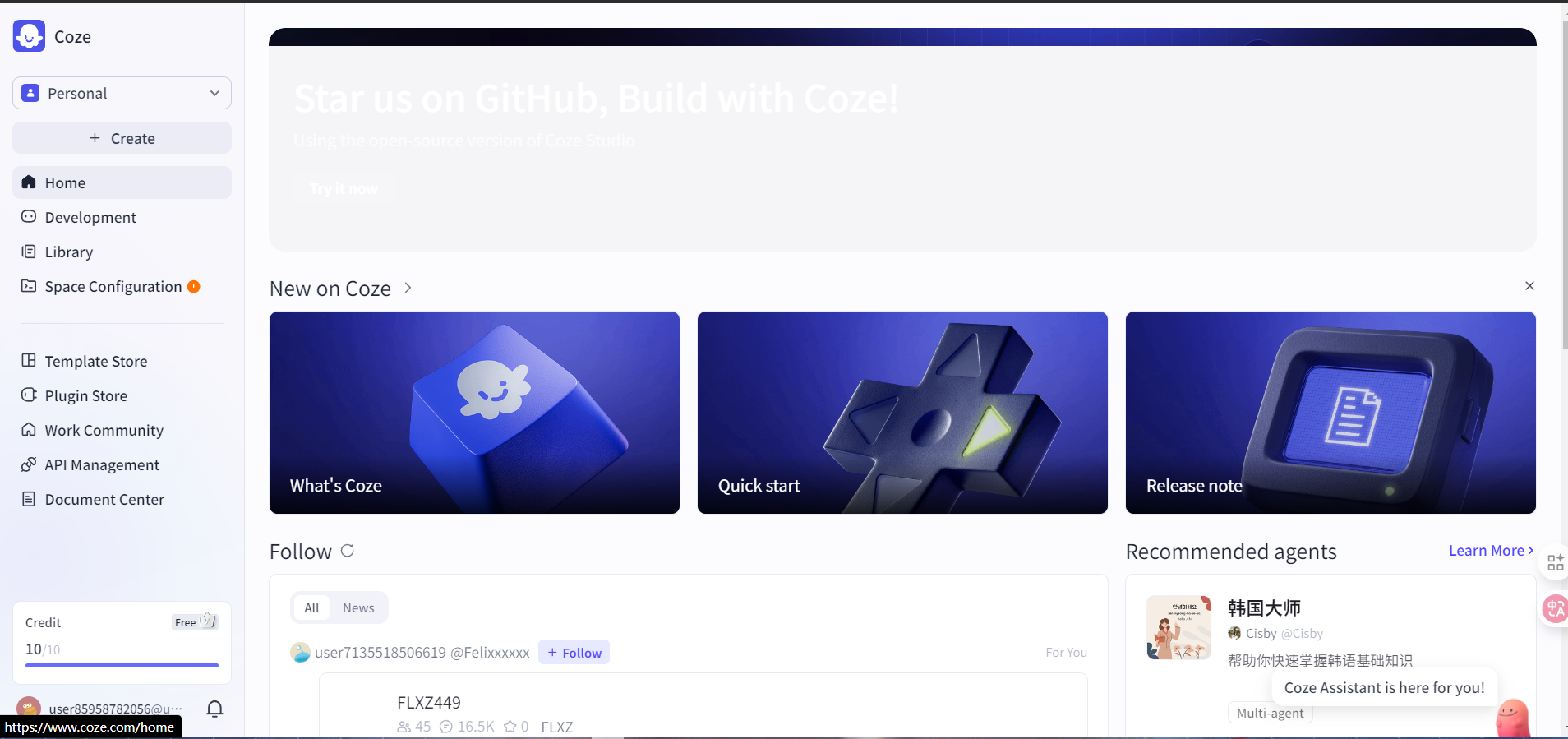
Log in to the Coze platform and enter your developer console.
-
In “API Management”, create and copy the token.
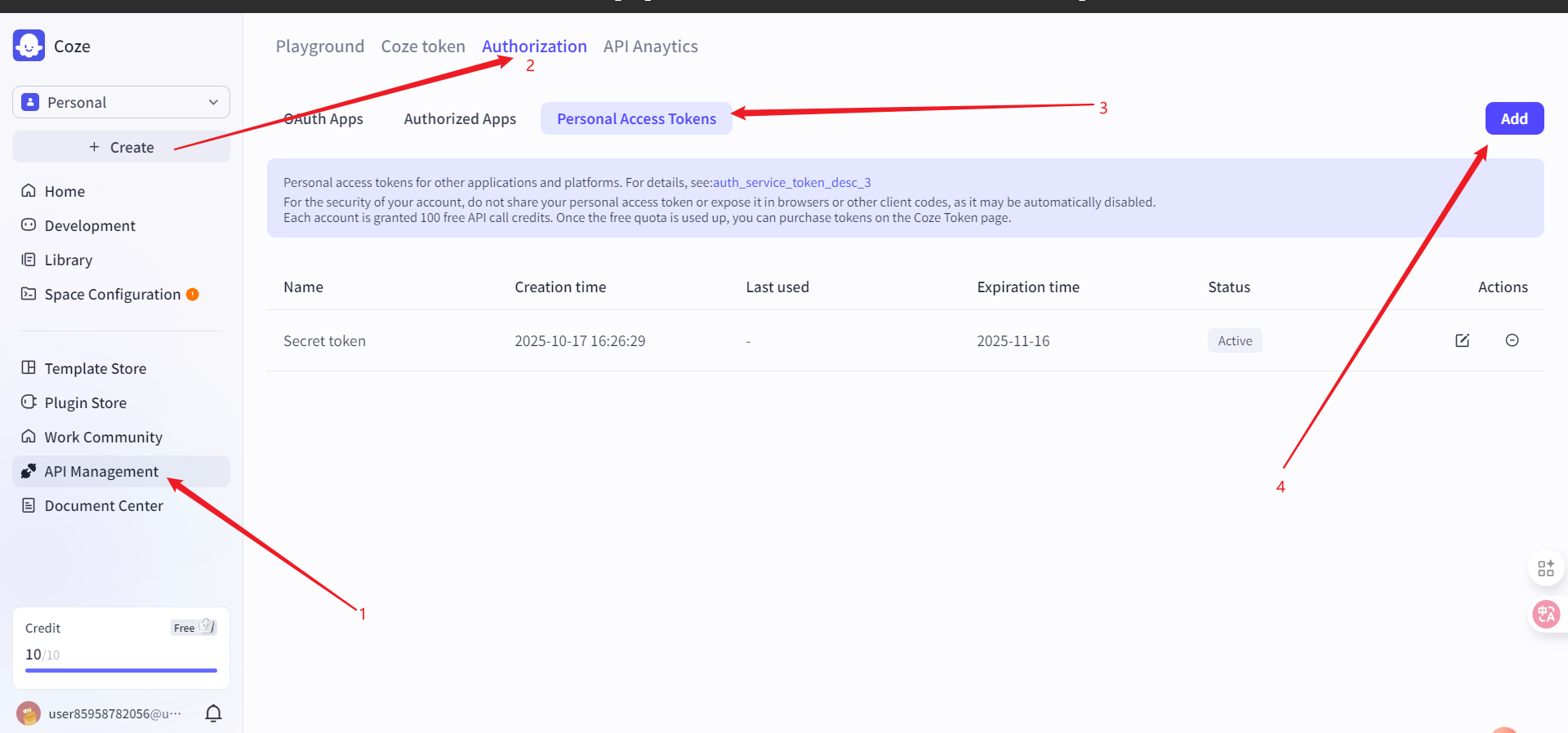
In Coze authorization, coze.cn supports long-term authorization through “Service Identities and Credentials”, while coze.com only provides Personal Access Tokens.
- Select your own agent (or create a new one) from the project development section. The obtained ID is the
bot_id.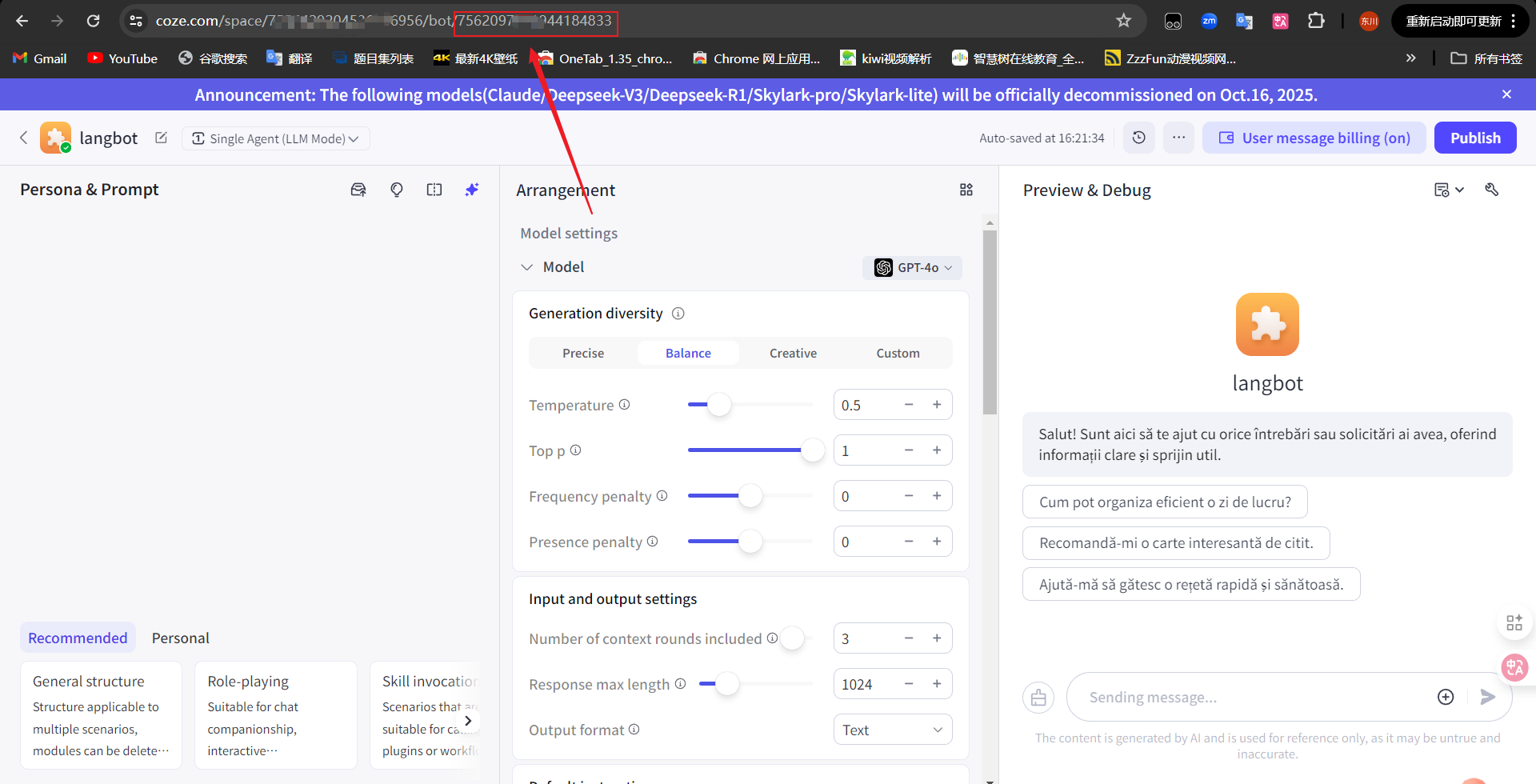
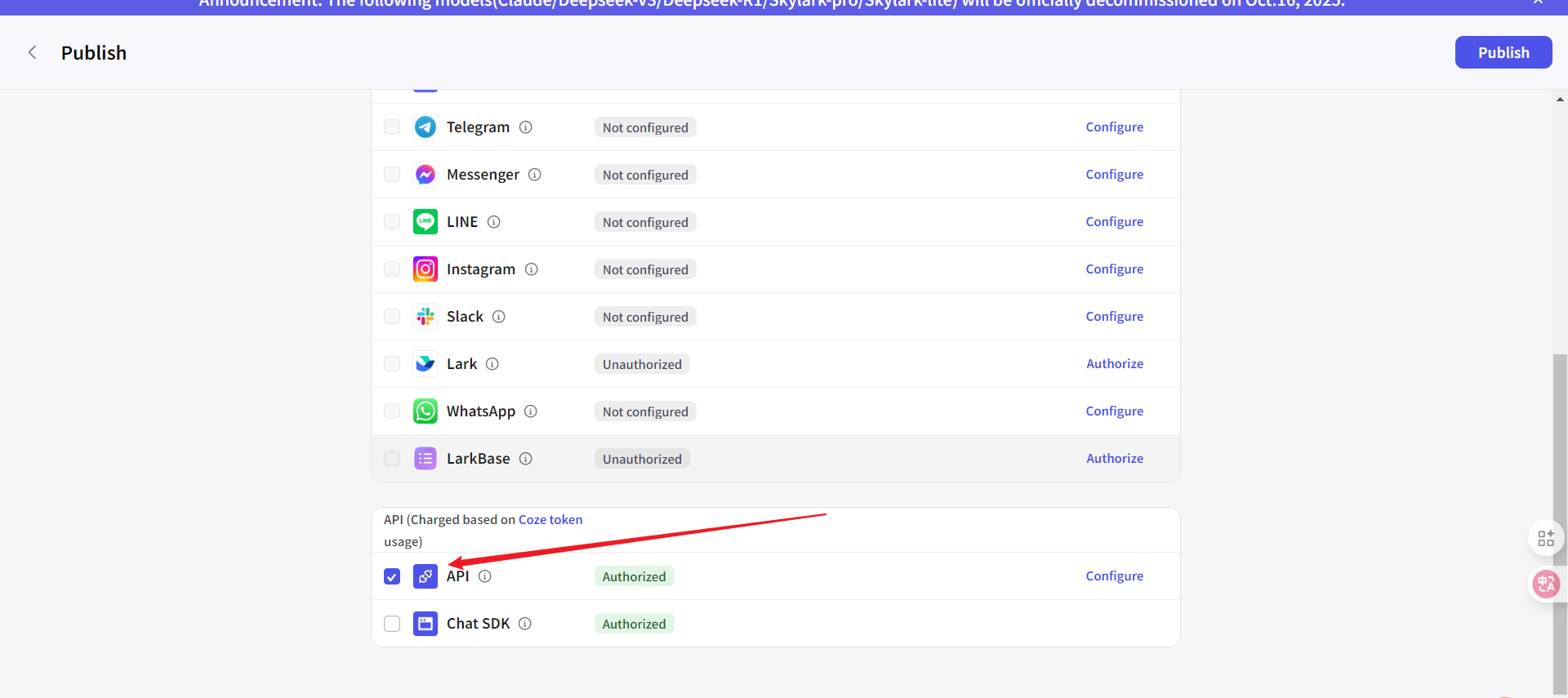
- Make sure to select the API option when publishing the agent
- token: The token generated by the Coze platform
- bot_id: The Bot ID
2. Entering the Configuration in LangBot
- Open the LangBot WebUI and navigate to the configuration page of a pipeline (or create a new pipeline and enter its configuration page)
-
Under “AI Capabilities”, select the runner as
Coze API -
In the runner’s configuration items, enter:
- token: Paste the API Token you copied from the Coze platform
- bot_id: Paste the corresponding Bot ID
- Please select the
API Base URLaccording to the Coze site you are using: coze.cn please fill inhttps://api.coze.cn; coze.com please fill inhttps://api.coze.com
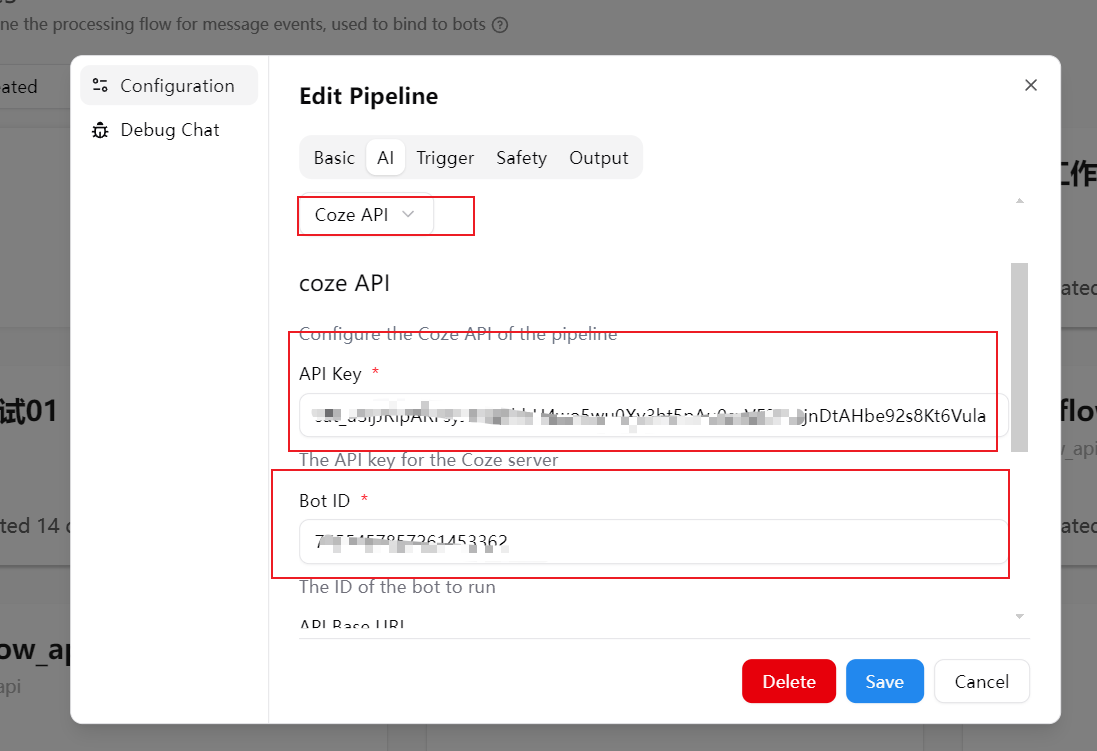
- Click “Save” to complete the configuration
Frequently Asked Questions (FAQ)
- Save fails or invocation returns an error: Please verify that the token and bot_id are correct and do not contain extra spaces
- Unable to select
Coze API: Please confirm whether the current version supports this runner. If not yet supported, please upgrade to a version that includes the Coze runner