Creating a Knowledge Base
On the knowledge base page, click theCreate Knowledge Base button:
- Fill in the knowledge base name
- Select a Knowledge Engine (provided by installed plugins)
- Fill in the relevant parameters based on the selected engine’s configuration form (e.g., embedding model, chunk size, etc.)
- Click the
Createbutton
Different Knowledge Engines have different configuration parameters, depending on the engine’s
creation_schema definition. Some engines may require configuring an embedding model first. Please read Configure Models.DOC_INGESTION capability), after creation go to the “Documents” tab of your knowledge base and upload documents. LangBot will automatically parse and index these in the background.
Using the Knowledge Base
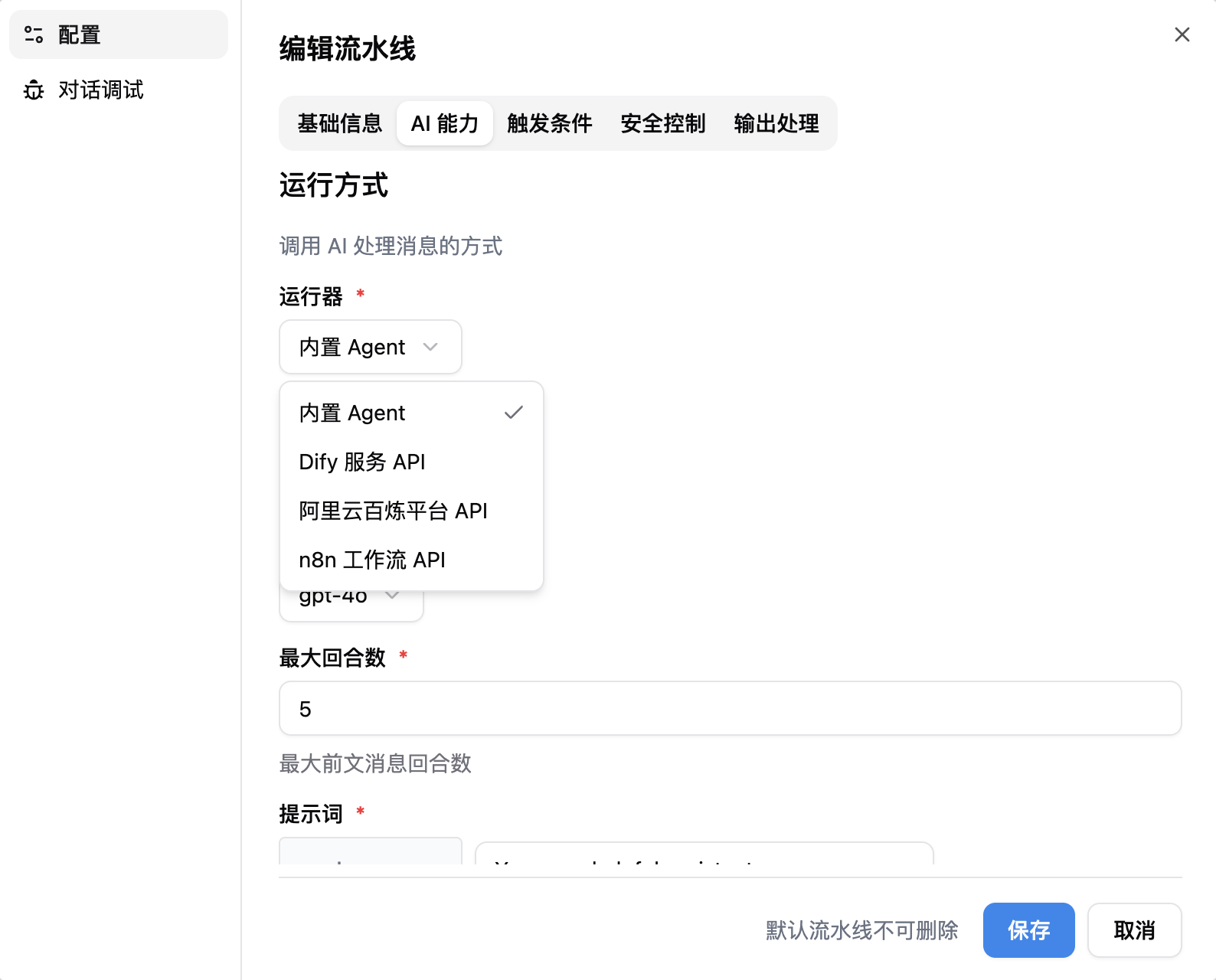
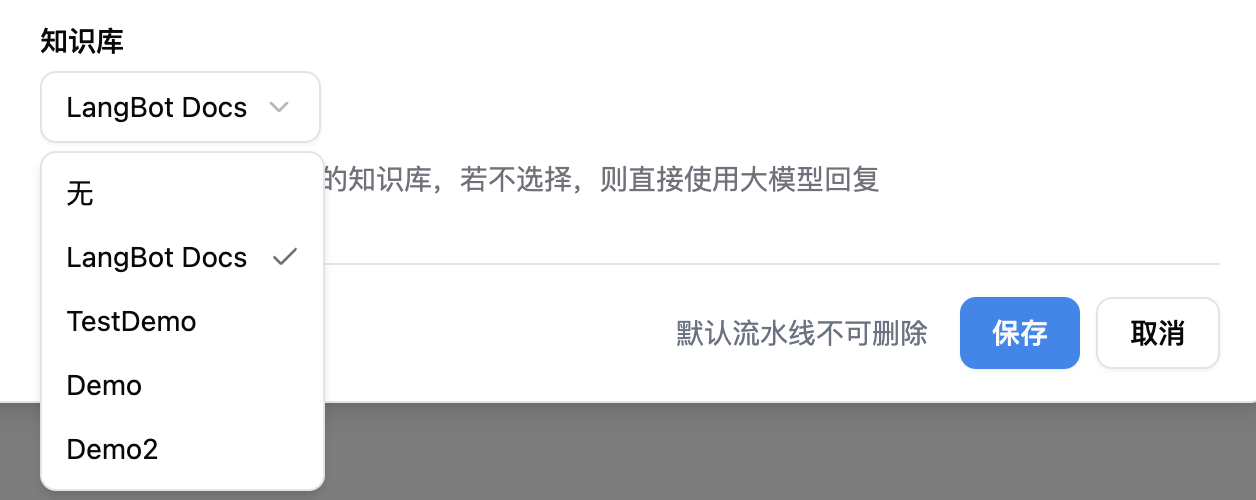
Go to your pipeline configuration, under the “AI” tab, chooseLocal Agent as the runner, then select the knowledge base you just created.
Configure Reranking (Optional)
After selecting a knowledge base, you can configure a Rerank Model below to improve retrieval quality:- Rerank Model: Select a configured rerank model (if none available, add one in Model Configuration first)
- Rerank Top-K: Number of most relevant results to keep after reranking, default is 5
LangBot’s built-in knowledge base can be used only when the runner is set to
Local Agent. For other runners, refer to their documentation.Chat Debug, or through the bot linked to this pipeline: