
Architecture Foundation
In version 4.0, we introduced a high-security, high-flexibility production-grade plugin system and provided developers with rich APIs and easy-to-use supporting tools.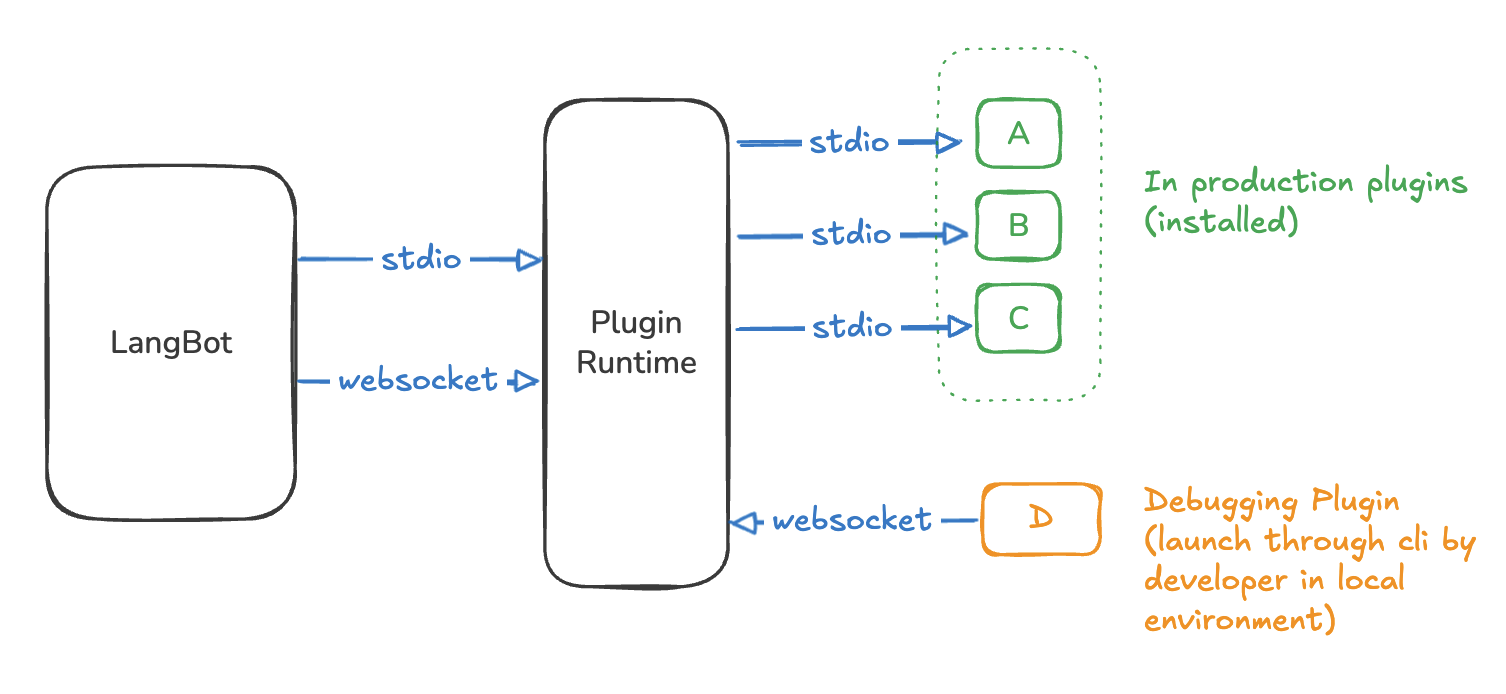
stdio and websocket. When LangBot is started directly by users (not running in a container), it uses stdio mode, which is common for personal users or lightweight environments. When LangBot runs in a container, it uses websocket mode, designed specifically for production environments.
Plugin Runtime automatically starts each installed plugin and interacts through stdio. In plugin development scenarios, developers can use the lbp command-line tool to start plugins and connect to the running Runtime via WebSocket for debugging.
Plugin Structure
A plugin’s directory structure is similar to the following:langbot_plugin.api.definition.plugin.BasePlugin and provides LangBot Global APIs.
Each component is a core functional module of your plugin, which can be added and removed as needed. Different components are called in different situations, making it easy to extend plugin functionality later. Each component directly inherits from the various component base classes under the langbot_plugin.api.definition.components package and contains a plugin: BasePlugin object, allowing you to directly call the plugin’s APIs.
- For detailed API documentation, please refer to API Reference.
AI-Assisted Development
- skills-LangBotplugin - Skills contributed by community member @TyperBody, use AI to quickly develop plugins, welcome to try
- langbotplugin This skill provides automated plugin generation tools
- langbotplugindebug This skill provides plugin debugging tools
Installing CLI
Please ensure you have Python 3.10 or higher installed, and have installed the uv package manager. Execute the command in any empty directory to install LangBot CLI and SDK:Initializing Plugin Directory
Assuming your plugin name isHelloPlugin, create a directory HelloPlugin in any directory, enter that directory, and execute the command to initialize the plugin:
Author, Description, and other information.
You can also use the 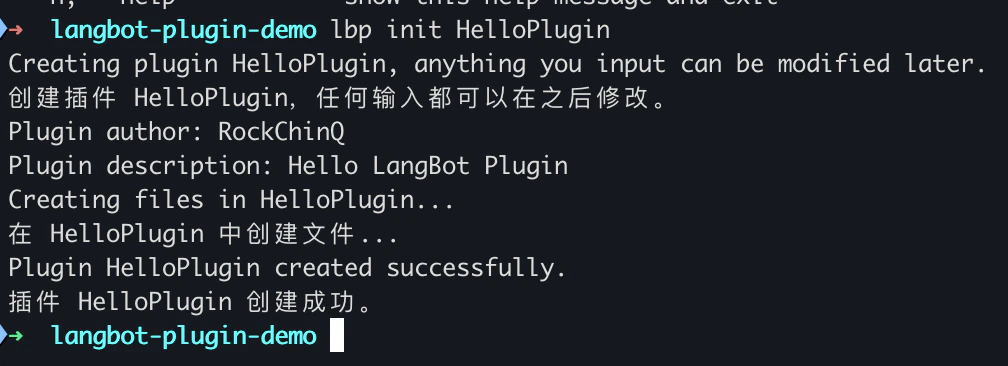
lbp init HelloPlugin command to initialize the plugin in the subdirectory HelloPlugin.HelloPlugin directory in your favorite editor and start writing plugin code.
If you get a “command not found” error for
lbp, it may be because you have not properly set the PATH environment variable.
You can use python -m langbot_plugin.cli.__init__ instead of the lbp command.For example:Starting Debug Mode
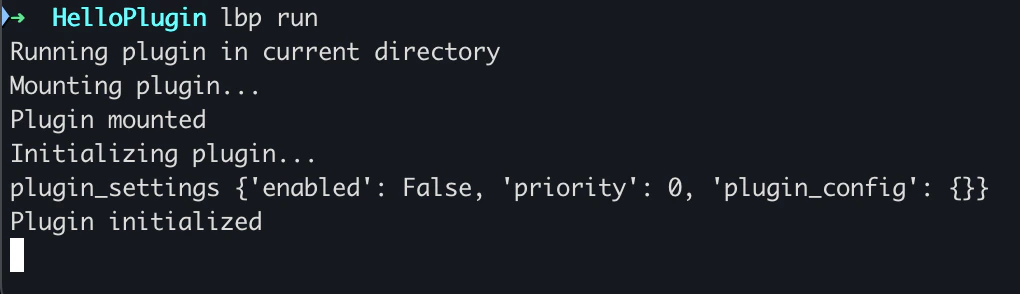
You need to first deploy and start LangBot, ensuring that Plugin Runtime is running and listening on port5401.
-
Stdiomode: When you start LangBot using source code without the startup parameter--standalone-runtime, LangBot will automatically start Plugin Runtime as a subprocess and communicate with Plugin Runtime throughstdio(standard input/output streams). In this case, Runtime will load plugins from thedata/pluginsdirectory in the LangBot root directory and listen on port5401of the LangBot host as a debug port. -
WebSocketmode:- Production environment: When you start LangBot using the official
docker-compose.yaml, Plugin Runtime will run in a separate container, and LangBot will communicate with Plugin Runtime in WebSocket mode due to the startup parameter--standalone-runtime. The 5401 port of the Runtime container will be mapped to the 5401 port of the host as default. - Development environment: If you start LangBot through source code with the startup parameter
--standalone-runtime, LangBot will connect to the already started Plugin Runtime according to theplugin.runtime_ws_urladdress (port usually 5400) configured indata/config.yaml. You need to start the standalone Plugin Runtime yourself, see Developing Plugin Runtime.
- Production environment: When you start LangBot using the official
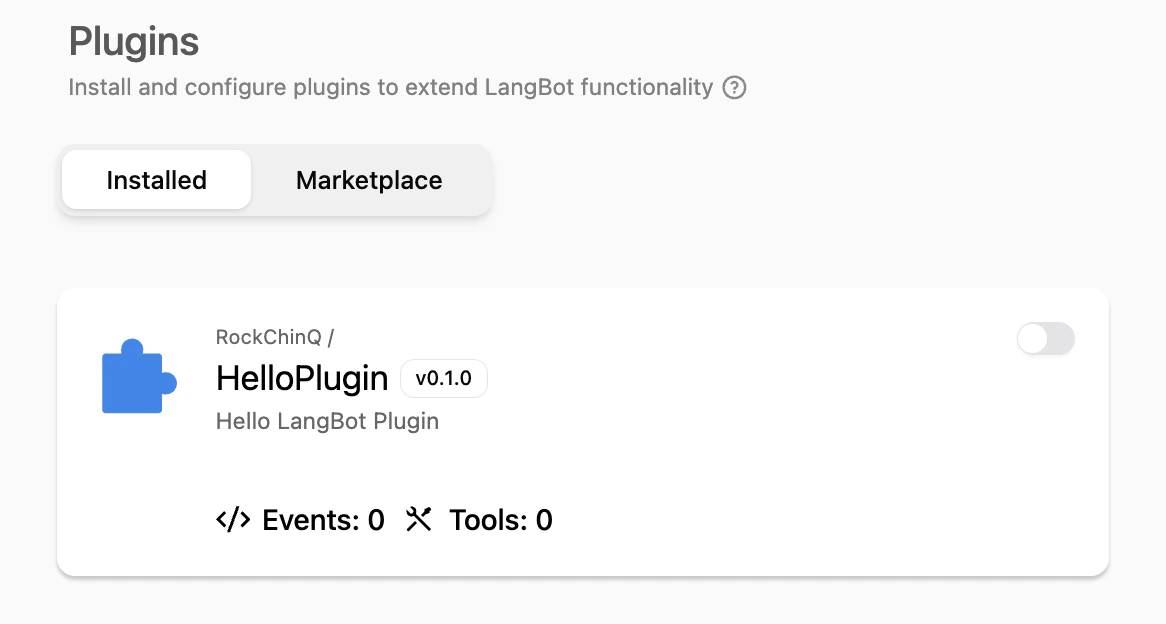
stdio or websocket mode, Plugin Runtime will listen on port 5401 of its host as a debug port for plugin debugging connections.When developing plugins, we recommend starting LangBot according to the Development Configuration method, which will start Plugin Runtime in Stdio mode, making plugin development easier..env.example to .env. In LangBot WebUI, open Extensions → Debug Info and copy the current Workspace’s Debug URL and Debug Key into DEBUG_RUNTIME_WS_URL and PLUGIN_DEBUG_KEY. Every Workspace has a different key, and it rotates every two hours; copy it again after expiry.
What’s Next
This tutorial will guide you through step-by-step completion of plugin functionality.- Modify Plugin Information: The plugin has been created with basic plugin information. Please complete the plugin information.
- Add Components: Plugin components are the core functional units of plugins. You can add components based on your needs.