LangBot home page
English
Search...
⌘K
Home
Cloud
Market
Blog
Roadmap
Search...
Navigation
Third-Party Model Providers
Integrating Models with 302 AI
Guides
Developers
API Reference
Quick Start
Welcome to LangBot Documentation
Features
Community Resources
Data Collection Policy
Installation
Deploy with Package Manager
Docker Deployment
1Panel Deployment
aaPanel Deployment
Manual Deployment
System Environment Settings
Update LangBot
Command
Configure Bots
Configure Bots (Bots)
Connect to Discord Bot
Connect to Telegram Bot
Connect to Slack Bot
Integrating LINE Bot
Integrating KOOK Bot
Connect to Feishu Bot
Deploy DingTalk Bot
Deploy WeChat Official Account Bot
QQ (OneBot v11)
Satori (QQ & Multi-Platform)
QQ Official Bot
WeCom (Enterprise WeChat)
WeChat
AI Configuration
Configure Models (Models)
Modify Dialogue Pipeline Configuration (Pipelines)
LLMOps Integrations
Using the Knowledge Base
Using MCP Servers
Advanced Operations
Configure HTTP Reverse Proxy or Access LangBot Through Gateway
Network Configuration Details
MCP Ecosystem Details
Platform Feature Support
Third-Party Model Providers
Integrating LangBot with New API
Integrating Models with PPIO Cloud API
Integrating Models with 302 AI
Using Plugins
LangBot Plugins
System Compatibility
Third-Party Model Providers
Integrating Models with 302 AI
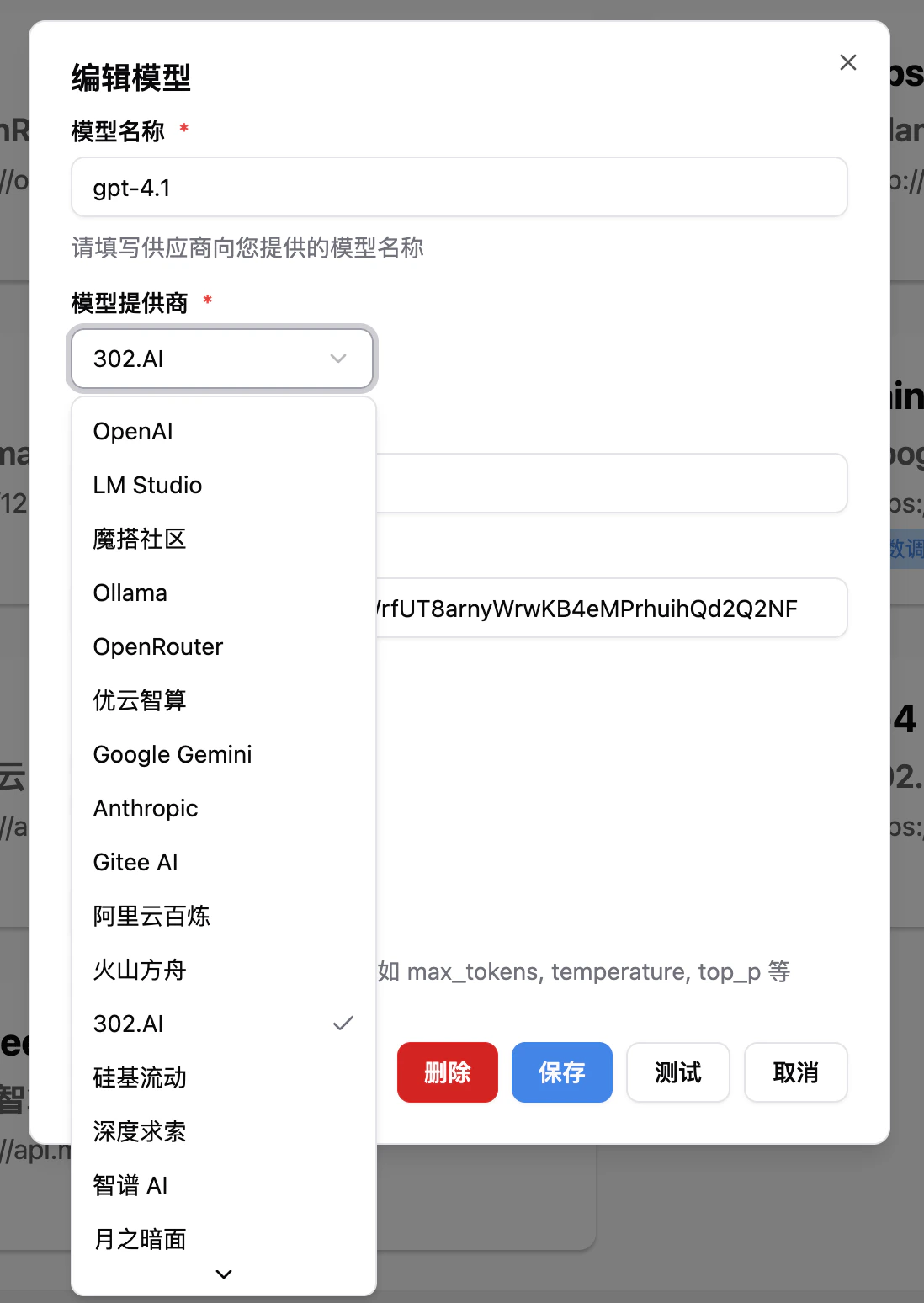
Open the WebUI page, and select
302 AI
when adding a model.
Integrating Models with PPIO Cloud API
LangBot Plugins
⌘I