
Lagrange Introduction
Lagrange is a QQNT protocol reverse engineering framework that is lightweight and relatively stable. Connect through the OneBot 11 protocol, you need to selectOneBot v11 as the adapter.
Deployment Steps
The following only provides general steps for Windows, for detailed steps or other platforms, please refer to the Lagrange official documentationEnvironment Configuration
Install .NET 8 runtime, Click here to go directly to Microsoft’s official website to downloadDownload the latest build from Github Actions
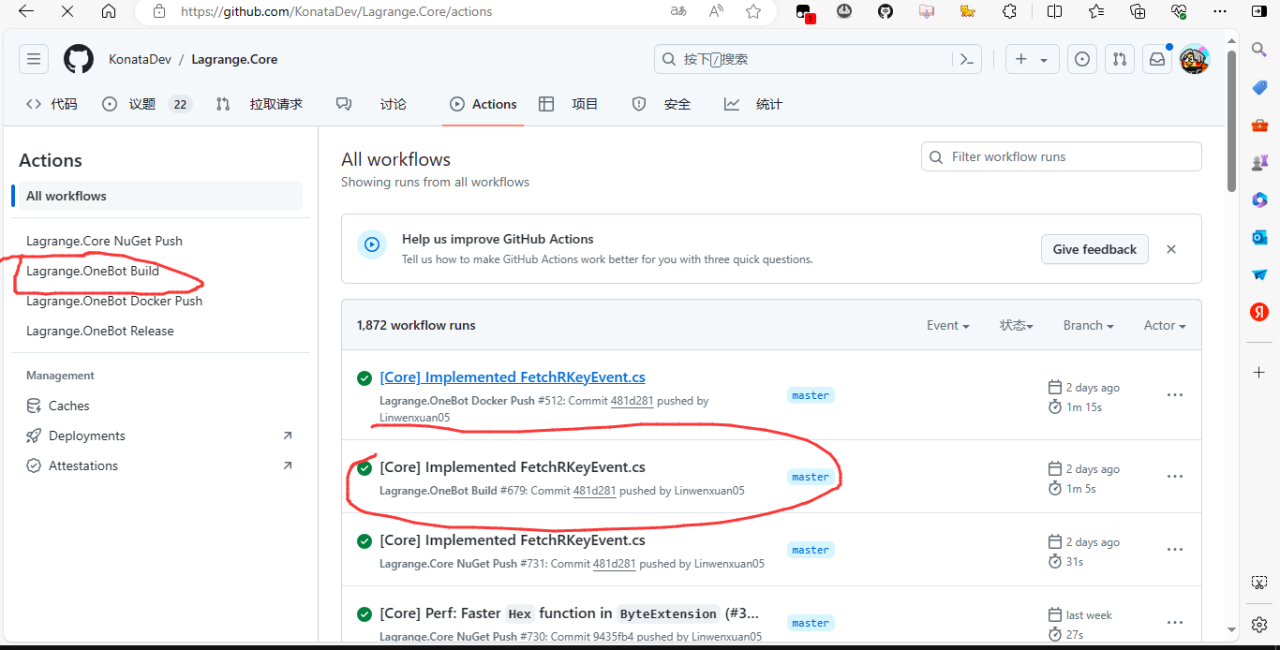
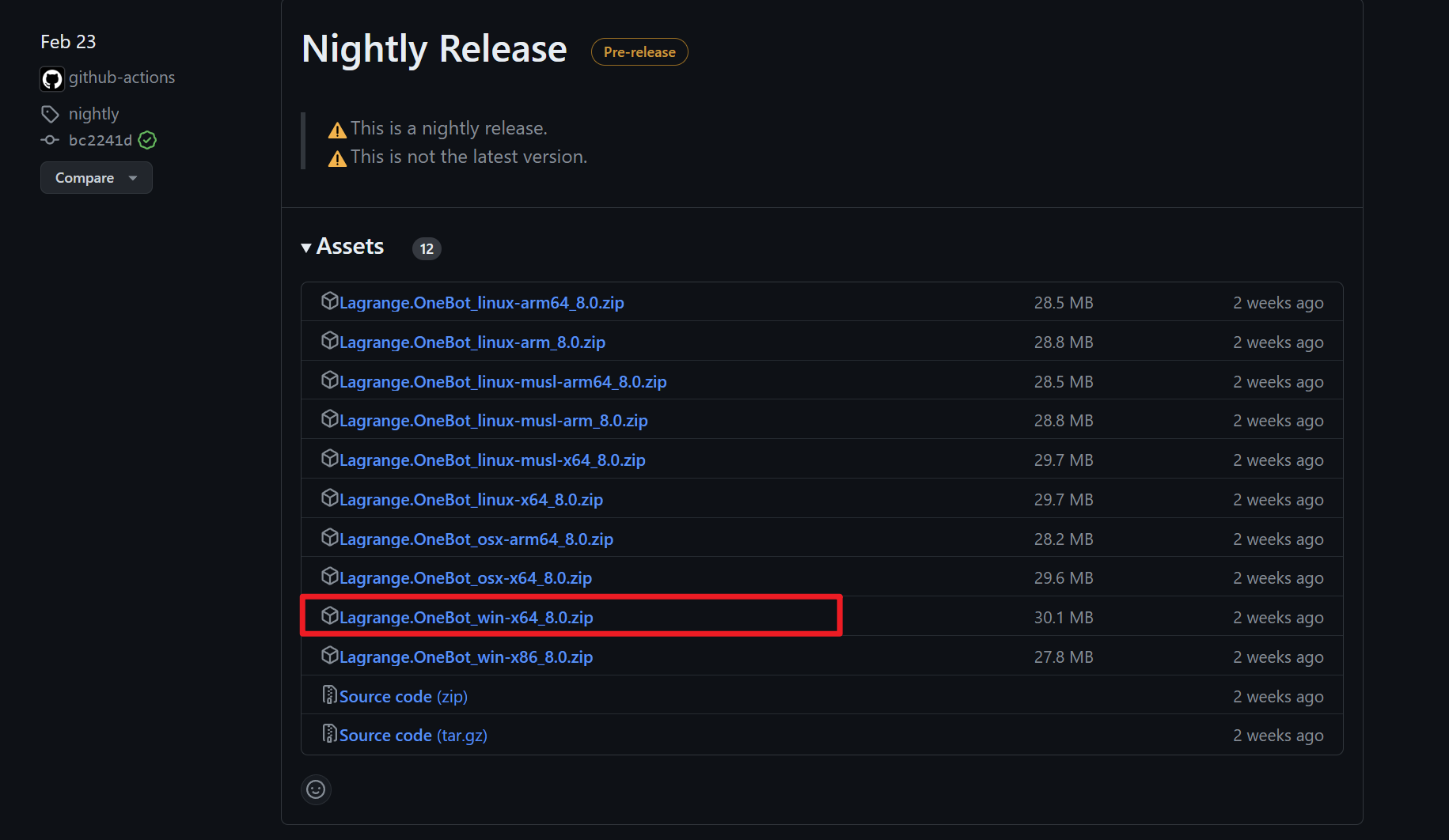
You need to log in to Github to download. If you don’t need certain features, you can download from Release, see image 3 Github Actions Follow the images to download: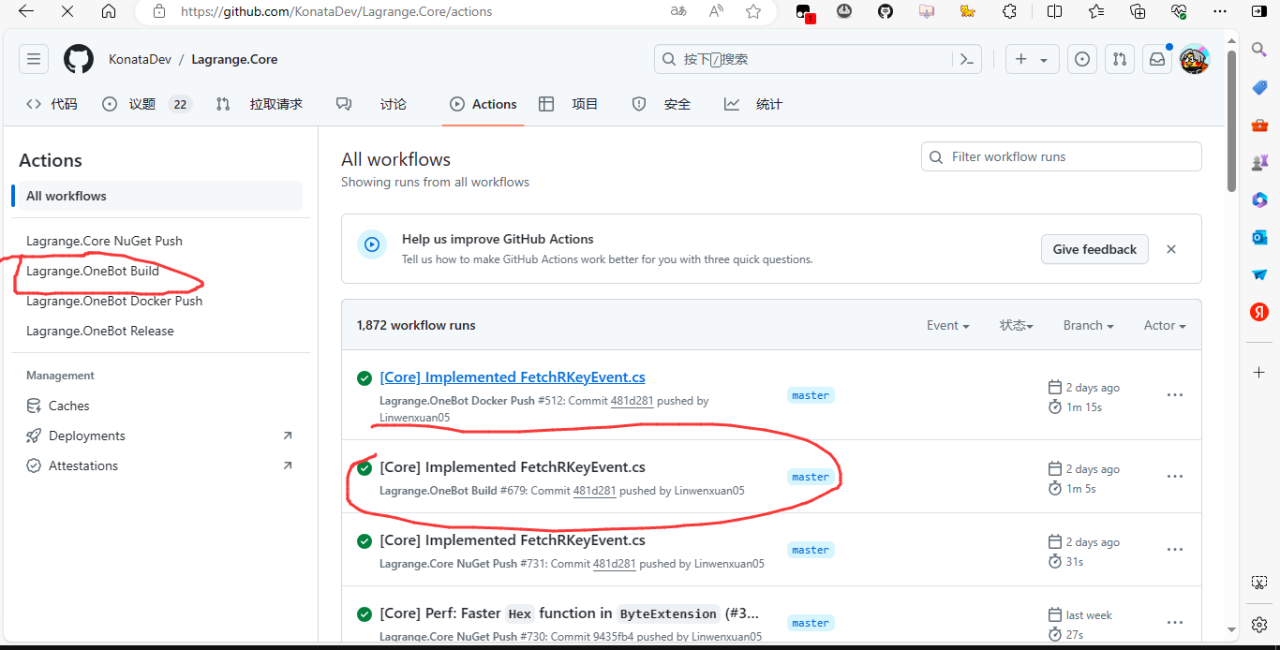
Final Steps
Extract the zip you downloaded, navigate to the directory containing Lagrange.OneBot.exe, open a cmd command prompt in this directory, and enterModify Configuration
You need to configure Lagrange to connect to LangBot. Please edit Lagrange’s configuration file appsettings.json and ensure that the connection configuration in Implementations matches the content in the image below: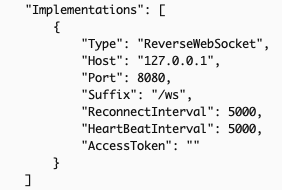
ReverseWebSocket;Host is the IP of the host running LangBot, if on the same host, you can write
127.0.0.1;Suffix must be
/ws;
Lagrange Integration
Next, open the LangBot configuration page Click on Bots, then click Add SelectOneBot v11 for Platform/Adapter Selection
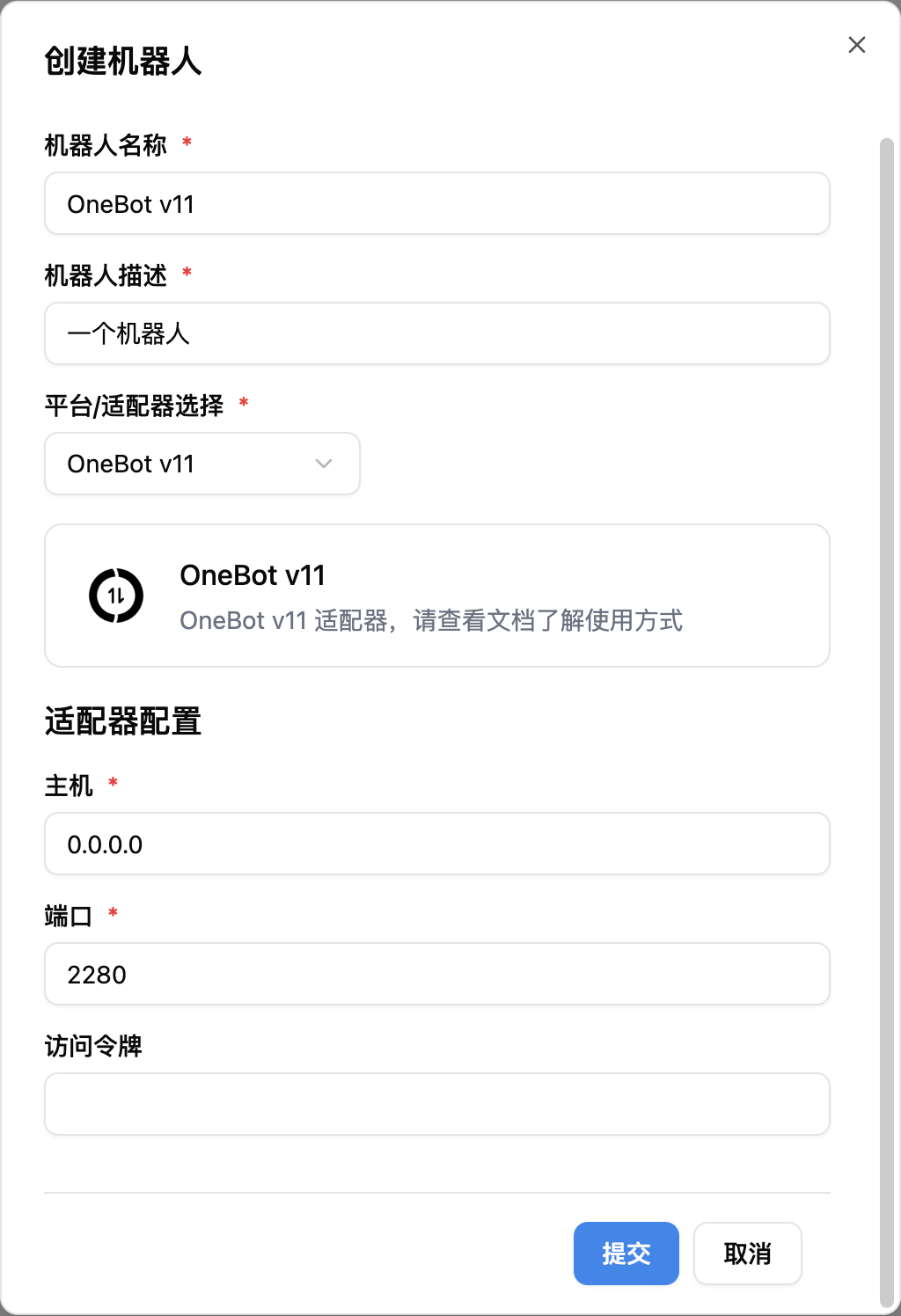
Note, if you have network connection issues involving multiple docker containers, please refer to Network Configuration Details