
Component: Knowledge Retriever
The Knowledge Retriever component allows plugins to provide external knowledge base retrieval capabilities for LangBot. When users create an external knowledge base in LangBot, they can choose a knowledge retriever provided by a plugin to retrieve knowledge.
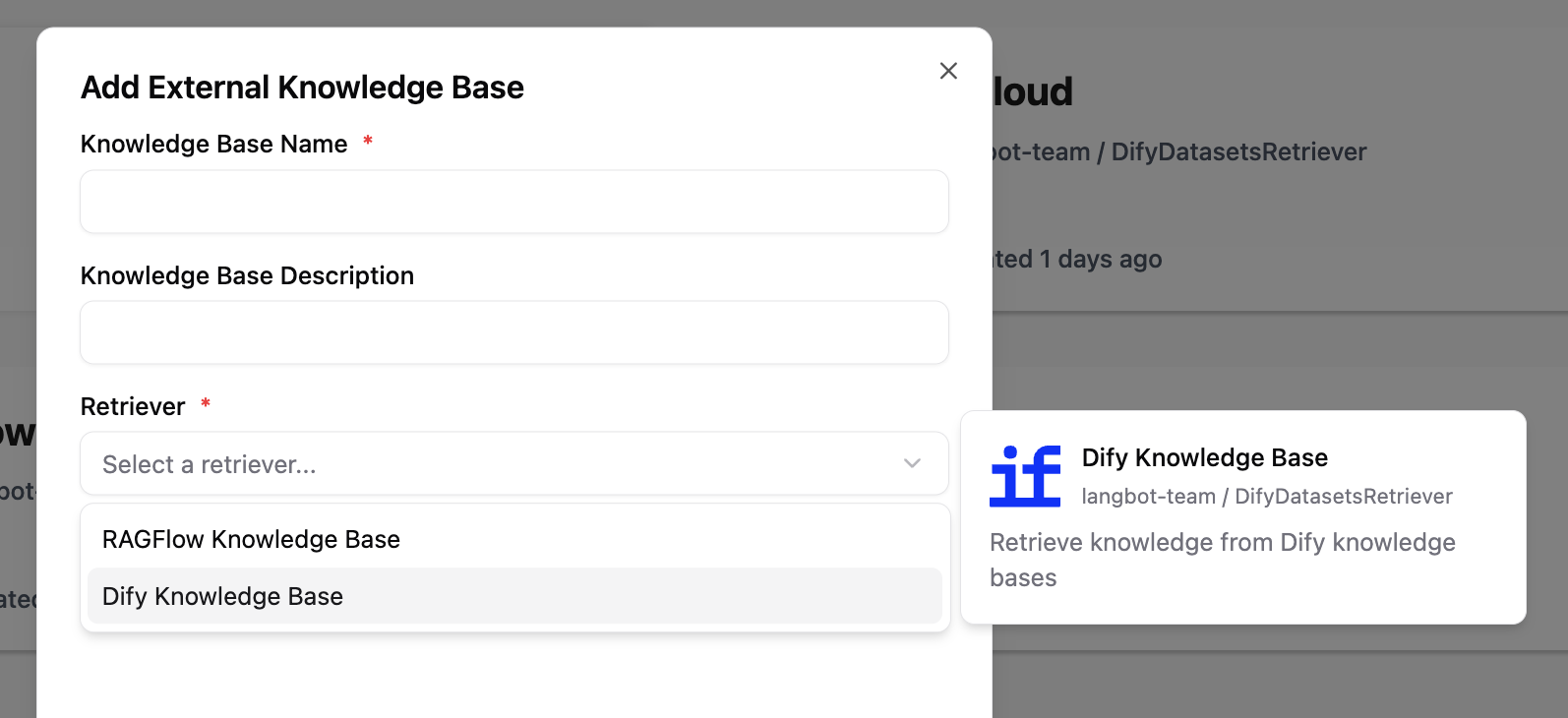
Adding a Knowledge Retriever Component
A single plugin can add any number of knowledge retrievers. Execute the command lbp comp KnowledgeRetriever in the plugin directory and follow the prompts to enter the knowledge retriever configuration.
➜  FastGPTRetriever > lbp comp KnowledgeRetriever
Generating component KnowledgeRetriever...
KnowledgeRetriever name: fastgpt
KnowledgeRetriever description: Retrieve knowledge from FastGPT knowledge bases
Component KnowledgeRetriever generated successfully.
This will generate fastgpt.yaml and fastgpt.py files in the components/knowledge_retriever/ directory. The .yaml file defines the basic information and configuration parameters of the knowledge retriever, and the .py file is the handler for this retriever:
➜  FastGPTRetriever > tree
...
├── components
│   ├── __init__.py
│   └── knowledge_retriever
│       ├── __init__.py
│       ├── fastgpt.py
│       └── fastgpt.yaml
...
Manifest File: Knowledge Retriever
apiVersion: v1  # Do not modify
kind: KnowledgeRetriever  # Do not modify
metadata:
  name: fastgpt  # Knowledge retriever name, used to identify this retriever
  label:
    en_US: FastGPT Knowledge Base  # Retriever display name, shown in LangBot's UI, supports multiple languages
    zh_Hans: FastGPT 知识库
    ja_JP: FastGPT ナレッジベース
  description:
    en_US: 'Retrieve knowledge from FastGPT knowledge bases'  # Retriever description, shown in LangBot's UI, supports multiple languages. Optional
    zh_Hans: '从 FastGPT 知识库中检索知识'
    ja_JP: 'FastGPT ナレッジベースから知識を取得'
  icon: assets/icon.svg  # Retriever icon, displayed on the external knowledge base configuration page
spec:
  config:  # Retriever configuration parameters, users need to fill in these parameters when creating an external knowledge base
    - name: api_base_url  # Parameter name
      type: string  # Parameter type: string, number, boolean, select
      label:
        en_US: API Base URL
        zh_Hans: API 基础地址
        ja_JP: API ベース URL
      description:
        en_US: 'Base URL for FastGPT API'
        zh_Hans: 'FastGPT API 基础地址'
        ja_JP: 'FastGPT API ベース URL'
      default: 'http://localhost:3000'  # Default parameter value
      required: true  # Whether required
    - name: api_key
      type: string
      label:
        en_US: FastGPT API Key
        zh_Hans: FastGPT API Key
        ja_JP: FastGPT API キー
      description:
        en_US: 'API key from your FastGPT instance'
        zh_Hans: '从您的 FastGPT 实例获取的 API Key'
        ja_JP: 'FastGPT インスタンスから取得した API Key'
      default: ''
      required: true
    - name: search_mode  # Example of select type parameter
      type: select
      label:
        en_US: Search Mode
        zh_Hans: 搜索模式
        ja_JP: 検索モード
      description:
        en_US: 'The search method to use'
        zh_Hans: '使用的搜索方法'
        ja_JP: '使用する検索方法'
      default: 'embedding'
      options:  # Select type parameters need to define an option list
      - name: 'embedding'
        label:
          en_US: 'Embedding Search'
          zh_Hans: '向量搜索'
          ja_JP: '埋め込み検索'
      - name: 'fullTextRecall'
        label:
          en_US: 'Full-Text Recall'
          zh_Hans: '全文检索'
          ja_JP: '全文検索'
    - name: using_rerank  # Example of boolean type parameter
      type: boolean
      label:
        en_US: Use Re-ranking
        zh_Hans: 使用重排序
        ja_JP: リランキングを使用
      description:
        en_US: 'Whether to use re-ranking'
        zh_Hans: '是否使用重排序'
        ja_JP: 'リランキングを使用するかどうか'
      default: false
      required: false
execution:
  python:
    path: fastgpt.py  # Retriever handler, do not modify
    attr: FastGPT  # Class name of the retriever handler, consistent with the class name in fastgpt.py
For configuration item format reference, see: Plugin Manifest Configuration Format
Plugin Handler
The following code will be generated by default (components/knowledge_retriever/<retriever_name>.py). You need to implement the knowledge retrieval logic in the retrieve method of the FastGPT class. Complete code can be found in langbot-plugin-demo.
# Auto generated by LangBot Plugin SDK.
# Please refer to https://docs.langbot.app/en/plugin/dev/tutor.html for more details.
...

class FastGPT(KnowledgeRetriever):

    async def retrieve(self, context: RetrievalContext) -> list[RetrievalResultEntry]:
        """Retrieve knowledge from FastGPT knowledge base"""

        # 1. Get configuration parameters
        api_base_url = self.config.get('api_base_url', 'http://localhost:3000')
        api_key = self.config.get('api_key')
        dataset_id = self.config.get('dataset_id')
        search_mode = self.config.get('search_mode', 'embedding')
        using_rerank = self.config.get('using_rerank', False)

        # 2. Parameter validation
        if not api_key or not dataset_id:
            logger.error("Missing required configuration: api_key or dataset_id")
            return []

        # 3. Build API request
        url = f"{api_base_url.rstrip('/')}/api/core/dataset/searchTest"
        headers = {
            "Authorization": f"Bearer {api_key}",
            "Content-Type": "application/json"
        }
        payload = {
            "datasetId": dataset_id,
            "text": context.query,  # Get query text from RetrievalContext
            "searchMode": search_mode,
            "usingReRank": using_rerank,
        }

        try:
            # 4. Call external API
            async with httpx.AsyncClient() as client:
                response = await client.post(url, json=payload, headers=headers, timeout=30.0)
                response.raise_for_status()
                result = response.json()

            # 5. Parse response and convert to RetrievalResultEntry
            results = []
            for record in result.get('data', []):
                # Combine main data and auxiliary data as content
                content_text = '\n'.join([
                    record.get('q', ''),
                    record.get('a', '')
                ]).strip()

                # Create retrieval result entry
                entry = RetrievalResultEntry(
                    id=record.get('id', ''),
                    content=[ContentElement.from_text(content_text)],
                    metadata={
                        'dataset_id': record.get('datasetId', ''),
                        'source_name': record.get('sourceName', ''),
                        'score': record.get('score', 0.0),
                    },
                    # Convert similarity score to distance (higher score = smaller distance)
                    distance=1.0 - float(record.get('score', 0.0)),
                )
                results.append(entry)

            logger.info(f"Retrieved {len(results)} chunks from FastGPT dataset {dataset_id}")
            return results

        except httpx.HTTPStatusError as e:
            logger.error(f"HTTP error from FastGPT API: {e.response.status_code} - {e.response.text}")
            return []
        except httpx.RequestError as e:
            logger.error(f"Request error when calling FastGPT API: {str(e)}")
            return []
        except Exception as e:
            traceback.print_exc()
            logger.error(f"Unexpected error during retrieval: {str(e)}")
            return []
Retrieval Context
RetrievalContext contains context information for this retrieval:
class RetrievalContext(pydantic.BaseModel):
    """Knowledge retrieval context"""

    query: str
    """Query text, the user's retrieval question"""
Retrieval Results
Retrieval results need to be converted to a list of RetrievalResultEntry objects, each representing a retrieved knowledge chunk:
class RetrievalResultEntry(pydantic.BaseModel):
    """Single retrieval result entry"""

    id: str
    """Result ID, uniquely identifies this entry"""

    content: list[ContentElement]
    """Result content, create text content using ContentElement.from_text()"""

    metadata: dict[str, Any]
    """Result metadata, can contain any key-value pairs, such as source, score, etc."""

    distance: float
    """Distance score, indicates relevance to the query (smaller is more relevant)
    Usually calculated as 1.0 - similarity_score"""
Getting Configuration Parameters
Get user-configured parameter values using self.config.get(parameter_name, default_value):
# Get string parameter
api_base_url = self.config.get('api_base_url', 'http://localhost:3000')

# Get number parameters
limit = self.config.get('limit', 5000)
similarity = self.config.get('similarity', 0.0)

# Get boolean parameter
using_rerank = self.config.get('using_rerank', False)

# Get select parameter
search_mode = self.config.get('search_mode', 'embedding')
Testing the Retriever
After creation, execute the command lbp run in the plugin directory to start debugging. Then in LangBot:
- Go to the "Knowledge Base" page
- Add an external knowledge base
- Select the knowledge retriever provided by your plugin and fill in the configuration
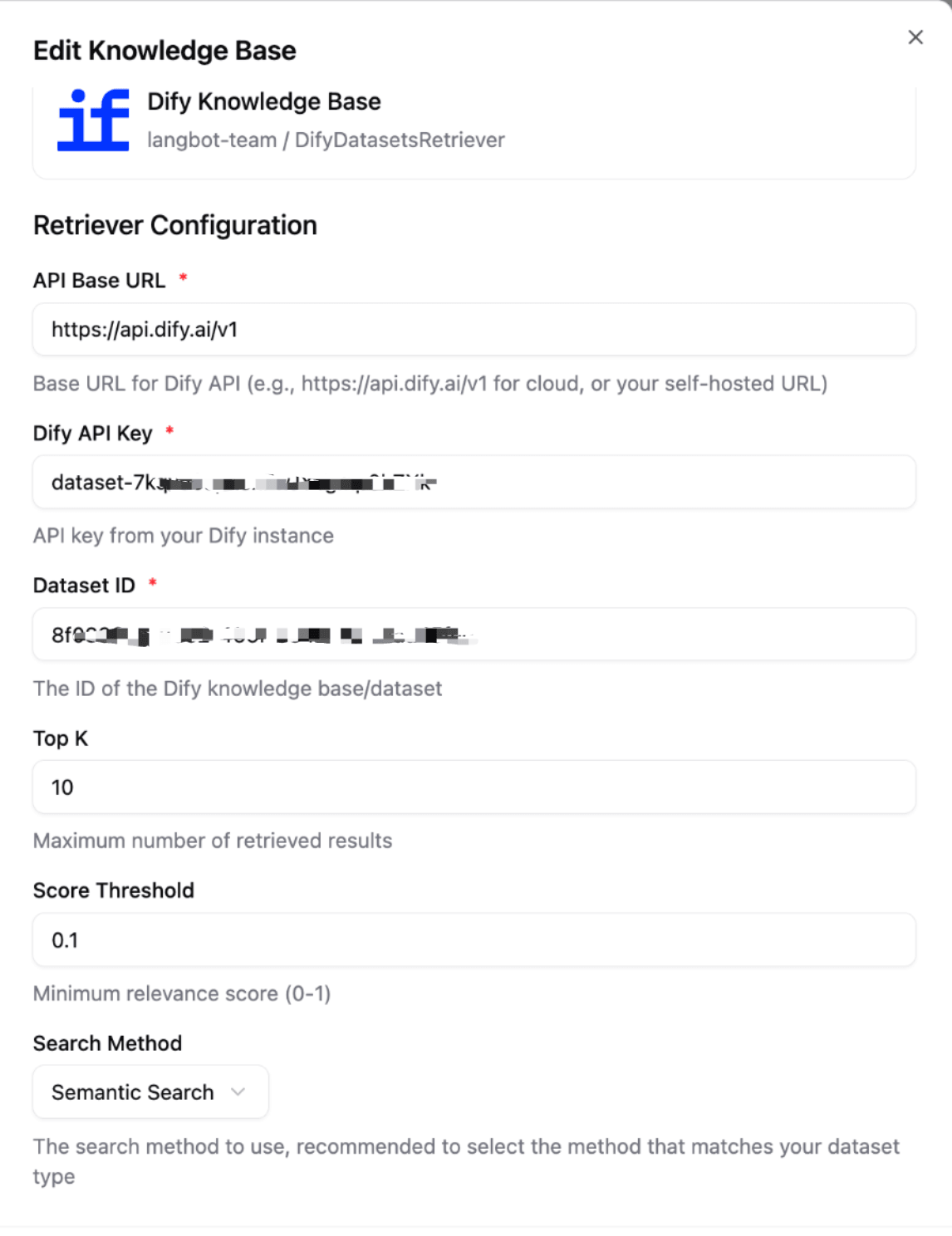
After saving, you can select this knowledge base in the LangBot pipeline.