
Adding Tool Components
A single plugin can contain any number of tools. Execute the commandlbp comp Tool in the plugin directory and follow the prompts to enter the tool configuration.
get_weather_alerts.yaml and get_weather_alerts.py files in the components/tools/ directory. The .yaml file defines the basic information for the tool, and the .py file is the tool handler:
Manifest File: Tool
Plugin Processing
The following code is generated by default (components/tools/<tool_name>.py). You need to implement the calling and return logic for this tool in the call method of the GetWeatherAlerts class.
call method, implement this tool:
The weather retrieval tool example comes from MCP’s Server Writing Example.
state parameter from params and call the NWS API to get weather alerts for that state, so we need to define the state parameter in the parameters of the manifest file.
The parameters format follows JSON Schema, is supported by OpenAI Function Calling feature, and its root type is fixed as type: object. Please add parameters in properties and add required parameter descriptions in required.
httpx library, so we need to add the httpx dependency in requirements.txt in the plugin directory.
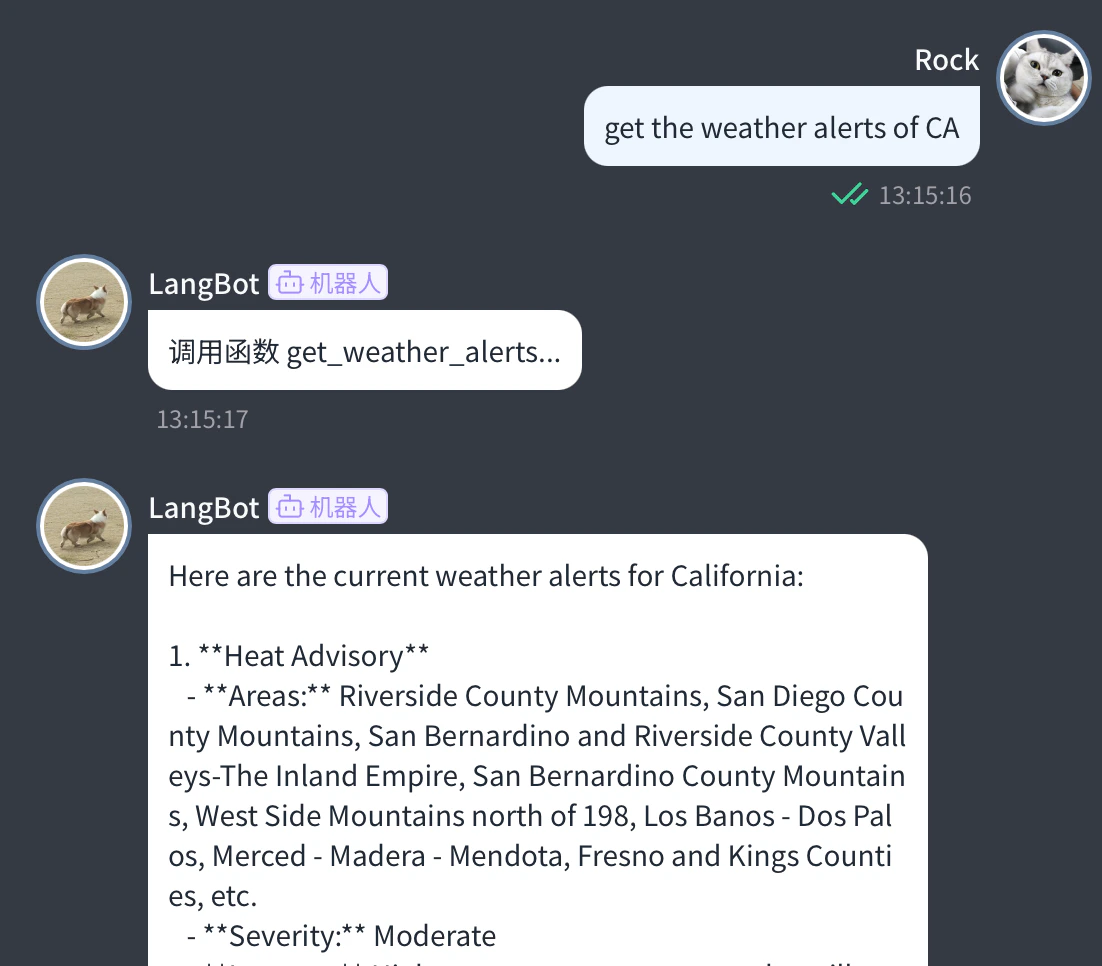
lbp run in the plugin directory to start debugging. Configure a model that supports tool calling in LangBot and select to use that model on the corresponding pipeline to use this tool.
What’s Next
You have learned the basic usage of tools. Next, you can:- Check out Plugin Common APIs