
message entity formats. To abstract away these differences, we have implemented a unified standard. Plugin developers only need to master and use the message entities described on this page in plugins, and LangBot’s internal message processing logic can automatically handle message parsing and conversion.
Message Chain
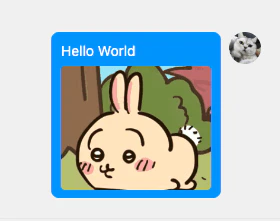
Messages on messaging platforms are different from messages used for AI interaction. Messages on messaging platforms are described in the form of message chains. Each independent message displayed on QQ is a message chain, which can contain various message chain components such as text, images, @mentions, etc. For example:
langbot_plugin.api.entities.builtin.platform.message.
Constructing Message Chains
Please first import thelangbot_plugin.api.entities.builtin.platform.message package to use the message components within it.
Source- Source message chain information. Messages received from messaging platforms will include this component at the front of the message chain to record message informationPlain- Plain text messageQuote- Quote messageImage- Image messageAtAll- @everyone messageAt- @specific member messageVoice- Voice message- Need to check messaging platform support
Forward- Forward message- Not supported on many platforms, not recommended
File- File message
langbot_plugin.api.entities.builtin.platform.message.
Other Entities
In addition to the above entities, there are also entities likeFriend and Group. These entities are defined in langbot_plugin.api.entities.platform.entities.
Accessing Underlying Platform APIs
To abstract away platform differences, LangBot provides an abstraction layer above messaging platform APIs, which includes the content described above and various platform adapters in thepkg/platform/sources directory. However, due to significant platform differences, the entity and API encapsulation in the abstraction layer is not complete. If your plugin needs to access platform-specific functionality, you can access underlying APIs according to the following instructions.