> ## Documentation Index
> Fetch the complete documentation index at: https://docs.langbot.app/llms.txt
> Use this file to discover all available pages before exploring further.

# 接入来自小马算力的模型
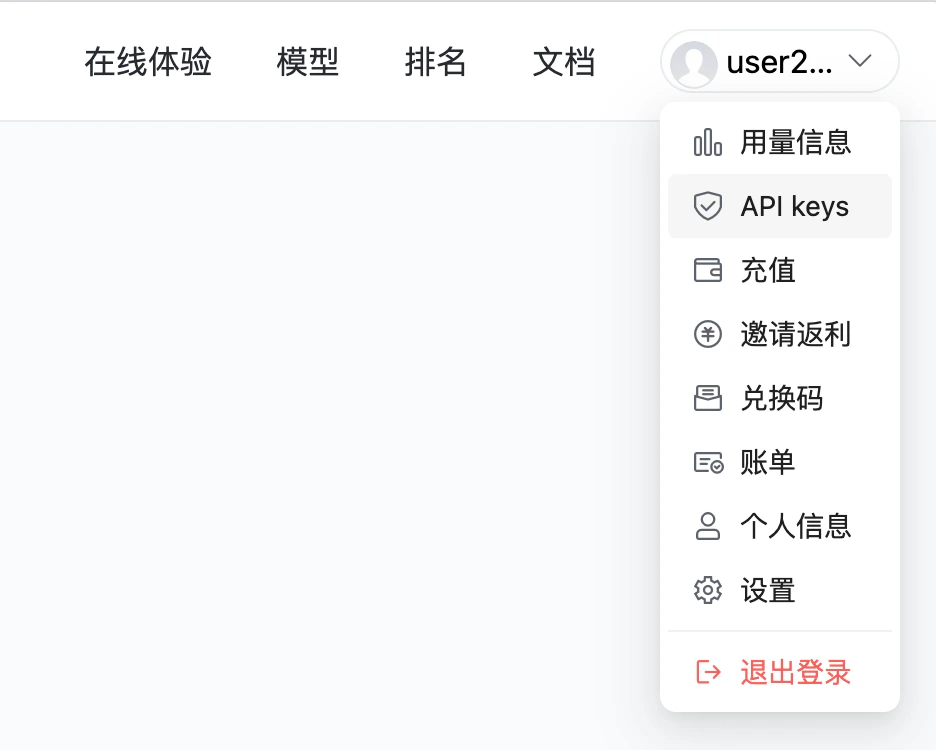
<img src="https://mintcdn.com/langbot/QYjgLjeAOuhpD2cV/images/zh/workshop/tokenpony-integration/tokenpony-mainpage.png?fit=max&auto=format&n=QYjgLjeAOuhpD2cV&q=85&s=23b6b7043f7c4594e2b225d189f009ae" alt="model" width="2882" height="1920" data-path="images/zh/workshop/tokenpony-integration/tokenpony-mainpage.png" />

TokenPony（小马算力）提供统一的API，可以通过单一端点访问数百个AI模型，同时自动处理回退并选择最具成本效益的选项。在 LangBot 中已完美适配，可按照以下步骤添加来自小马算力的模型。

## 注册小马算力

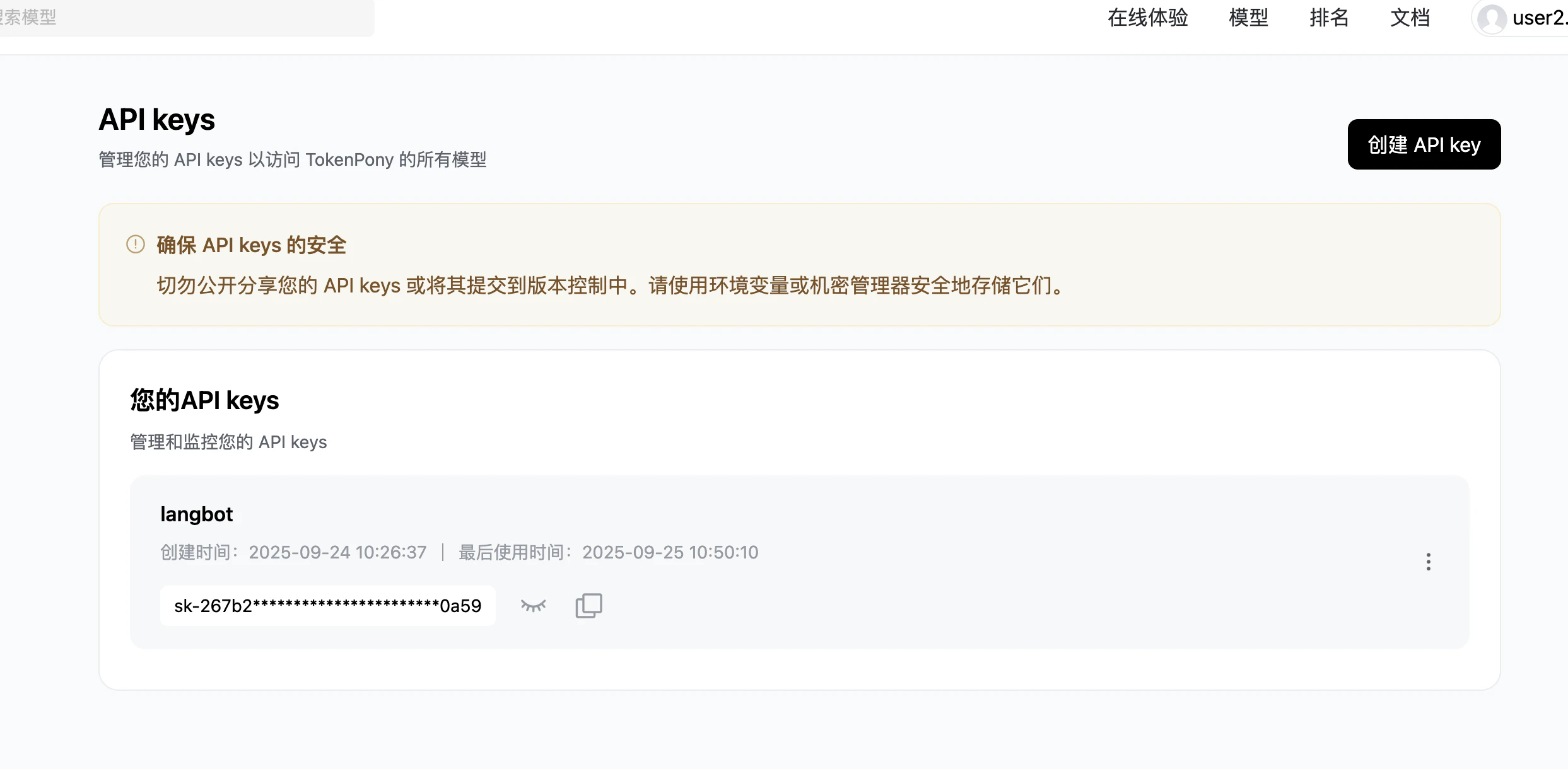
点击[链接](https://www.tokenpony.cn/453z1)注册小马算力账号，完成后点击右上角账户按钮，点击`API Keys`

<img src="https://mintcdn.com/langbot/QYjgLjeAOuhpD2cV/images/zh/workshop/tokenpony-integration/access-api-key-page.png?fit=max&auto=format&n=QYjgLjeAOuhpD2cV&q=85&s=8526c4665d5e437971a0e7e57d2e0cdc" alt="api-keys" width="936" height="750" data-path="images/zh/workshop/tokenpony-integration/access-api-key-page.png" />

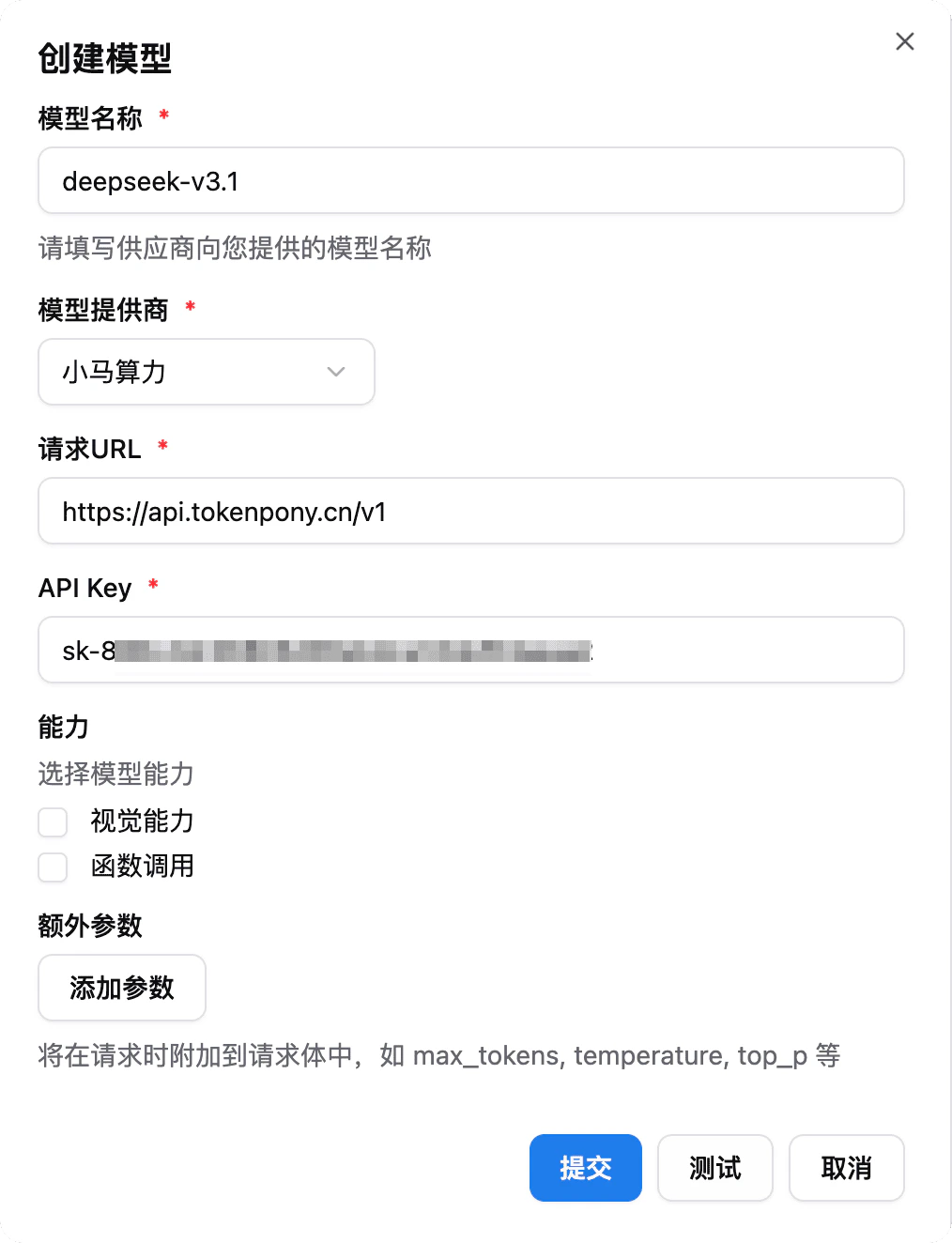
生成并复制 API Key。

<img src="https://mintcdn.com/langbot/QYjgLjeAOuhpD2cV/images/zh/workshop/tokenpony-integration/get-api-key.png?fit=max&auto=format&n=QYjgLjeAOuhpD2cV&q=85&s=bf9a3eaa3d76a9a4799af1edaf68fe1d" alt="api-keys" width="2486" height="1220" data-path="images/zh/workshop/tokenpony-integration/get-api-key.png" />

## 使用聊天模型

在小马算力顶部进入[`模型`](https://www.tokenpony.cn/#/model)，即可查看可用的模型列表，并复制模型名称。

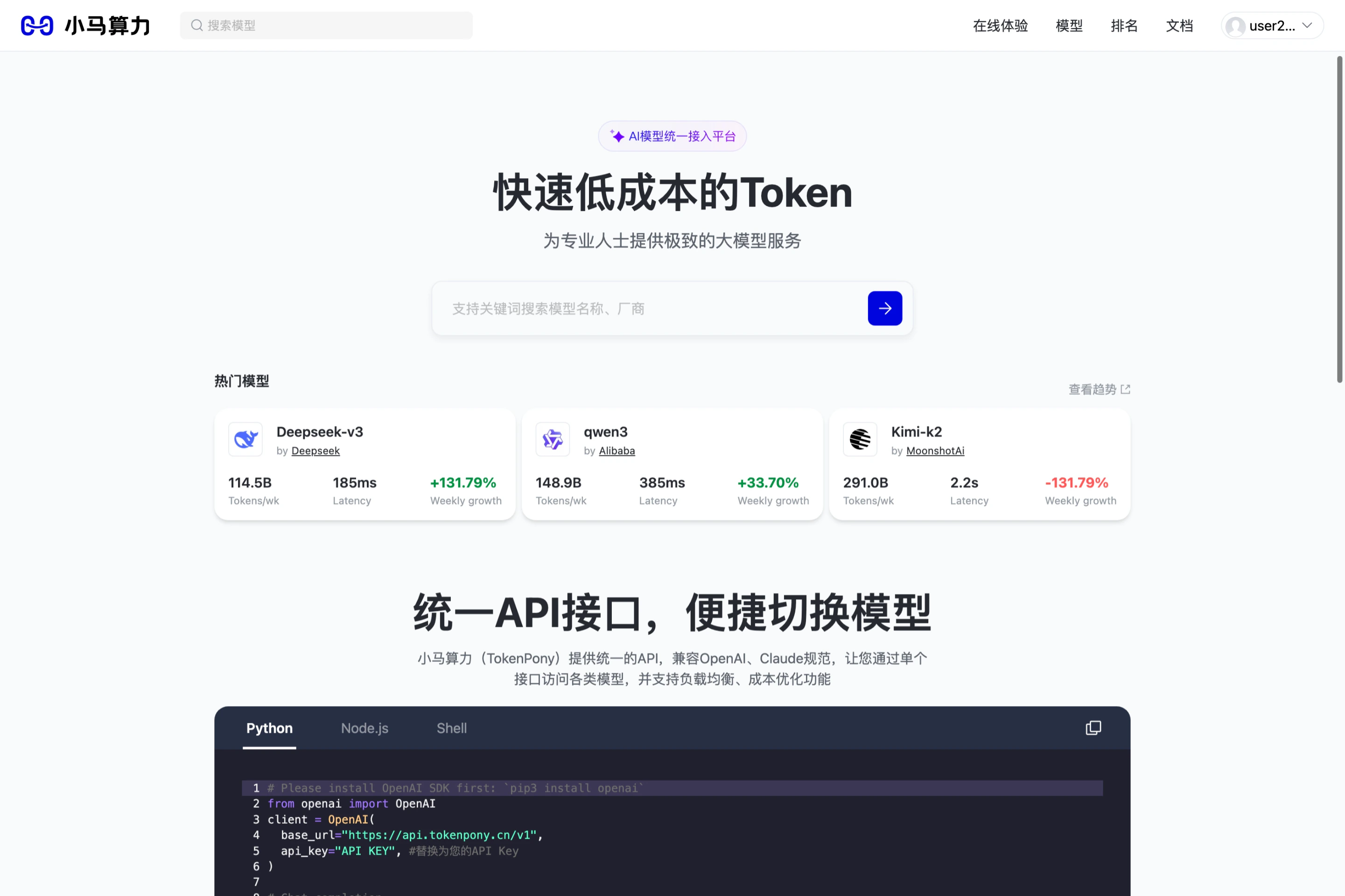
前往 LangBot 模型管理页，添加模型（选择小马算力提供商，填入模型名称和 API Key）：

<img src="https://mintcdn.com/langbot/QYjgLjeAOuhpD2cV/images/zh/workshop/tokenpony-integration/add-model.png?fit=max&auto=format&n=QYjgLjeAOuhpD2cV&q=85&s=160d96154ba5ca8cb7b245885e140f2c" alt="model" width="1014" height="1324" data-path="images/zh/workshop/tokenpony-integration/add-model.png" />

现在即可在流水线中选择使用该模型。