> ## Documentation Index
> Fetch the complete documentation index at: https://docs.langbot.app/llms.txt
> Use this file to discover all available pages before exploring further.
# LangBot 接入 New API
New API 是新一代大模型网关与 AI 资产管理系统,旨在解决多 AI 服务商接入分散、成本难管控、服务稳定性不足等问题,核心优势集中在三点:
1. **多服务商兼容**:已整合 **30+ AI 服务商**,且实现 **100% OpenAI 兼容**(即支持按 OpenAI 接口格式调用其他服务商模型,降低开发成本);
2. **高可用性**:承诺 **99.9% 服务可用性**,满足企业级稳定需求;
3. **易用与可控**:支持 “一键部署” 快速接入,同时提供 “灵活计费” 功能,帮助用户管控 AI 使用成本,兼顾 “安全稳定” 特性。
## 一、本地部署 New API(Docker 容器方式)
> 更多部署方式,参考 [New API 部署指南](https://docs.newapi.pro/installation/)
本部署方式使用 SQLite 数据库(轻量无需额外部署)
命令行中输入
```bash theme={null}
docker run --name new-api -d --restart always \
-p 3000:3000 \
-e TZ=Asia/Shanghai \
-v ./new-api/data:/data \
calciumion/new-api:latest
```
> ⚠️ 注意:
>
> * 把 `./new-api/data` 替换成你要使用的实际文件夹
部署完成后,打开`http://服务器IP:3000`进行配置 New API
## 二、LangBot 连接本地 New API
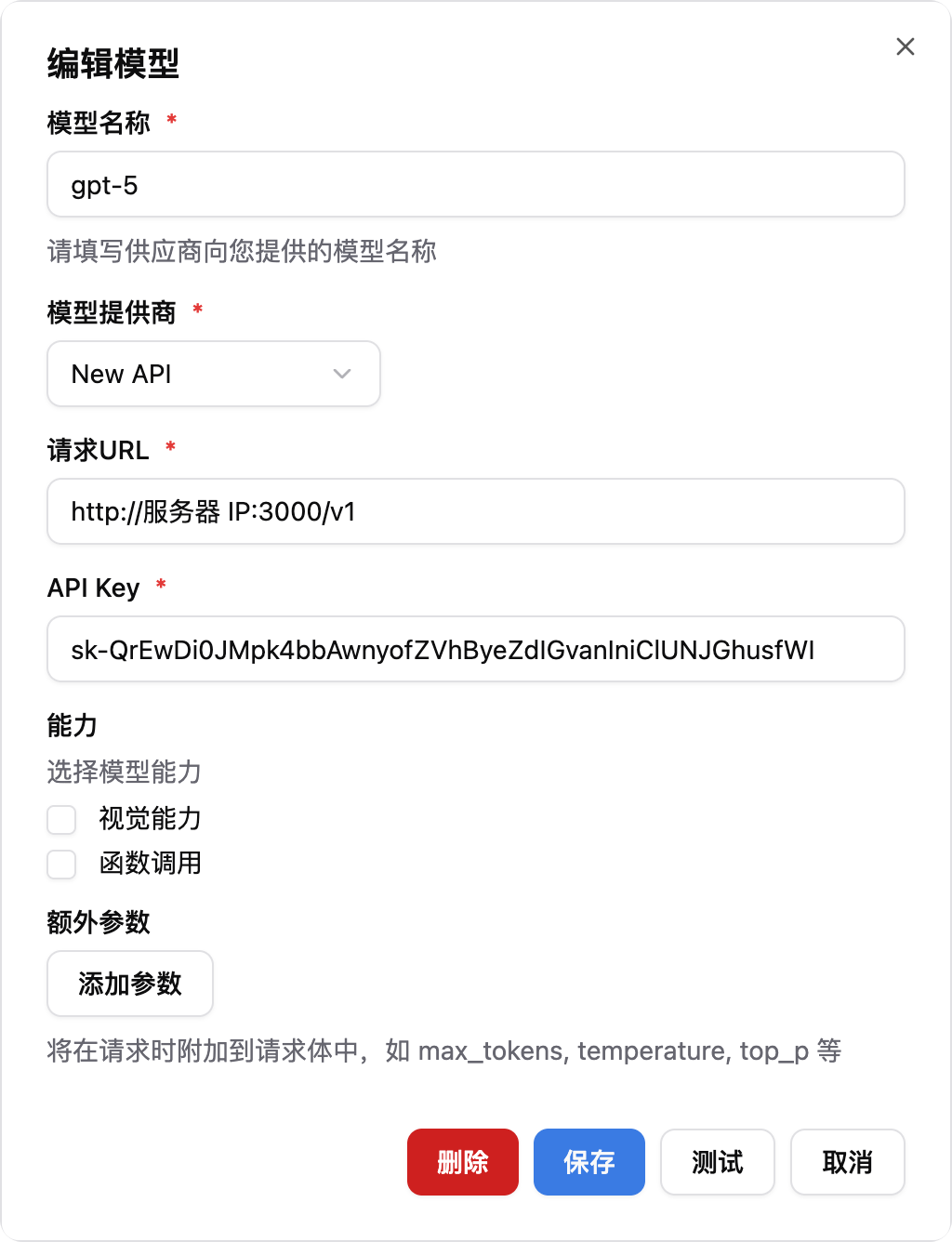
1. **添加 New API 模型**
* 模型名称:输入 New API 中配置的模型名称
* 模型供应商:选择 New API
* 请求 URL:输入`http://服务器IP:3000/v1`
* API Key:输入 New API 中创建的令牌
 2. **流水线选择使用刚才配置的模型**
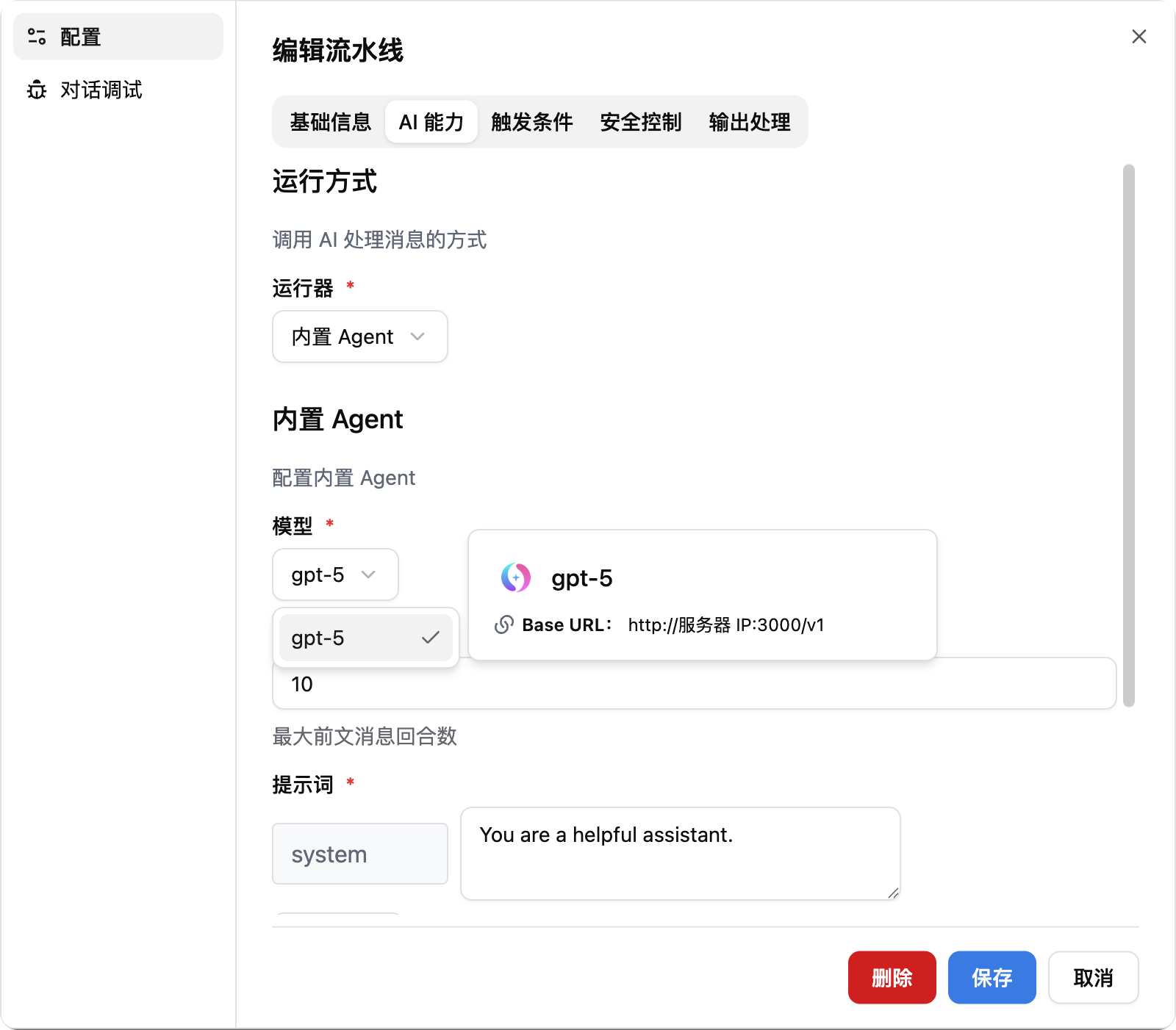 3. 接下来就可以使用 New API 中的模型了