> ## Documentation Index
> Fetch the complete documentation index at: https://docs.langbot.app/llms.txt
> Use this file to discover all available pages before exploring further.

# 个人微信（OpenClaw）

> 用 LangBot 搭建个人微信 AI 机器人，将大模型接入你的微信账号。

## 简介

[OpenClaw](https://github.com/dingxiang-me/OpenClaw-Wechat) 是一个开源 AI Agent 框架。通过 OpenClaw 微信适配器，您可以将 LangBot 接入个人微信，支持单聊、流式输出、白名单控制等功能。

## 一键扫码登录（推荐）

LangBot 支持扫码一键登录微信，自动填写凭证，无需手动复制令牌。

<Warning>
  请确认您的手机微信版本为 最新的**8.0.69** 或以上，否则可能无法正常使用。
</Warning>

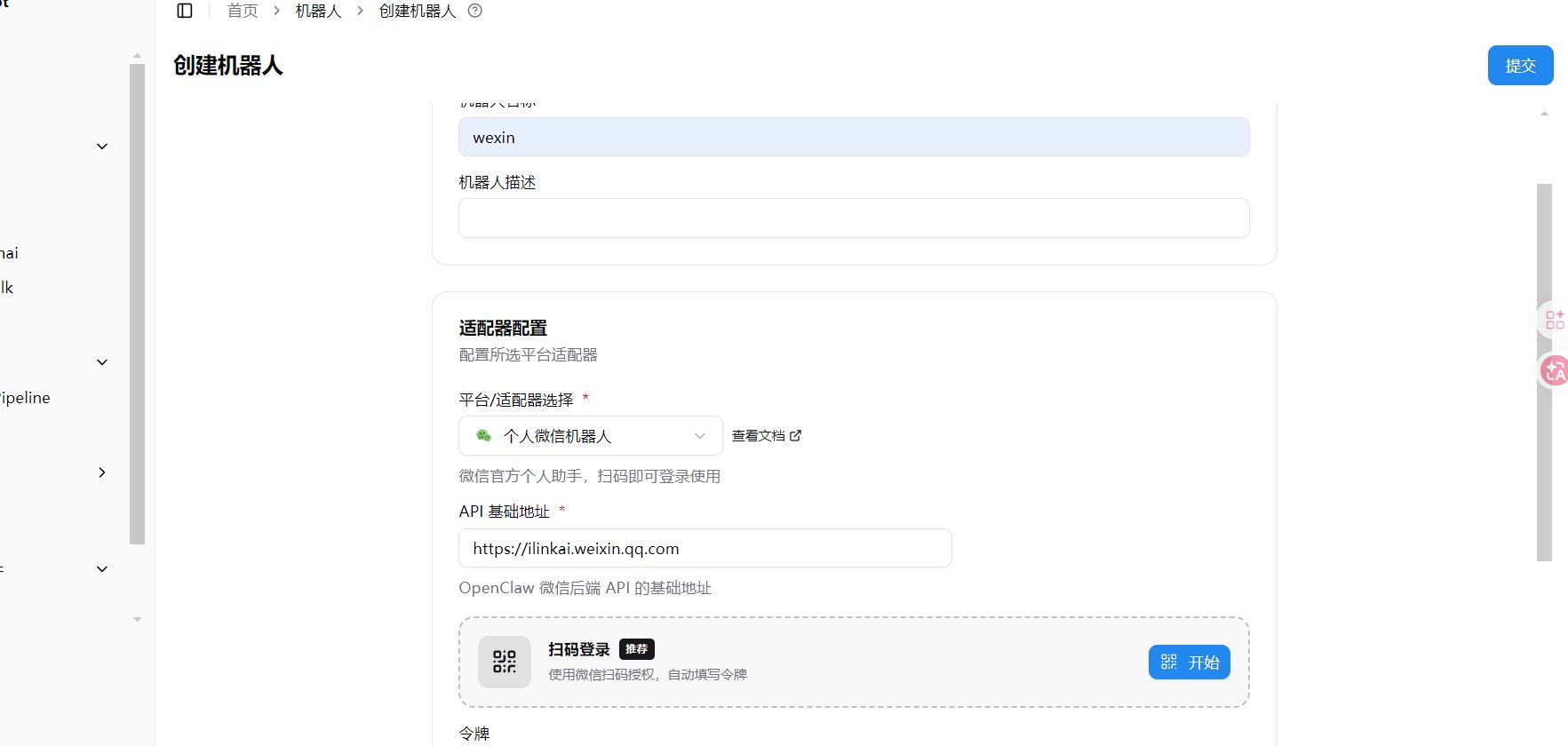
1. 打开 LangBot WebUI，进入**机器人 > 创建机器人**
2. 填写机器人名称，平台/适配器选择 `个人微信机器人`
3. 在下方出现的**扫码登录**区域，点击右侧的 **开始** 按钮

<img src="https://mintcdn.com/langbot/2gQAELt1nN3_kQMs/images/zh/deploy/bots/wexin/wexin_scan_login.png?fit=max&auto=format&n=2gQAELt1nN3_kQMs&q=85&s=25ccffd54c0a960da009724aa7a38c9a" alt="选择扫码登录" width="1765" height="840" data-path="images/zh/deploy/bots/wexin/wexin_scan_login.png" />

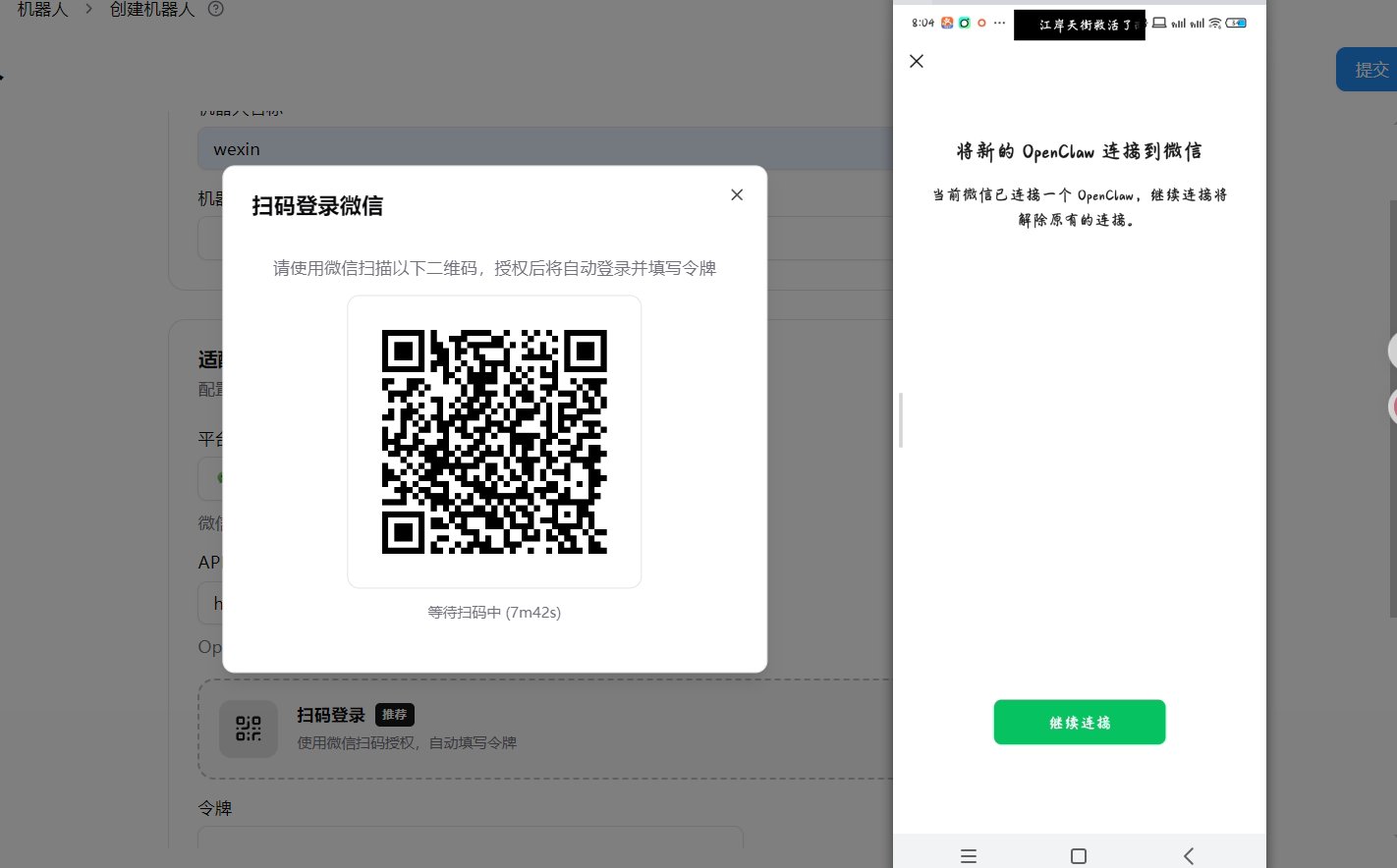
4. 使用微信扫描弹出的二维码，手机端会提示「将新的 OpenClaw 连接到微信」，点击**继续连接**

<img src="https://mintcdn.com/langbot/2gQAELt1nN3_kQMs/images/zh/deploy/bots/wexin/wexin_scan_connect.png?fit=max&auto=format&n=2gQAELt1nN3_kQMs&q=85&s=bcead9cc902d49273e653c0815b08cd8" alt="扫码后手机点击连接" width="1422" height="884" data-path="images/zh/deploy/bots/wexin/wexin_scan_connect.png" />

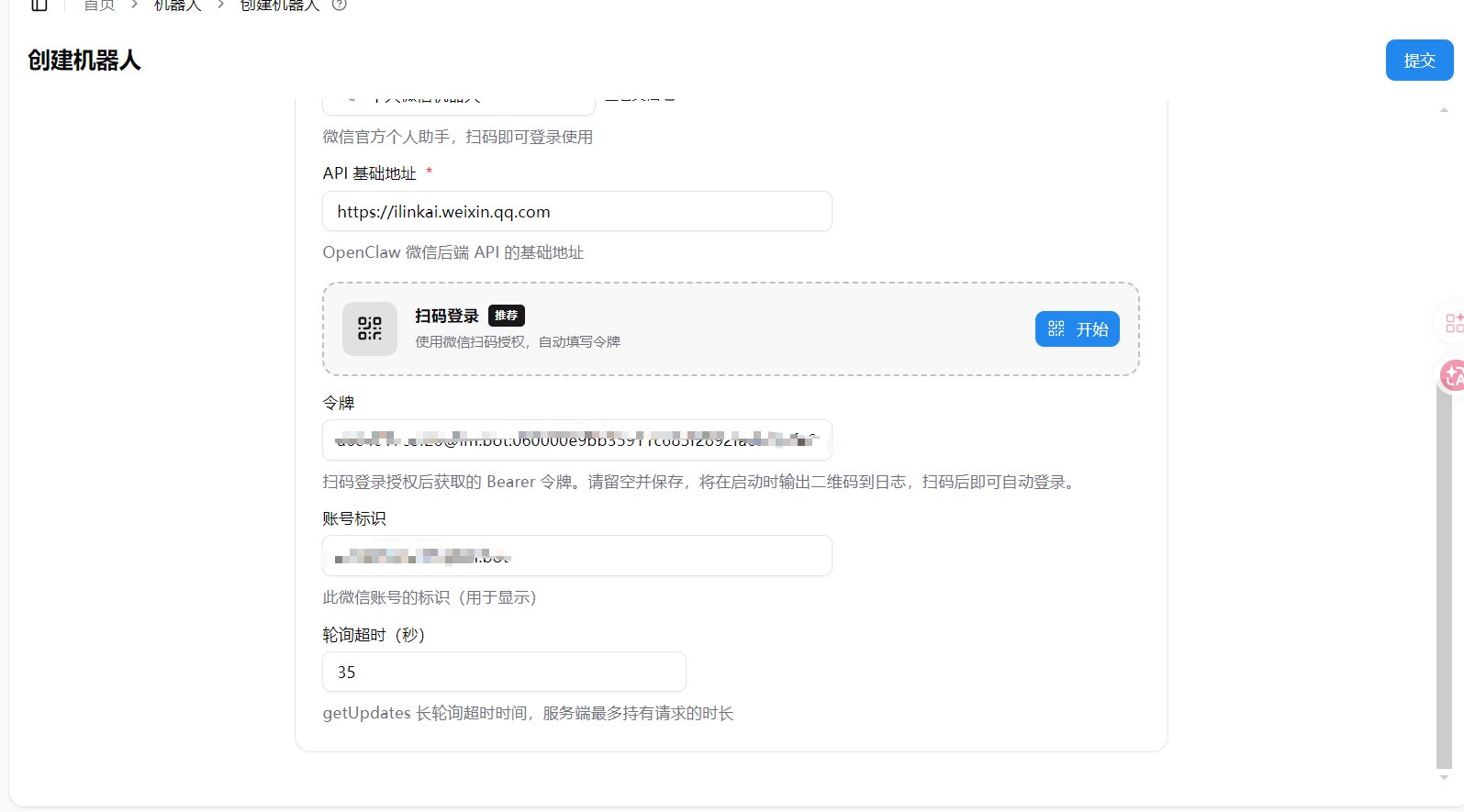
5. 授权成功后，令牌和账号标识会**自动填入**配置表单

<img src="https://mintcdn.com/langbot/2gQAELt1nN3_kQMs/images/zh/deploy/bots/wexin/wexin_config_auto_fill.png?fit=max&auto=format&n=2gQAELt1nN3_kQMs&q=85&s=8ef5afeb73eefe6afcf4268f7a9d79bb" alt="配置自动填入" width="1595" height="885" data-path="images/zh/deploy/bots/wexin/wexin_config_auto_fill.png" />

6. 点击**提交**，完成创建

<Warning>
  如果提示连接失败，请确认微信版本为 8.0.69 或以上。
</Warning>

### 确认登录成功

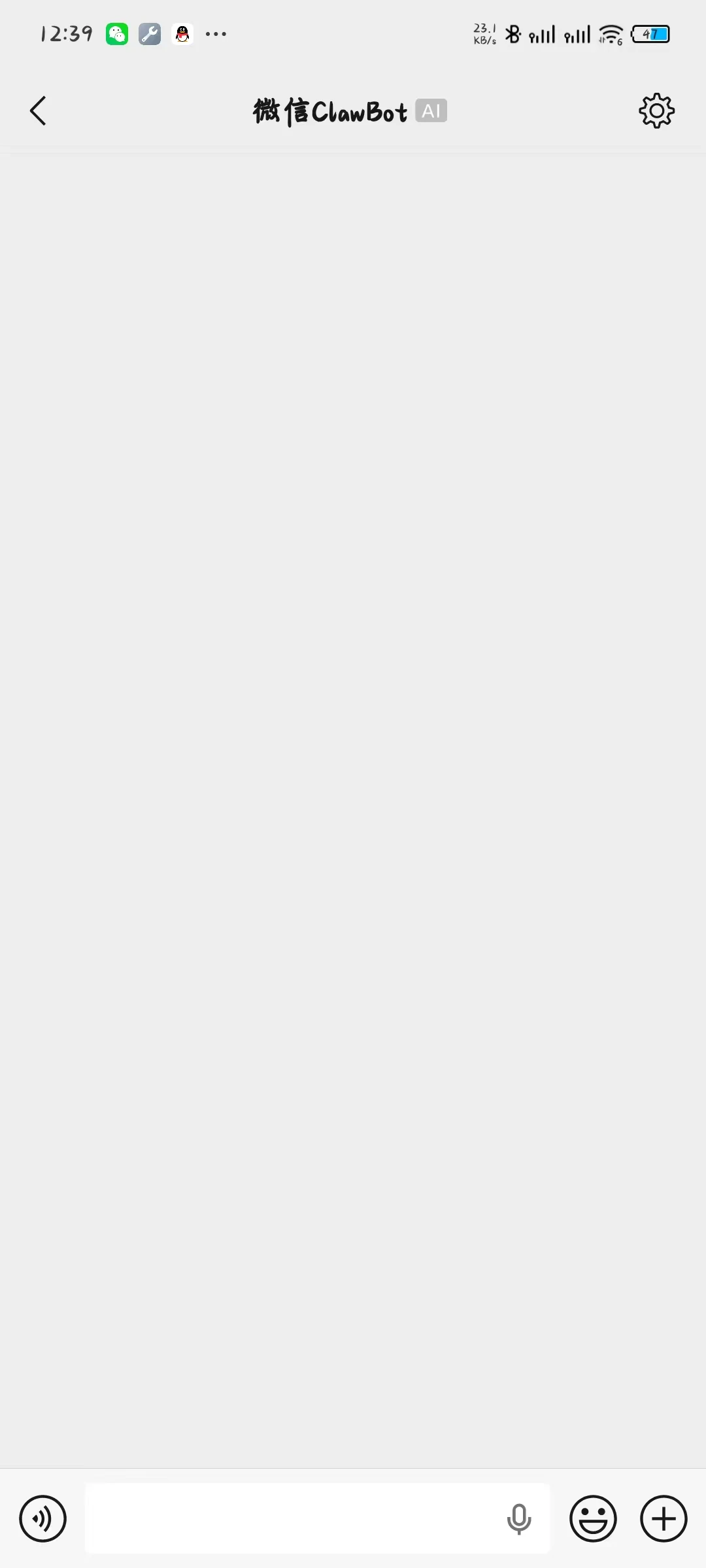
扫码成功后，手机端会进入与 ClawBot 的聊天页面。

<img src="https://mintcdn.com/langbot/y4IHfUMtvCt0Q8rn/images/zh/deploy/bots/wexin/wexin_05.jpg?fit=max&auto=format&n=y4IHfUMtvCt0Q8rn&q=85&s=f9c2f8a08b05016e51c6d5435229c6b3" alt="微信 ClawBot 聊天页面" width="1080" height="2400" data-path="images/zh/deploy/bots/wexin/wexin_05.jpg" />

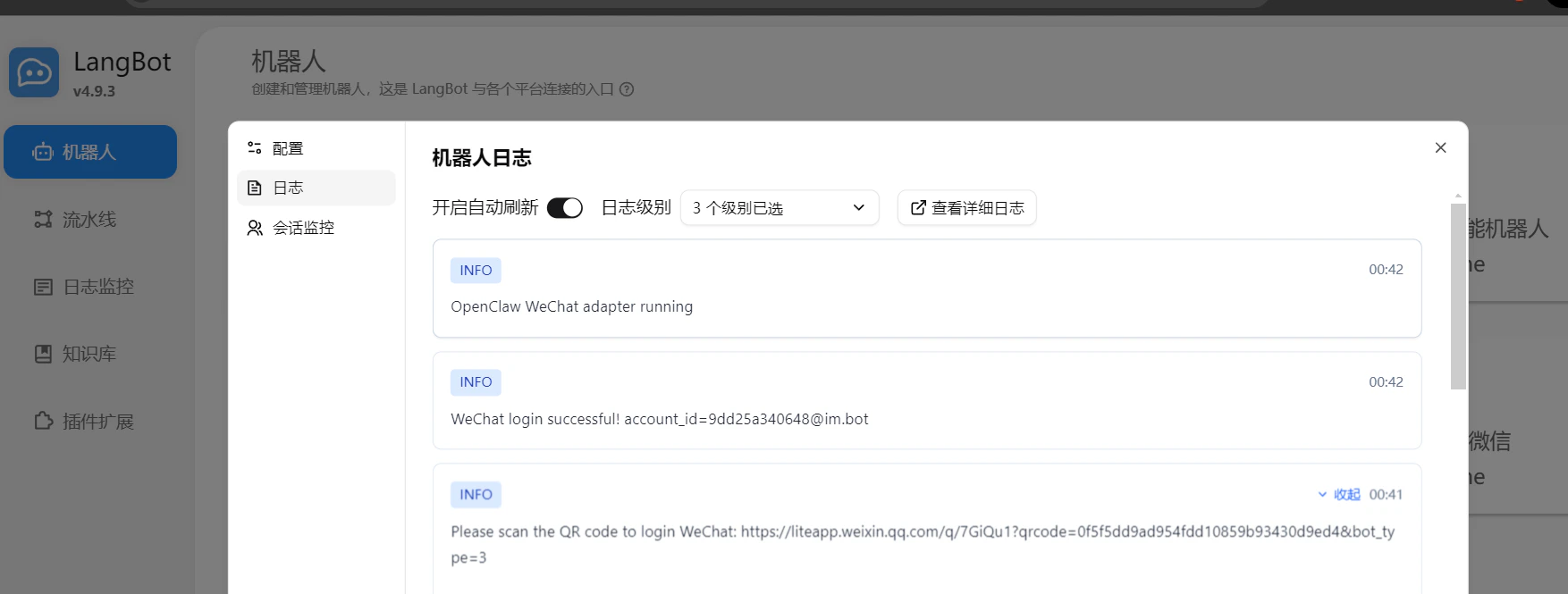
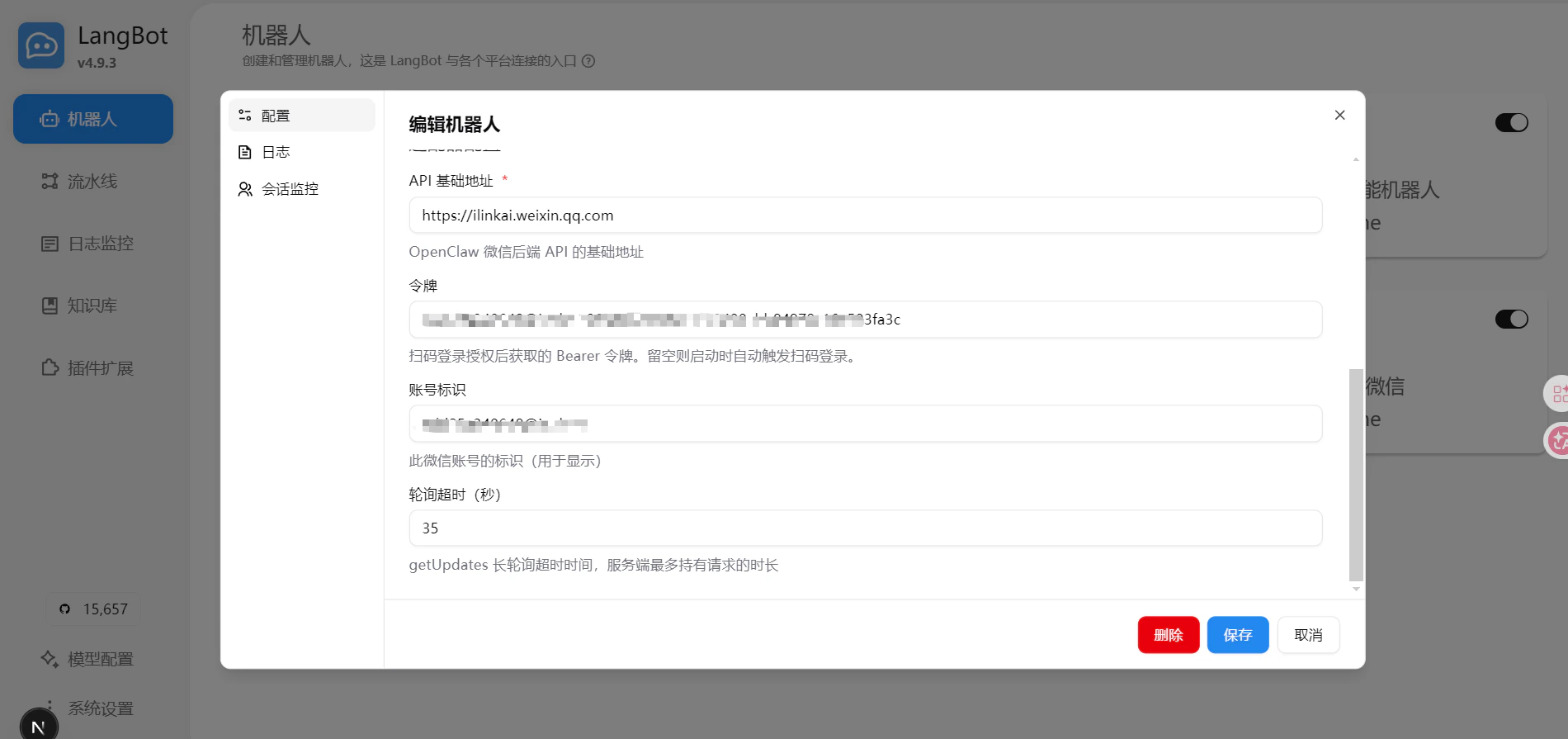
同时，LangBot 日志中会出现连接成功的信息，配置页面中的令牌和账号也会自动更新，表示登录成功。

<img src="https://mintcdn.com/langbot/y4IHfUMtvCt0Q8rn/images/zh/deploy/bots/wexin/wexin_06.png?fit=max&auto=format&n=y4IHfUMtvCt0Q8rn&q=85&s=b24e9d4835a2e1e06509e4cca9fdd214" alt="日志信息" width="1754" height="665" data-path="images/zh/deploy/bots/wexin/wexin_06.png" />

<img src="https://mintcdn.com/langbot/y4IHfUMtvCt0Q8rn/images/zh/deploy/bots/wexin/wexin_07.png?fit=max&auto=format&n=y4IHfUMtvCt0Q8rn&q=85&s=66fa2d40b18ed3b0f6dbcaf31c7a2c1d" alt="配置页" width="1900" height="895" data-path="images/zh/deploy/bots/wexin/wexin_07.png" />

## 开始使用

登录成功后，使用扫码账号向刚刚进入的 ClawBot 聊天页面进行对话，LangBot 自动回复。