> ## Documentation Index
> Fetch the complete documentation index at: https://docs.langbot.app/llms.txt
> Use this file to discover all available pages before exploring further.

# Discord

> 用 LangBot 搭建 Discord AI 机器人，几分钟内将 GPT、Claude、Gemini、DeepSeek 与 Dify 接入 Discord 服务器。

## 创建机器人

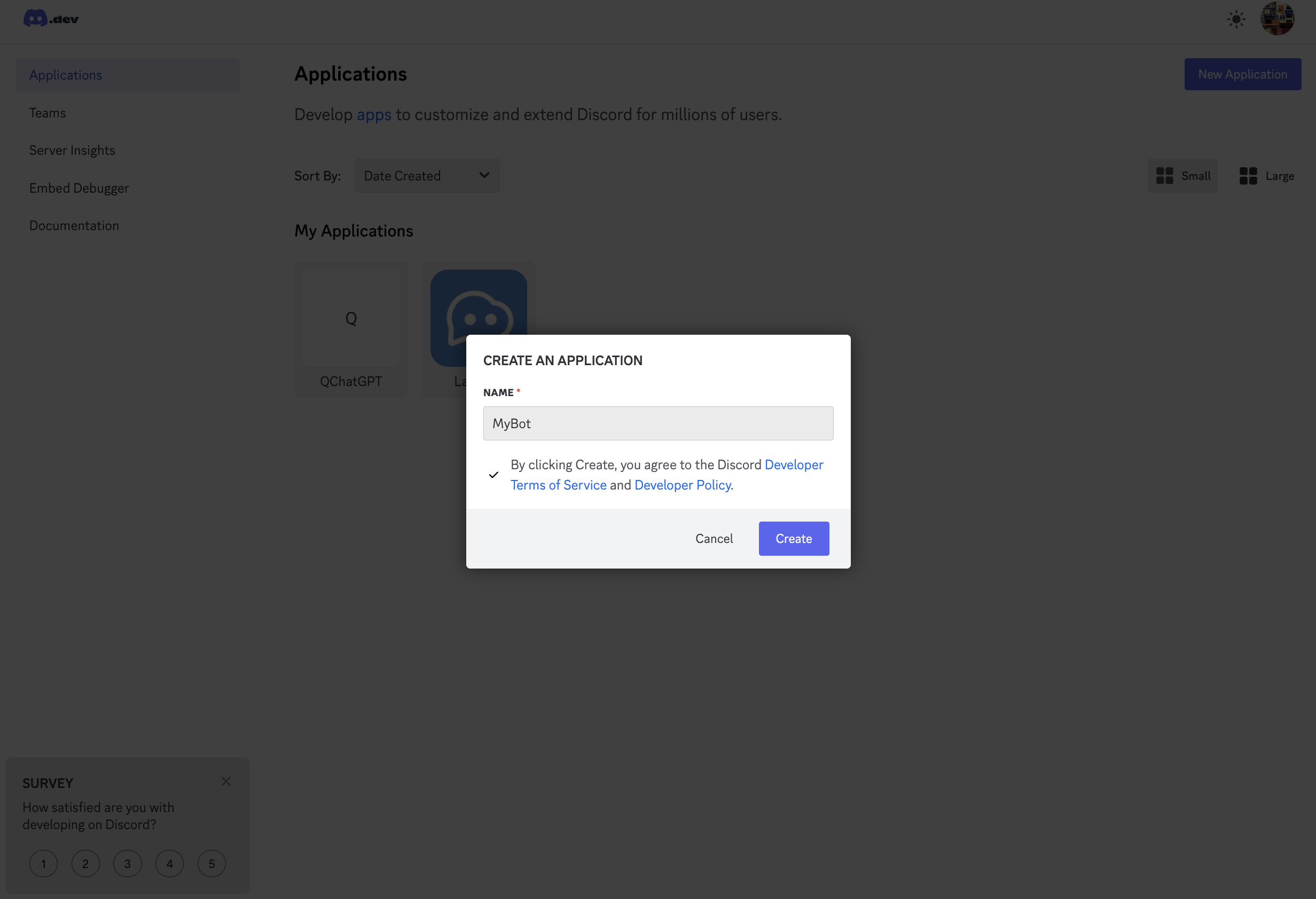
前往[Discord 开发者门户](https://discord.com/developers/applications)，登录后，创建应用。

<img src="https://mintcdn.com/langbot/BZuGA47SaPPwv_j7/images/zh/deploy/bots/discord/discord_01.png?fit=max&auto=format&n=BZuGA47SaPPwv_j7&q=85&s=ebc30ebdf0e0b7141ee20a129c75f593" alt="alt text" width="2464" height="1684" data-path="images/zh/deploy/bots/discord/discord_01.png" />

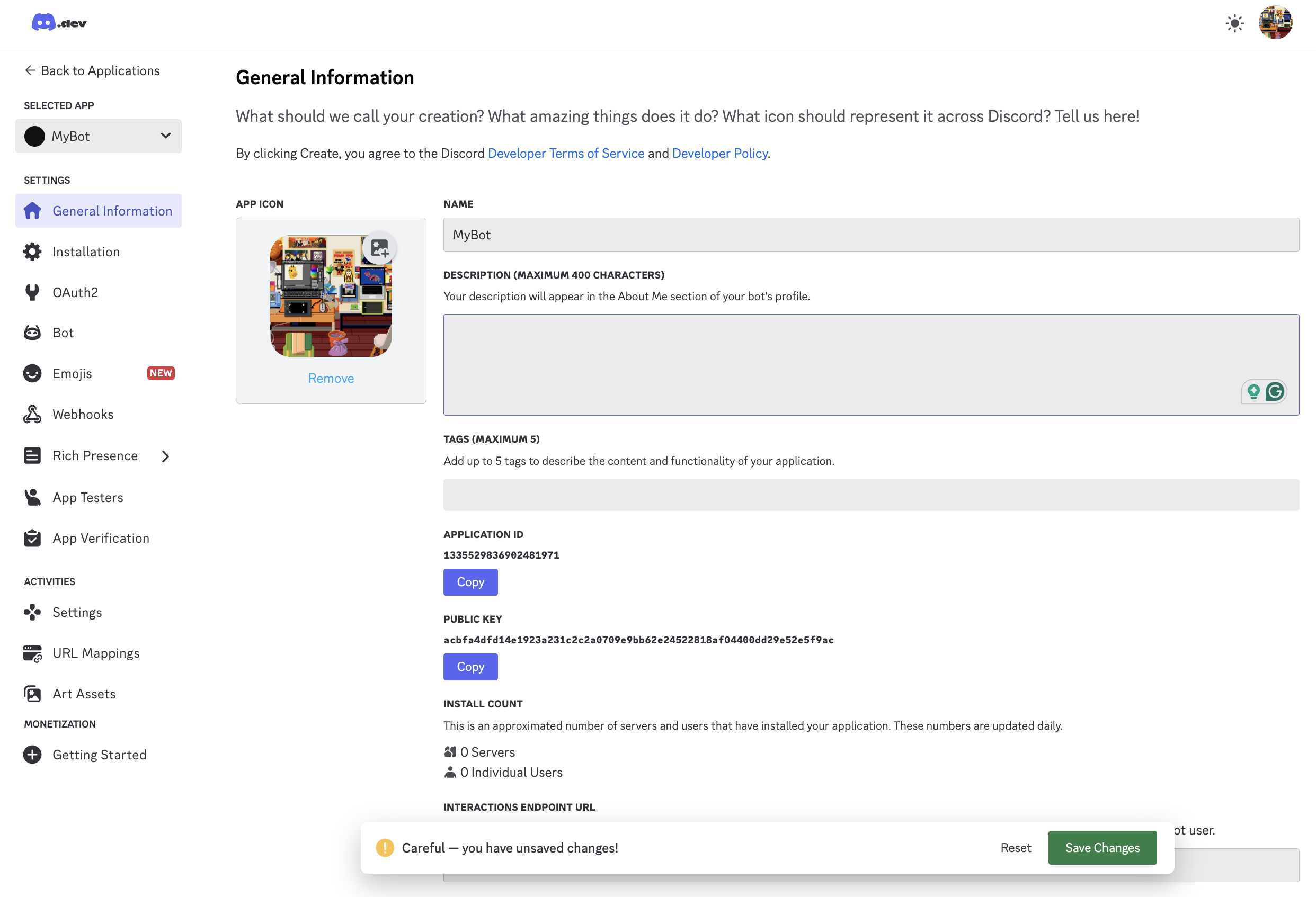
修改基础信息，点击`Save Changes`保存。

<img src="https://mintcdn.com/langbot/BZuGA47SaPPwv_j7/images/zh/deploy/bots/discord/discord_02.png?fit=max&auto=format&n=BZuGA47SaPPwv_j7&q=85&s=a86cdc3aaf54e809c6e82ec6c23ea02c" alt="alt text" width="2484" height="1694" data-path="images/zh/deploy/bots/discord/discord_02.png" />

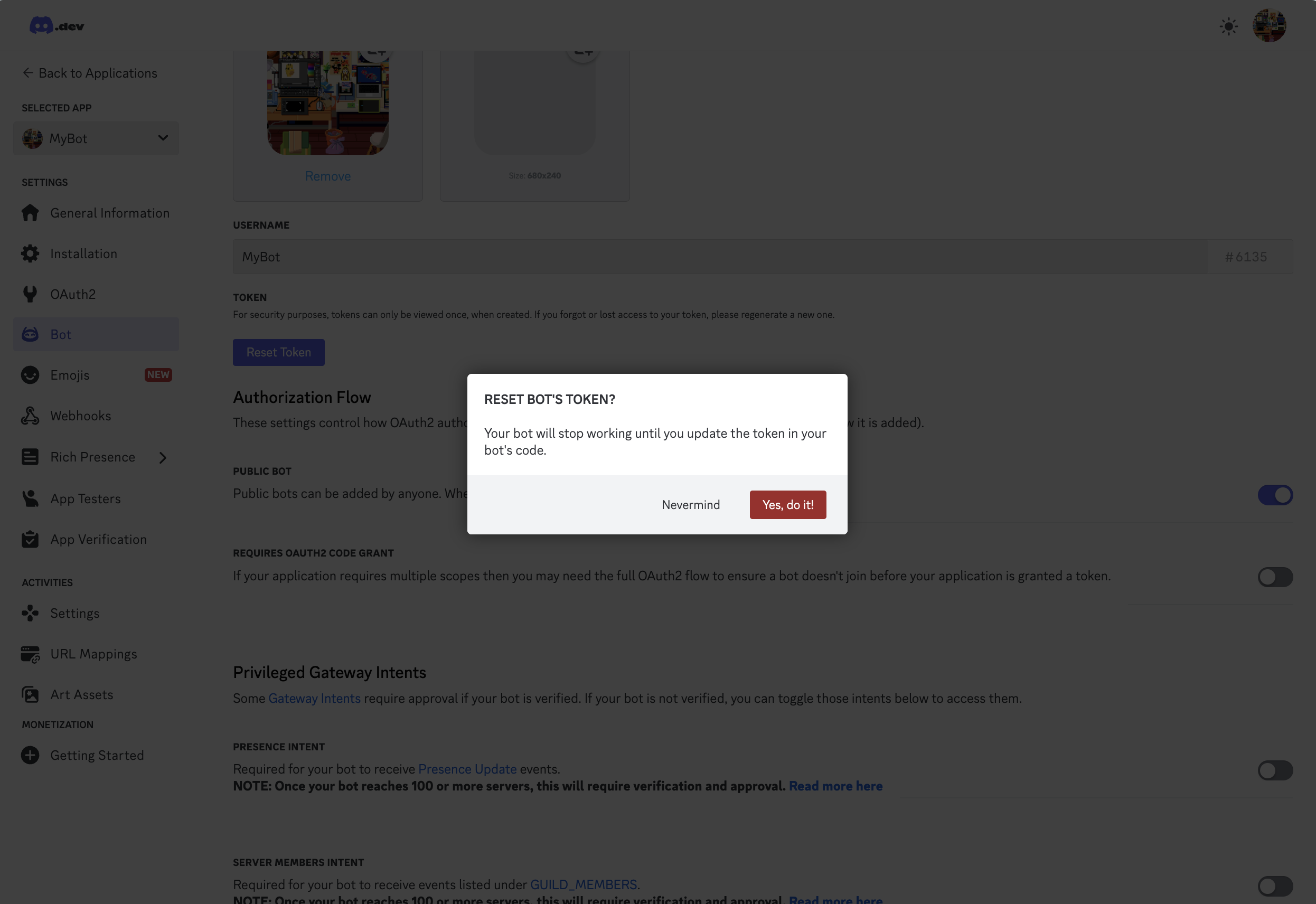
点击左侧`Bot`，点击`Reset Token`，复制生成的 Token。

<img src="https://mintcdn.com/langbot/BZuGA47SaPPwv_j7/images/zh/deploy/bots/discord/discord_03.png?fit=max&auto=format&n=BZuGA47SaPPwv_j7&q=85&s=f5c5a49d96b03487ad025ed4430c4cfb" alt="alt text" width="2492" height="1712" data-path="images/zh/deploy/bots/discord/discord_03.png" />

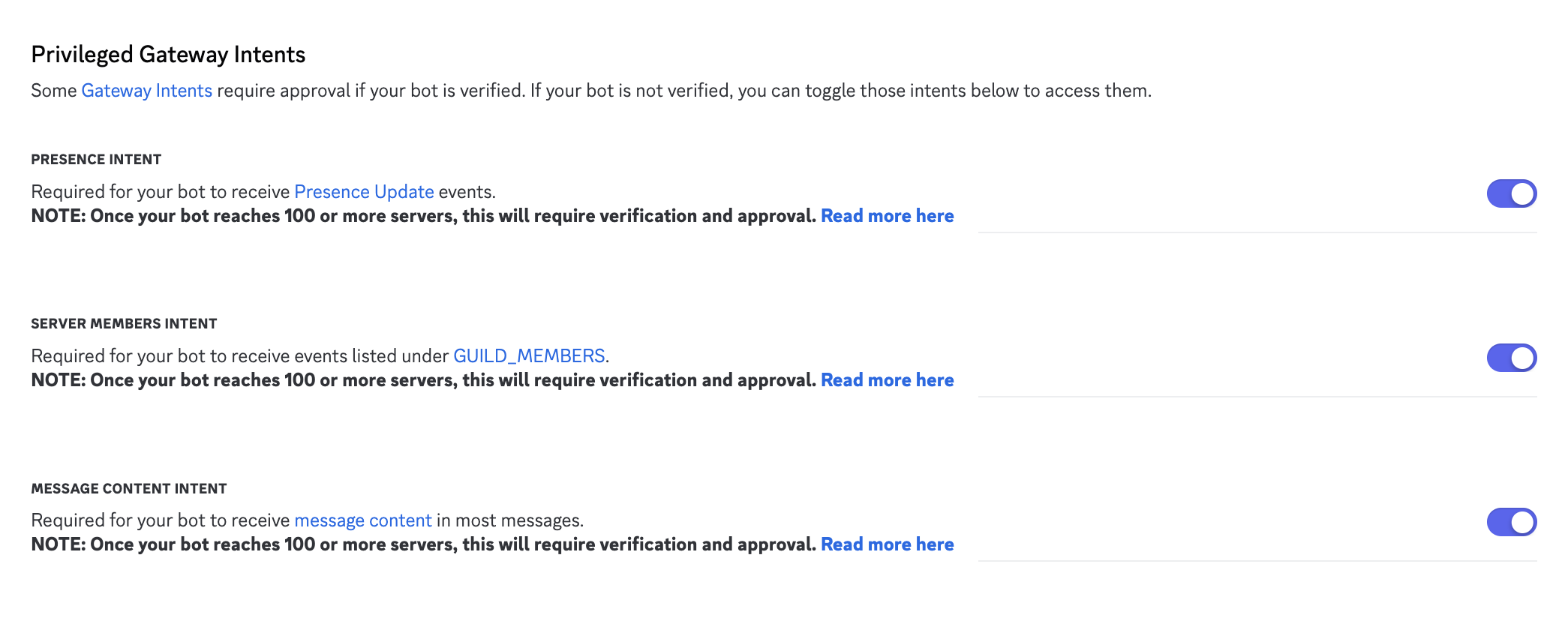
并在此页面的`Privileged Gateway Intents`中勾选所有选项，点击`Save Changes`保存。

<img src="https://mintcdn.com/langbot/BZuGA47SaPPwv_j7/images/zh/deploy/bots/discord/discord_05.png?fit=max&auto=format&n=BZuGA47SaPPwv_j7&q=85&s=761e395e992fdc42a176dc9145c53ab4" alt="alt text" width="2090" height="844" data-path="images/zh/deploy/bots/discord/discord_05.png" />

**最后，点击左侧`OAuth2`，复制页面上的`Client ID`。**

## 对接 LangBot

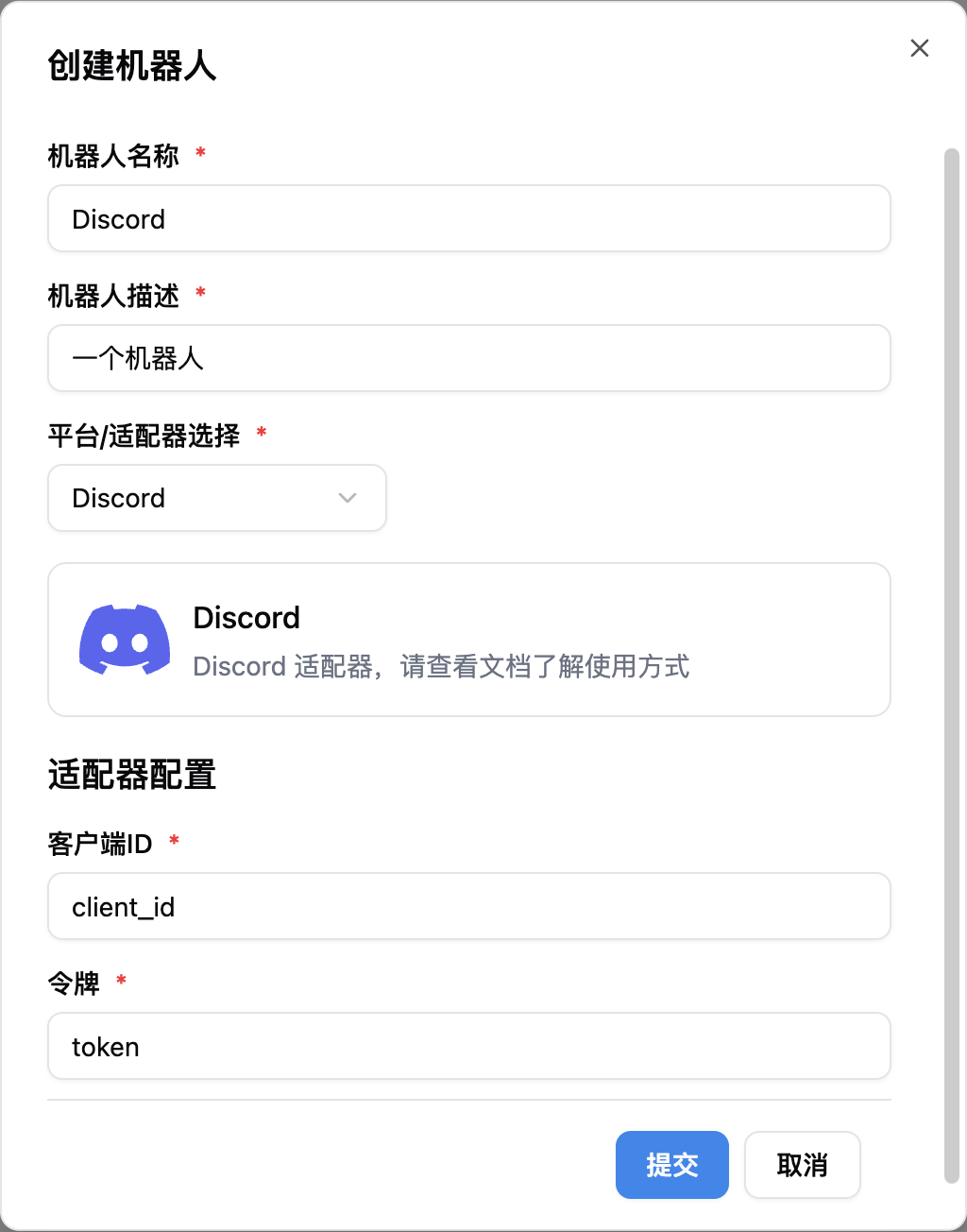
点击添加一个新的机器人，将上一步获取的`Client ID`和`Token`填写到配置中。

<img src="https://mintcdn.com/langbot/BZuGA47SaPPwv_j7/images/zh/deploy/bots/discord/connect_to_langbot.png?fit=max&auto=format&n=BZuGA47SaPPwv_j7&q=85&s=fbf794ccd2fcd11d3e4dbc79a89b9bdb" alt="alt text" width="1024" height="1304" data-path="images/zh/deploy/bots/discord/connect_to_langbot.png" />

<Warning title="">
  如果你在中国大陆境内使用此适配器，可能需要设置网络代理。
</Warning>

填写完成后启动 LangBot，若成功配置，日志中会出现`[02-02 16:48:15.263] manager.py (68) - [INFO] : 初始化平台适配器 1: discord`的字样，保持 LangBot 运行。

## 邀请机器人到服务器

你需要先创建一个服务器，然后邀请机器人到服务器。

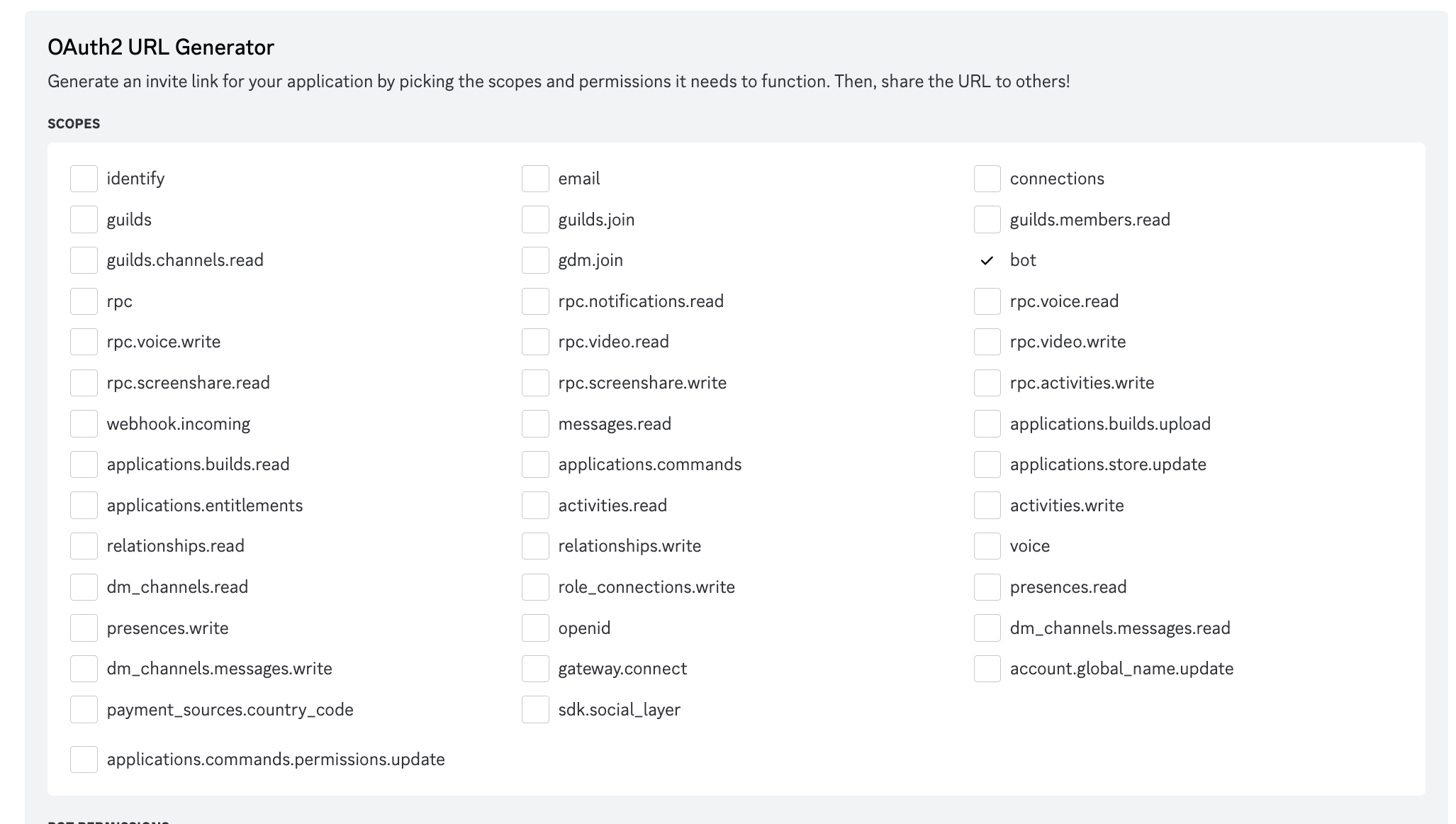
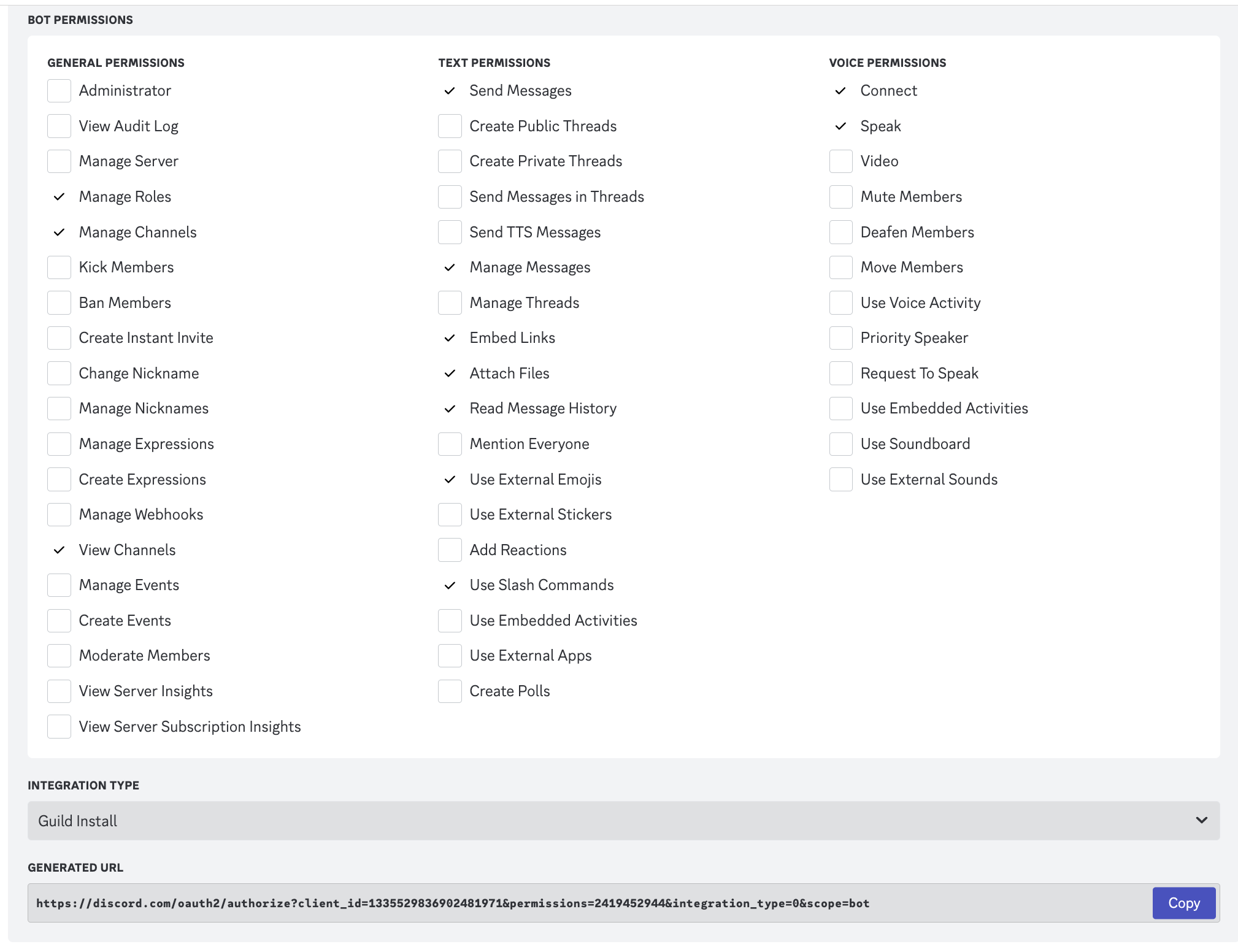
前往`OAuth2`页面，选择`URL Generator`，选择`bot`，按照图中所示勾选权限。

<img src="https://mintcdn.com/langbot/BZuGA47SaPPwv_j7/images/zh/deploy/bots/discord/discord_06.png?fit=max&auto=format&n=BZuGA47SaPPwv_j7&q=85&s=a6db470e5ff35c34f971119fcbf28fa6" alt="alt text" width="2054" height="1162" data-path="images/zh/deploy/bots/discord/discord_06.png" />

<img src="https://mintcdn.com/langbot/BZuGA47SaPPwv_j7/images/zh/deploy/bots/discord/discord_07.png?fit=max&auto=format&n=BZuGA47SaPPwv_j7&q=85&s=f4b8caf58e67c0517b904d27579cbb5d" alt="alt text" width="2018" height="1552" data-path="images/zh/deploy/bots/discord/discord_07.png" />

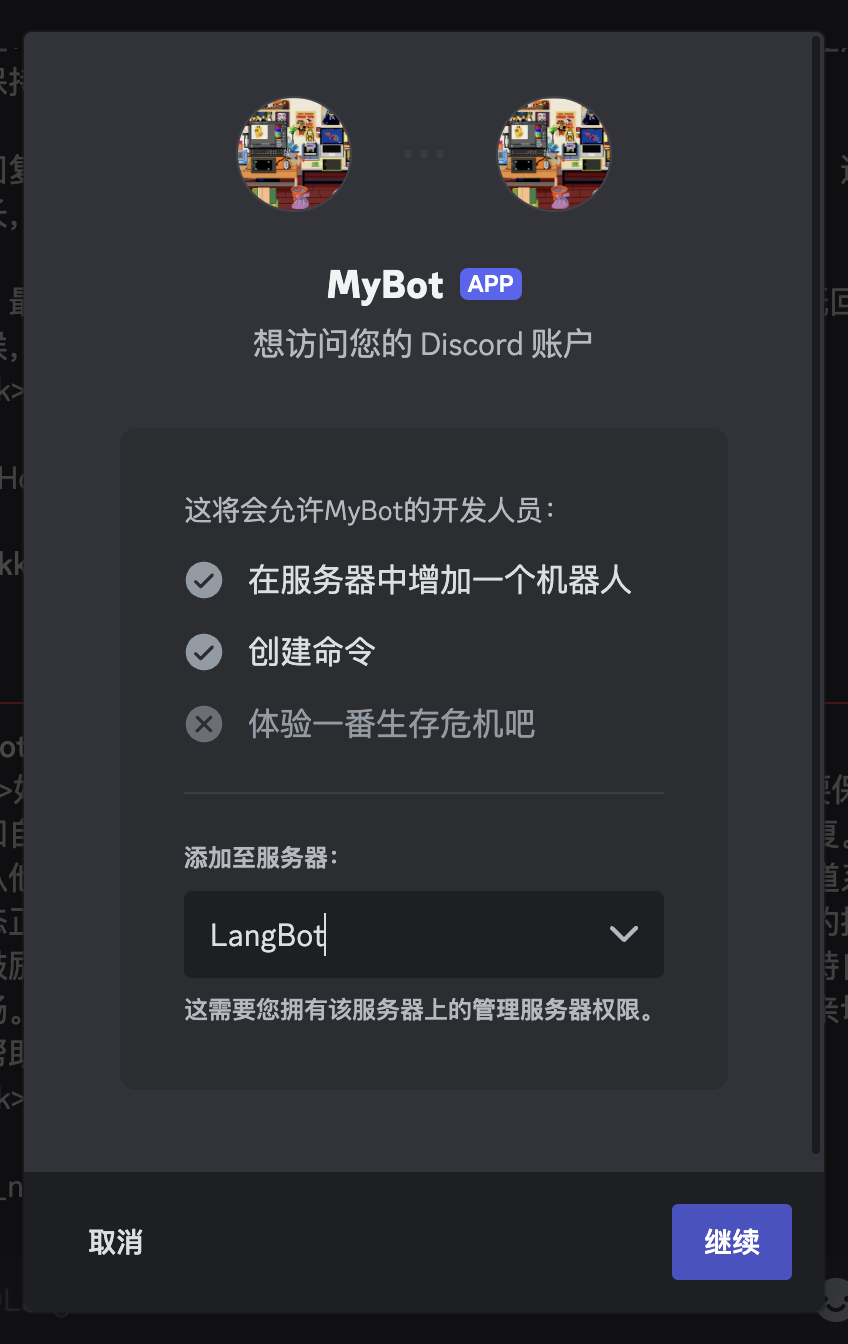
点击`Copy`，将生成的 URL 粘贴到浏览器中打开，邀请机器人到你的服务器。

<img src="https://mintcdn.com/langbot/BZuGA47SaPPwv_j7/images/zh/deploy/bots/discord/discord_08.png?fit=max&auto=format&n=BZuGA47SaPPwv_j7&q=85&s=574c56fb2b7c01441dd9f34f40016ca8" alt="alt text" width="848" height="1344" data-path="images/zh/deploy/bots/discord/discord_08.png" />

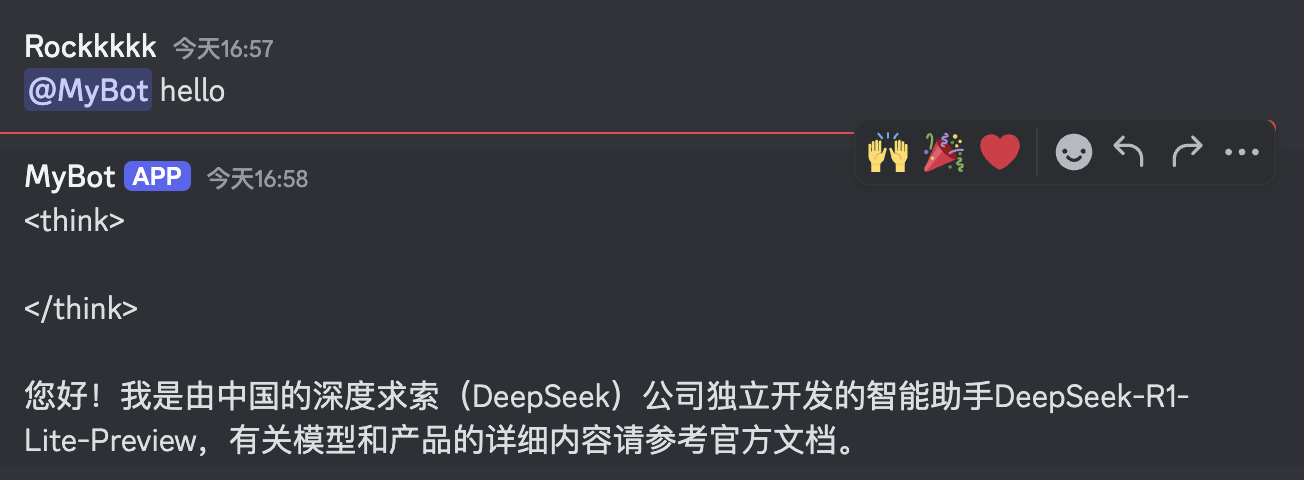
## 使用机器人

现在在群里或者私聊机器人都可以正常使用了。

<img src="https://mintcdn.com/langbot/BZuGA47SaPPwv_j7/images/zh/deploy/bots/discord/discord_09.png?fit=max&auto=format&n=BZuGA47SaPPwv_j7&q=85&s=e4e34f6d279eddf3d66fa0d798cea701" alt="alt text" width="1304" height="480" data-path="images/zh/deploy/bots/discord/discord_09.png" />