> ## Documentation Index
> Fetch the complete documentation index at: https://docs.langbot.app/llms.txt
> Use this file to discover all available pages before exploring further.

# 在 LangBot 上使用 TBox（蚂蚁百宝箱）

> 在 LangBot 中使用 TBox，为 AI 机器人对话管线提供支持。

[TBox（百宝箱）](https://tbox.cn/)是蚂蚁集团推出的面向 AI 开发者的一站式智能体应用开发平台。在平台上，无论您是否拥有编程基础，都可以通过自然语言，基于各种大模型搭建属于您自己的智能体应用，并将其发布到支付宝小程序、web 服务、浏览器插件等生态渠道。

LangBot 支持接入 TBox 上编排好的智能体，用作流水线 Runner。

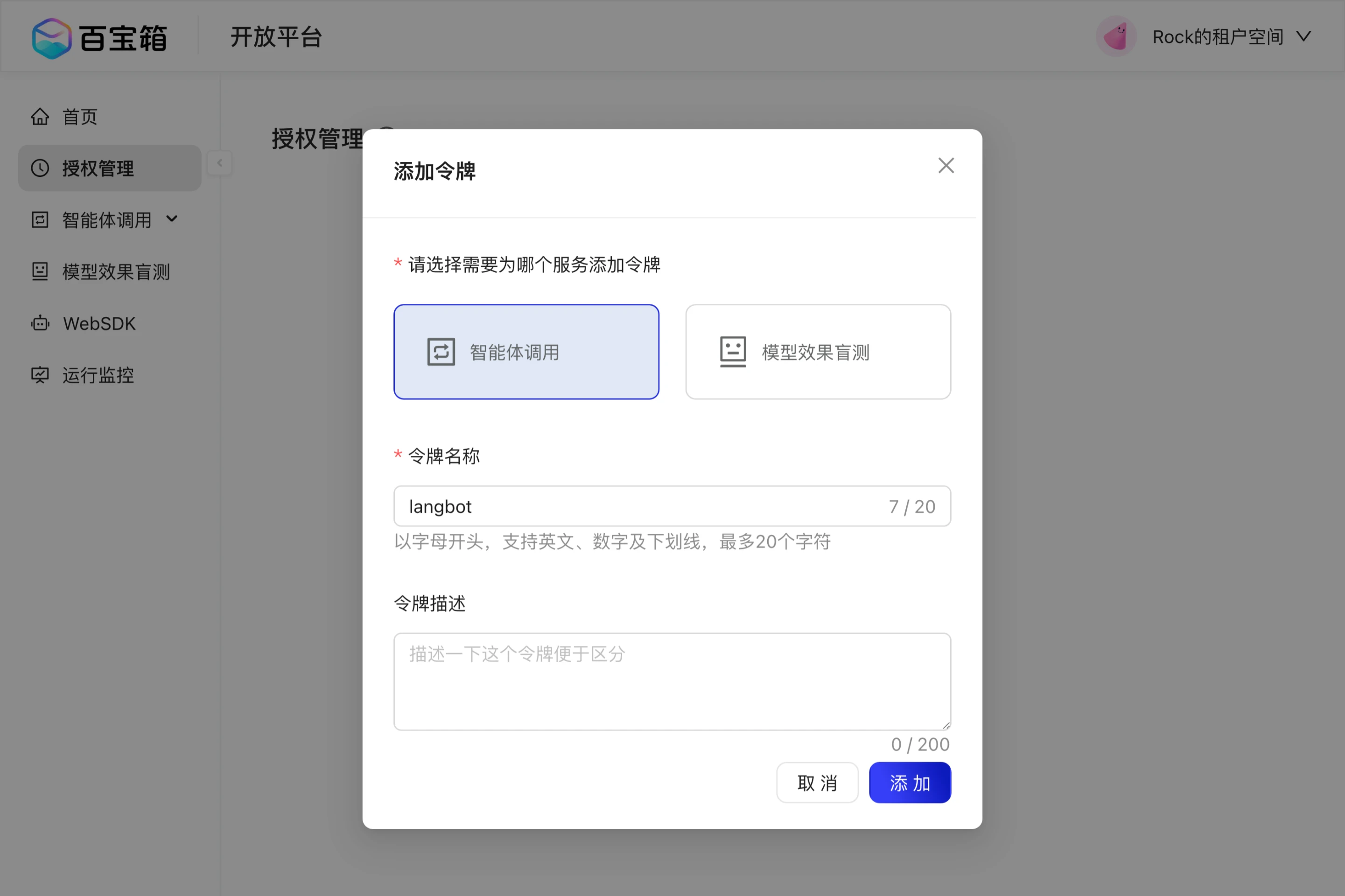
在 TBox 上搭建好智能体后，请到[`开放平台`](https://www.tbox.cn/open/authorized-management)创建 API Key：

<img src="https://mintcdn.com/langbot/OB26CZsqXqbSrW_A/images/zh/deploy/pipelines/tbox/create_api_key.png?fit=max&auto=format&n=OB26CZsqXqbSrW_A&q=85&s=507ae660e3b2004f77e5505dc7b1e1e6" alt="TBox API Key" width="2882" height="1920" data-path="images/zh/deploy/pipelines/tbox/create_api_key.png" />

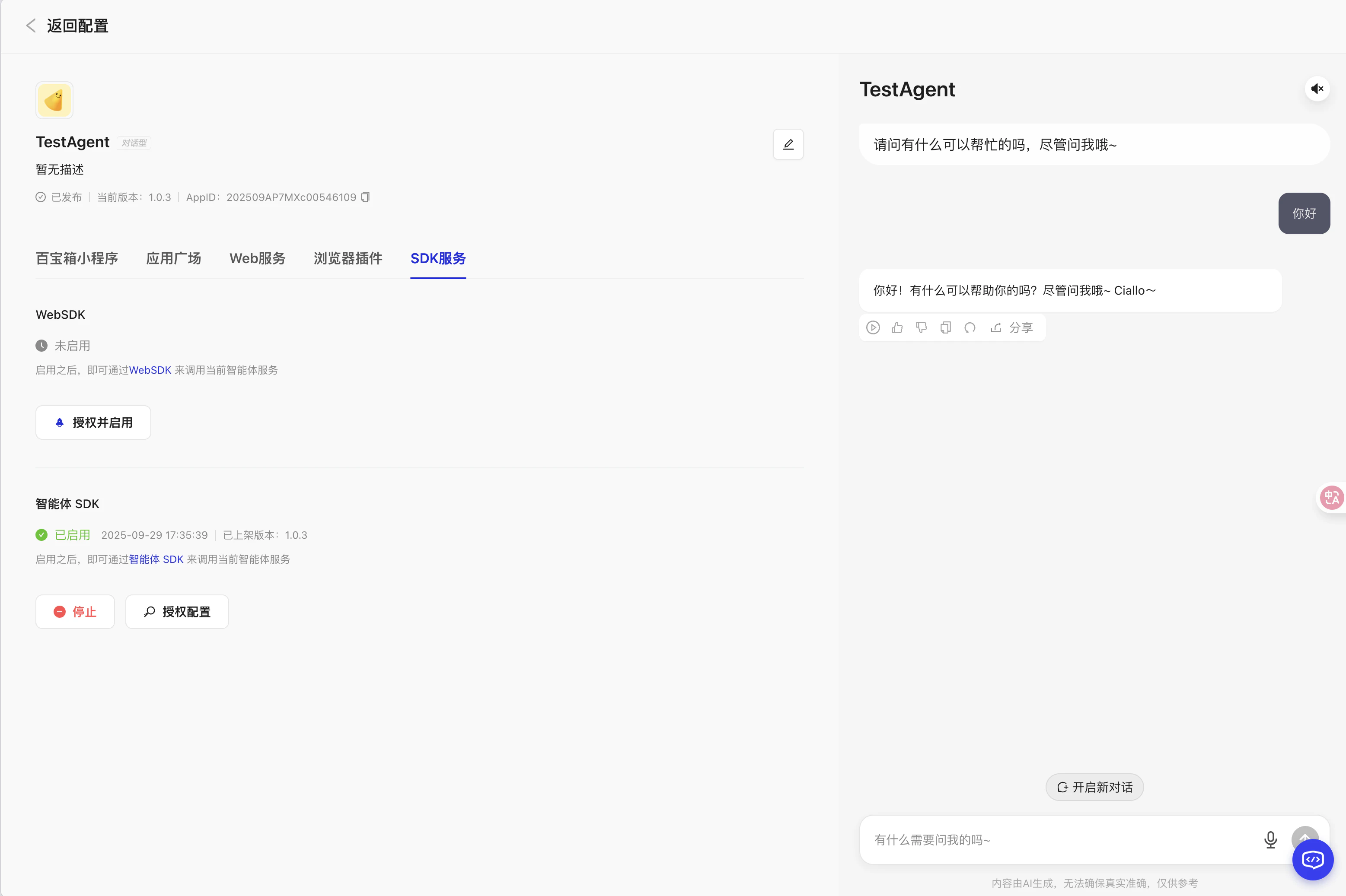
并在 TBox 的智能体编排页面找到该应用的 AppID：

<img src="https://mintcdn.com/langbot/OB26CZsqXqbSrW_A/images/zh/deploy/pipelines/tbox/find_appid.png?fit=max&auto=format&n=OB26CZsqXqbSrW_A&q=85&s=fe0f453481f803352a8f8a79e879ca53" alt="TBox AppID" width="3114" height="2074" data-path="images/zh/deploy/pipelines/tbox/find_appid.png" />

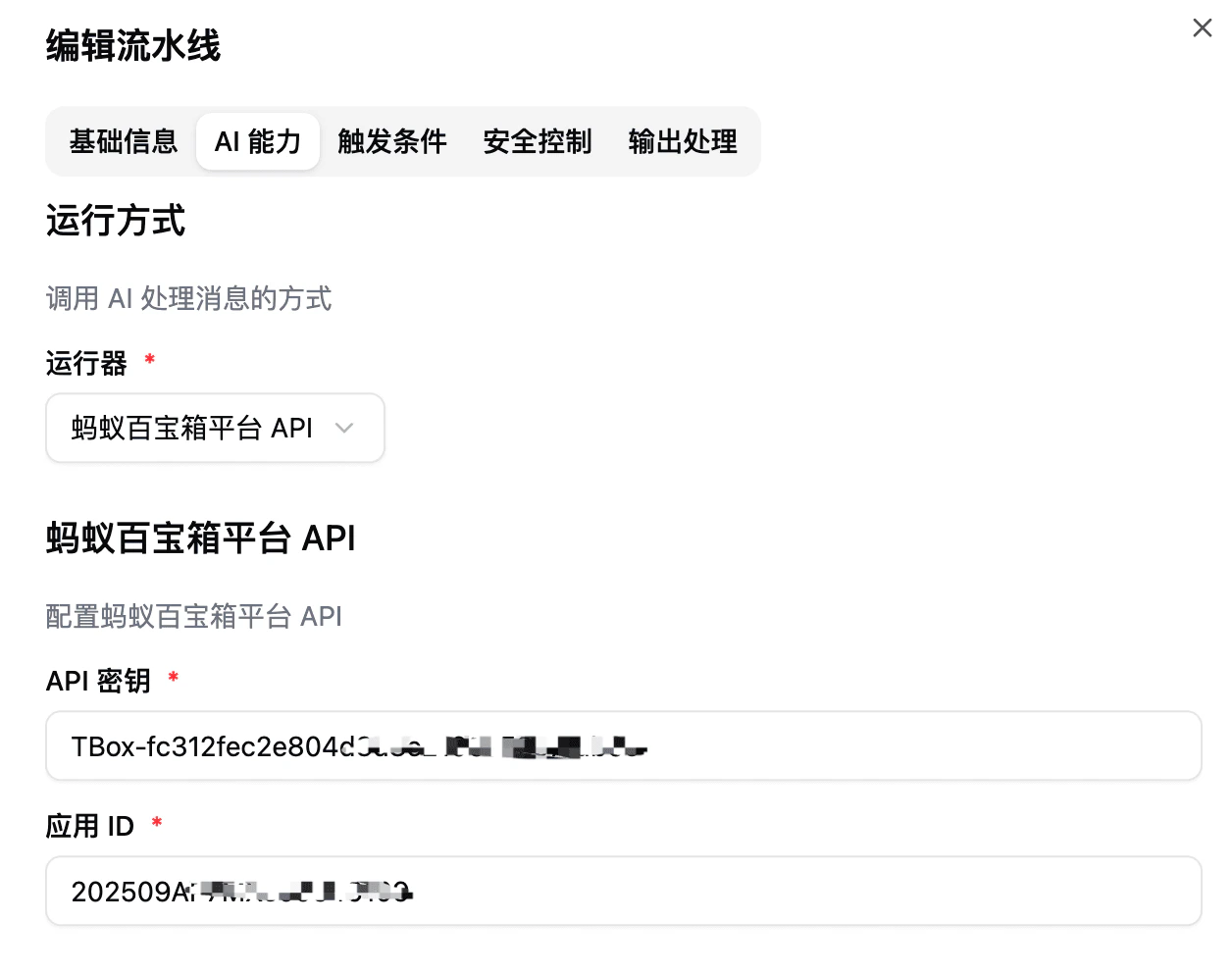
接着回到 LangBot 流水线设置中，切到`AI 能力`配置页面，选择`蚂蚁百宝箱平台 API` 作为运行器：

<img src="https://mintcdn.com/langbot/OB26CZsqXqbSrW_A/images/zh/deploy/pipelines/tbox/tbox_runner.png?fit=max&auto=format&n=OB26CZsqXqbSrW_A&q=85&s=e7d286b774e8a3e47a3023e858b7d047" alt="TBox API Key" width="1256" height="992" data-path="images/zh/deploy/pipelines/tbox/tbox_runner.png" />

现在即可使用 TBox 上的智能体了。