> ## Documentation Index
> Fetch the complete documentation index at: https://docs.langbot.app/llms.txt
> Use this file to discover all available pages before exploring further.

# 在 LangBot 上使用 n8n

> 将 n8n 与 LangBot 集成，驱动跨消息平台的 AI 机器人工作流与自动化。

[n8n](https://n8n.io/) 是一款开源的自动化工作流平台，可以创建、调度、执行各种自动化任务。

LangBot 目前支持通过 n8n 工作流的 `Webhook` 节点，来触发工作流并获取回复。

## 选用 n8n 作为运行器

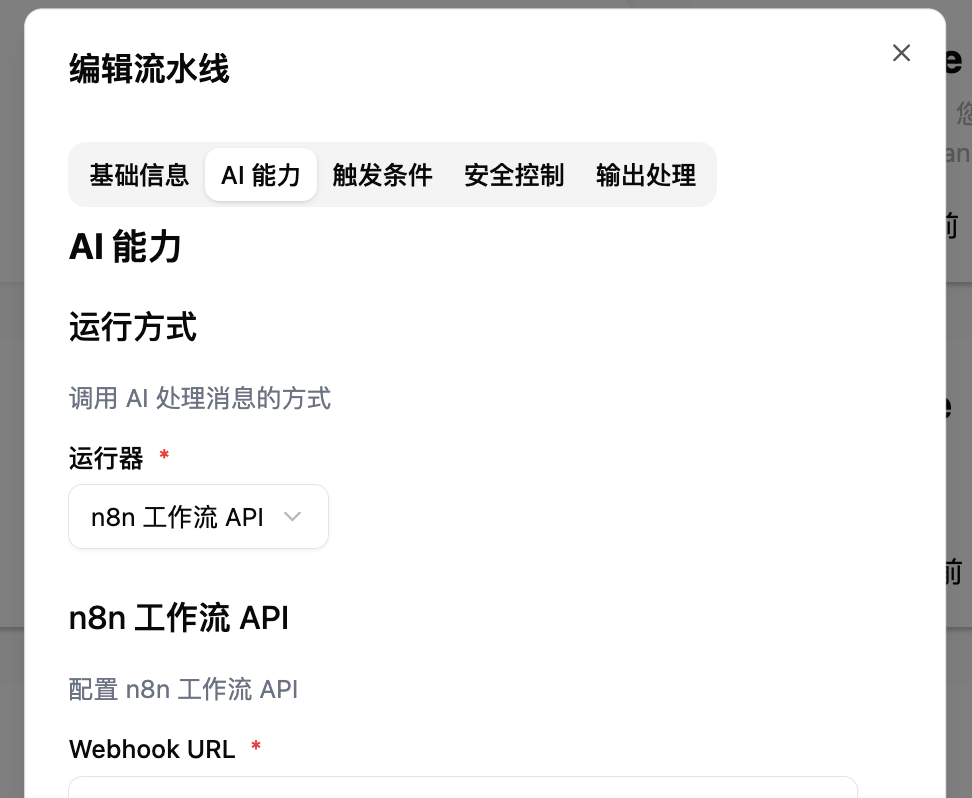
请打开已有的流水线配置页面，或新建流水线（推荐）并打开配置页面，到 `AI 能力`中选择 `n8n 工作流 API` 作为运行器。

<img src="https://mintcdn.com/langbot/OB26CZsqXqbSrW_A/images/zh/deploy/pipelines/n8n/config_runner.png?fit=max&auto=format&n=OB26CZsqXqbSrW_A&q=85&s=8aabbfef8ee447f87273fde0db508f39" alt="n8n 作为运行器" width="972" height="798" data-path="images/zh/deploy/pipelines/n8n/config_runner.png" />

并根据下方内容设置并填写其他配置。

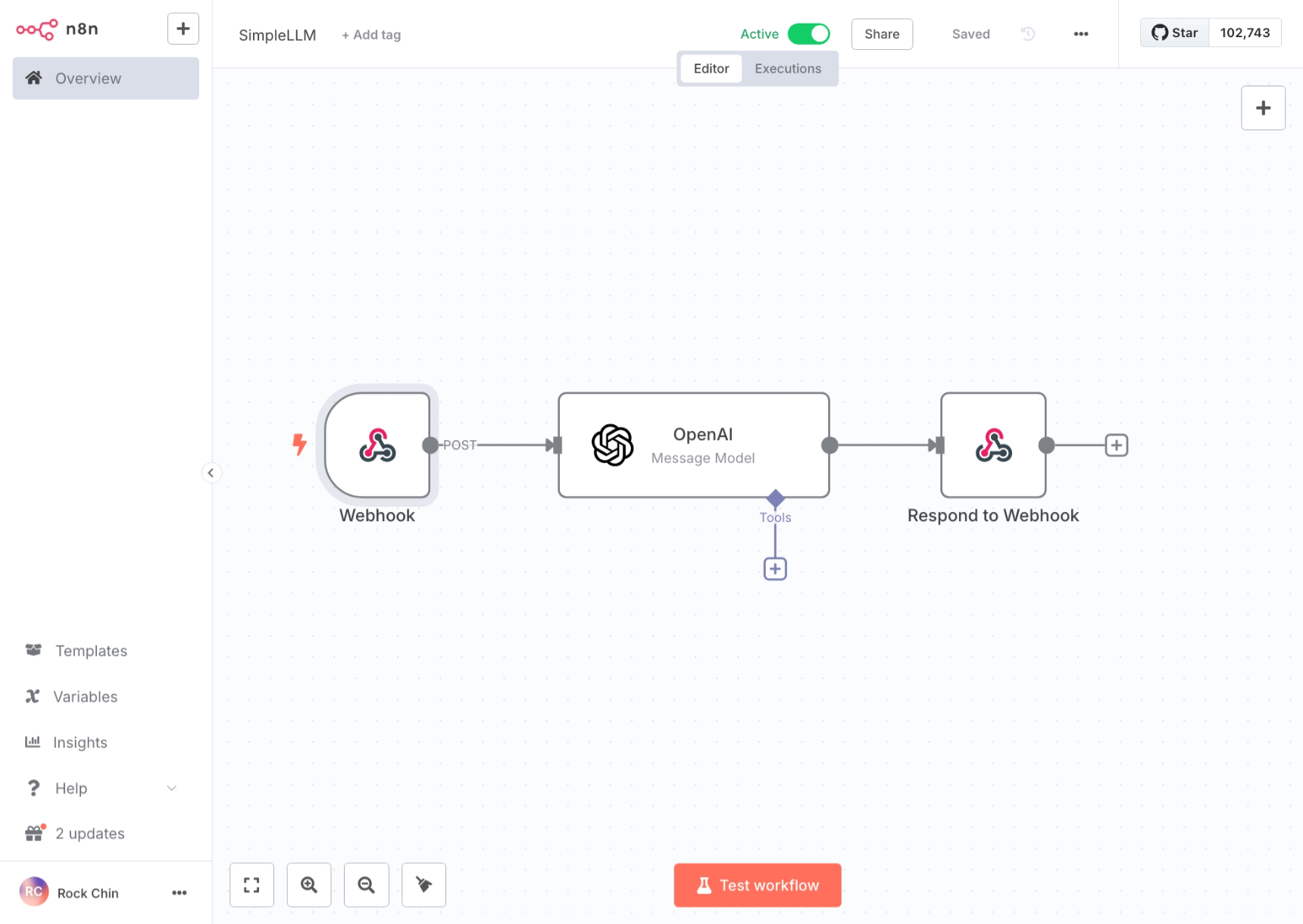
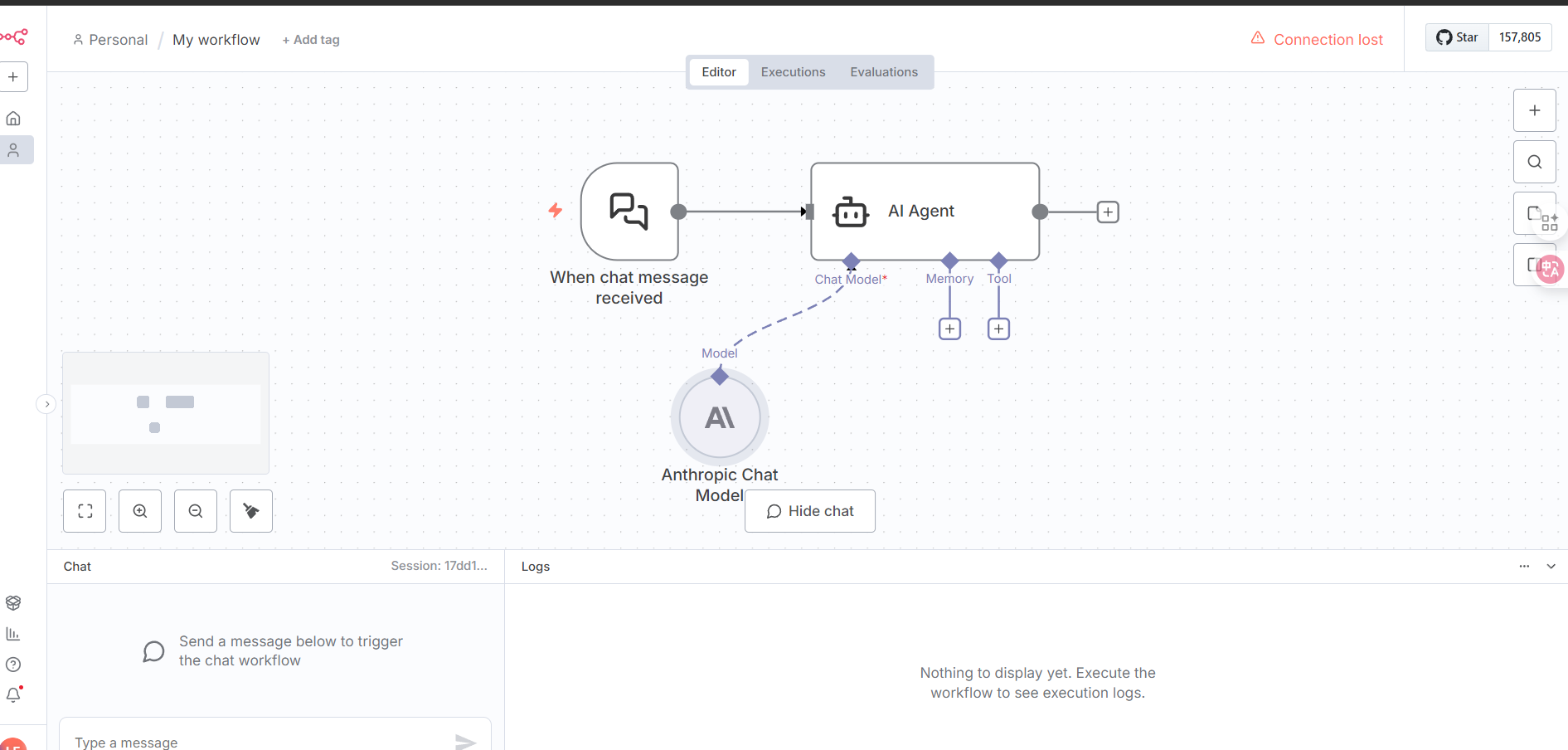
## 配置 n8n 工作流连接

<img src="https://mintcdn.com/langbot/OB26CZsqXqbSrW_A/images/zh/deploy/pipelines/n8n/create_wf.png?fit=max&auto=format&n=OB26CZsqXqbSrW_A&q=85&s=731e8e15b71bfcacc99928aa9b503234" alt="n8n 工作流" width="1720" height="1220" data-path="images/zh/deploy/pipelines/n8n/create_wf.png" />

or

<img src="https://mintcdn.com/langbot/OB26CZsqXqbSrW_A/images/zh/deploy/pipelines/n8n/create_wf01.png?fit=max&auto=format&n=OB26CZsqXqbSrW_A&q=85&s=c57378002e70a90d244537ffd0b9c1da" alt="n8n 工作流" width="1891" height="904" data-path="images/zh/deploy/pipelines/n8n/create_wf01.png" />

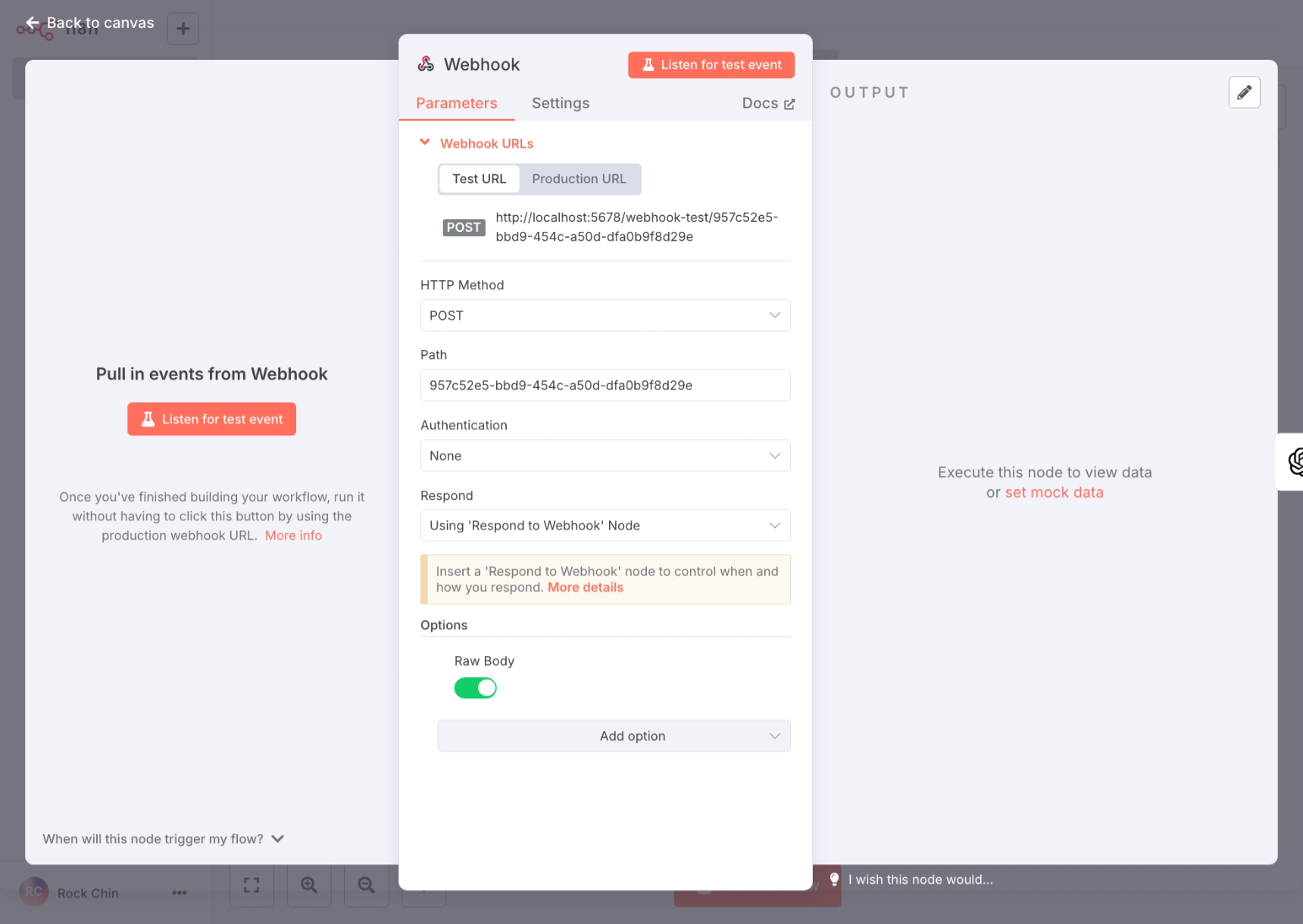
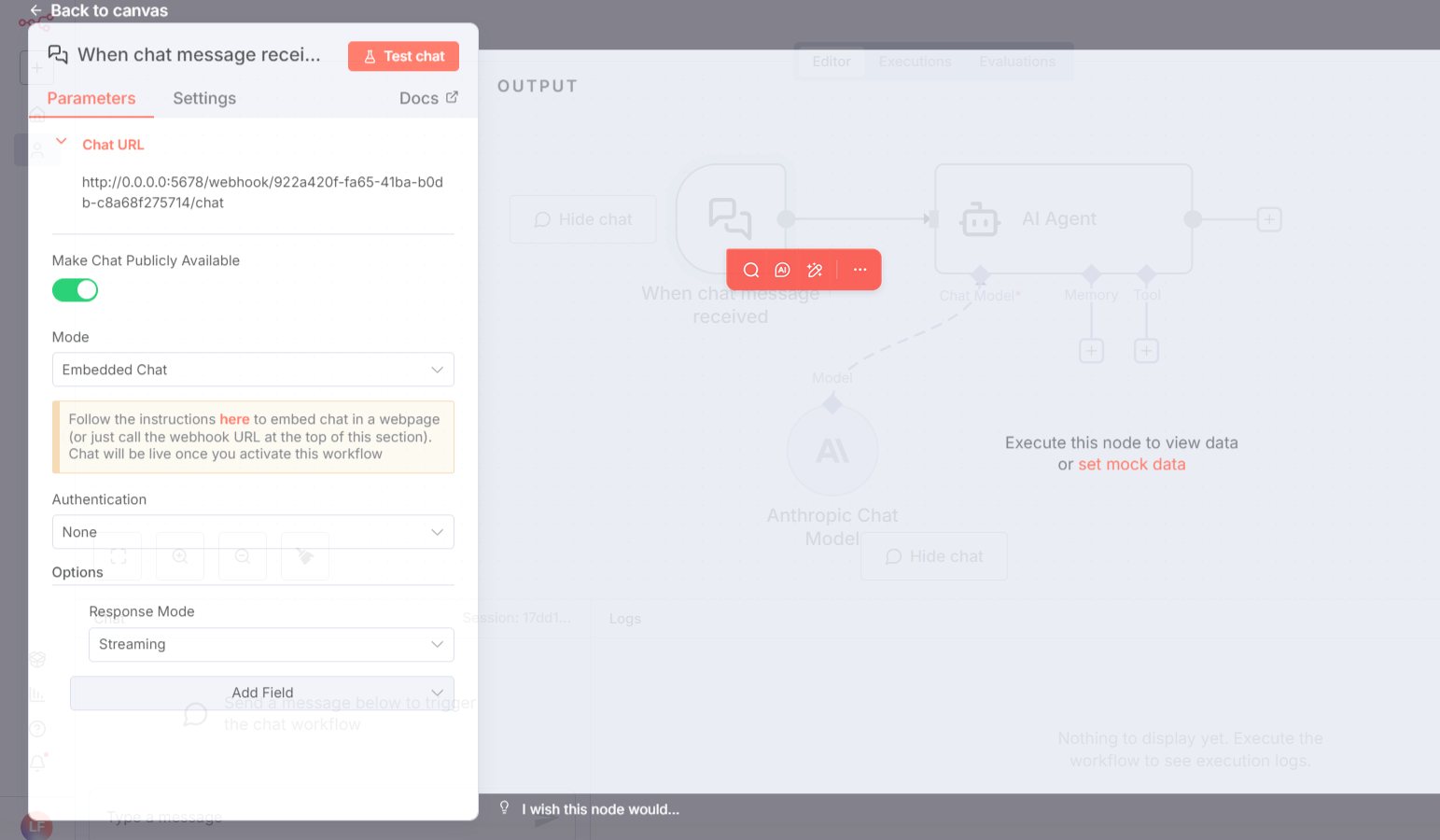
需要选择`Webhook`或者`On chat message`触发，并参考下图配置：

* webhook
  <img src="https://mintcdn.com/langbot/OB26CZsqXqbSrW_A/images/zh/deploy/pipelines/n8n/config_webhook.png?fit=max&auto=format&n=OB26CZsqXqbSrW_A&q=85&s=31391afbbb3a90b39955410c00b9d162" alt="n8n webhook 配置" width="1720" height="1220" data-path="images/zh/deploy/pipelines/n8n/config_webhook.png" />
* on chat message
  <img src="https://mintcdn.com/langbot/OB26CZsqXqbSrW_A/images/zh/deploy/pipelines/n8n/config_n8n_onchatmessage.png?fit=max&auto=format&n=OB26CZsqXqbSrW_A&q=85&s=518192be7a46338c3b1204d1d959569c" alt="n8n on chat message 配置" width="1543" height="900" data-path="images/zh/deploy/pipelines/n8n/config_n8n_onchatmessage.png" />

<Info title="">
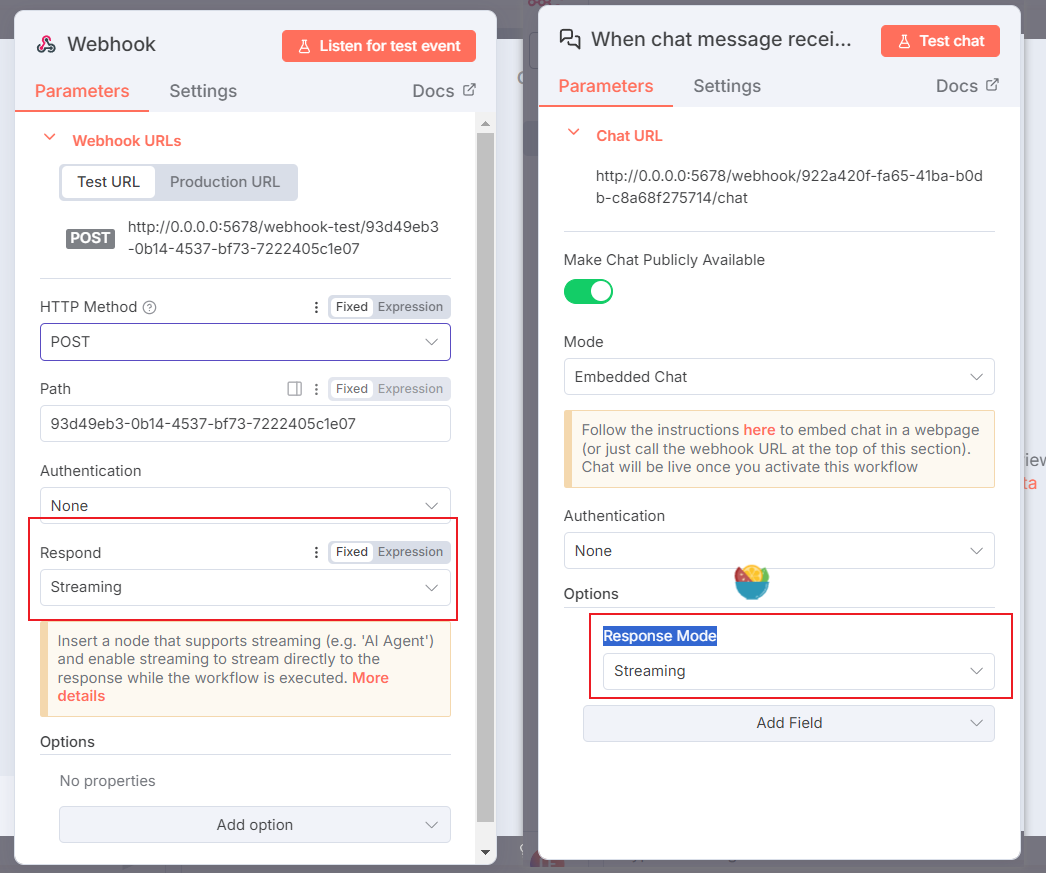
  如果要需要流式，其中的`Response Mode`都需要选择为`Streaming`。

  <img src="https://mintcdn.com/langbot/OB26CZsqXqbSrW_A/images/zh/deploy/pipelines/n8n/config_response_model.png?fit=max&auto=format&n=OB26CZsqXqbSrW_A&q=85&s=4ca634d8727dad9ff2b9279d3b2a9ec7" alt="n8n 流式配置" width="1046" height="873" data-path="images/zh/deploy/pipelines/n8n/config_response_model.png" />
</Info>

<Info title="">
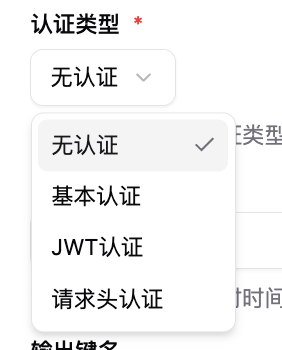
  Authentication 对应 LangBot 流水线配置中的几种鉴权方式，可自行更改。

  <img src="https://mintcdn.com/langbot/OB26CZsqXqbSrW_A/images/zh/deploy/pipelines/n8n/config_auth.png?fit=max&auto=format&n=OB26CZsqXqbSrW_A&q=85&s=023254bd4db3e3720cdda13ab1543d8d" alt="n8n 工作流配置" width="282" height="350" data-path="images/zh/deploy/pipelines/n8n/config_auth.png" />
</Info>

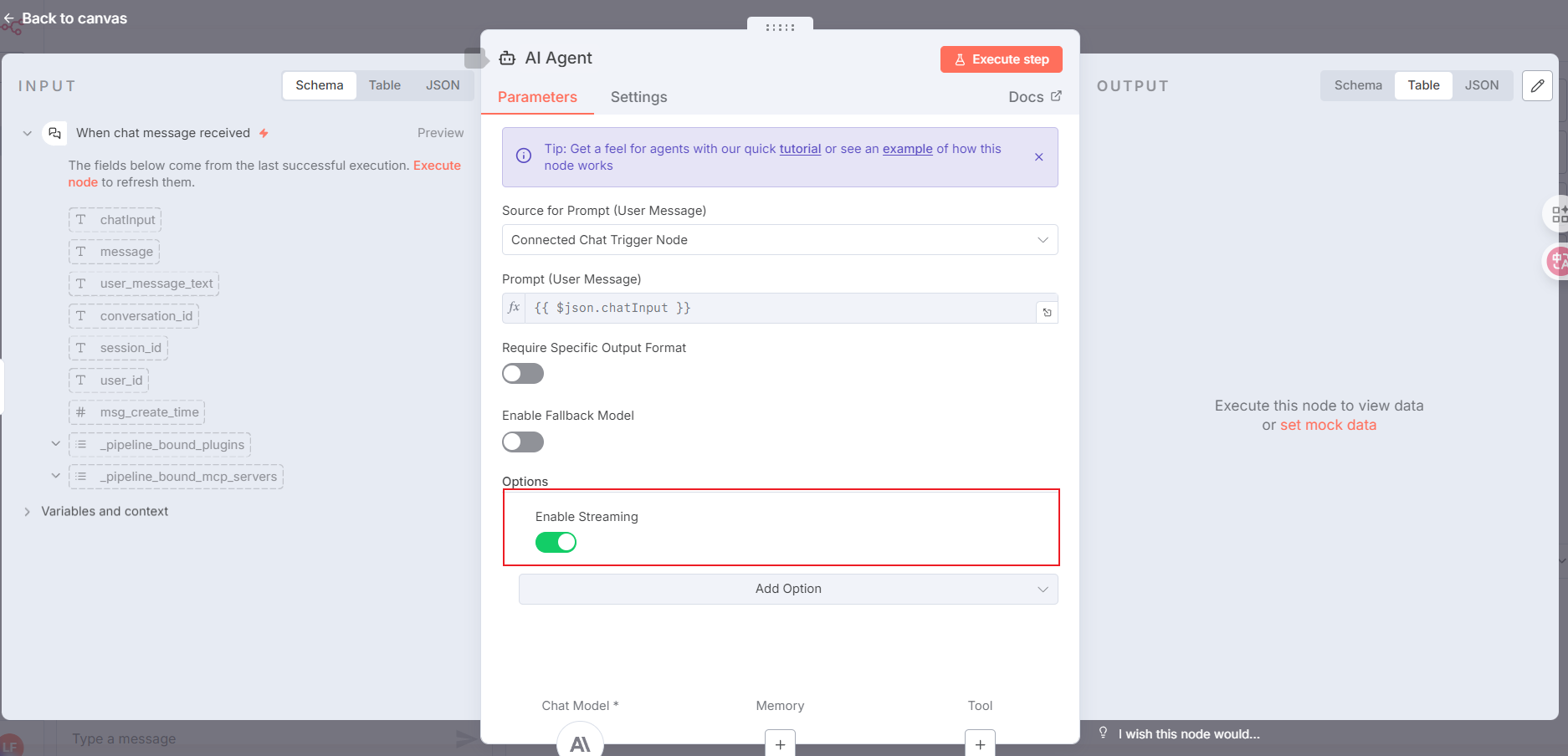
调用ai模型的节点可配置为`AI Agent`，并参考下图配置：

> 需要流式则将图片中红框内容添加，不需要则不管

<img src="https://mintcdn.com/langbot/OB26CZsqXqbSrW_A/images/zh/deploy/pipelines/n8n/config_call_ai.png?fit=max&auto=format&n=OB26CZsqXqbSrW_A&q=85&s=f9fd69bdff58662066d77560ecc04fd8" alt="n8n 调用ai模型配置" width="1874" height="904" data-path="images/zh/deploy/pipelines/n8n/config_call_ai.png" />

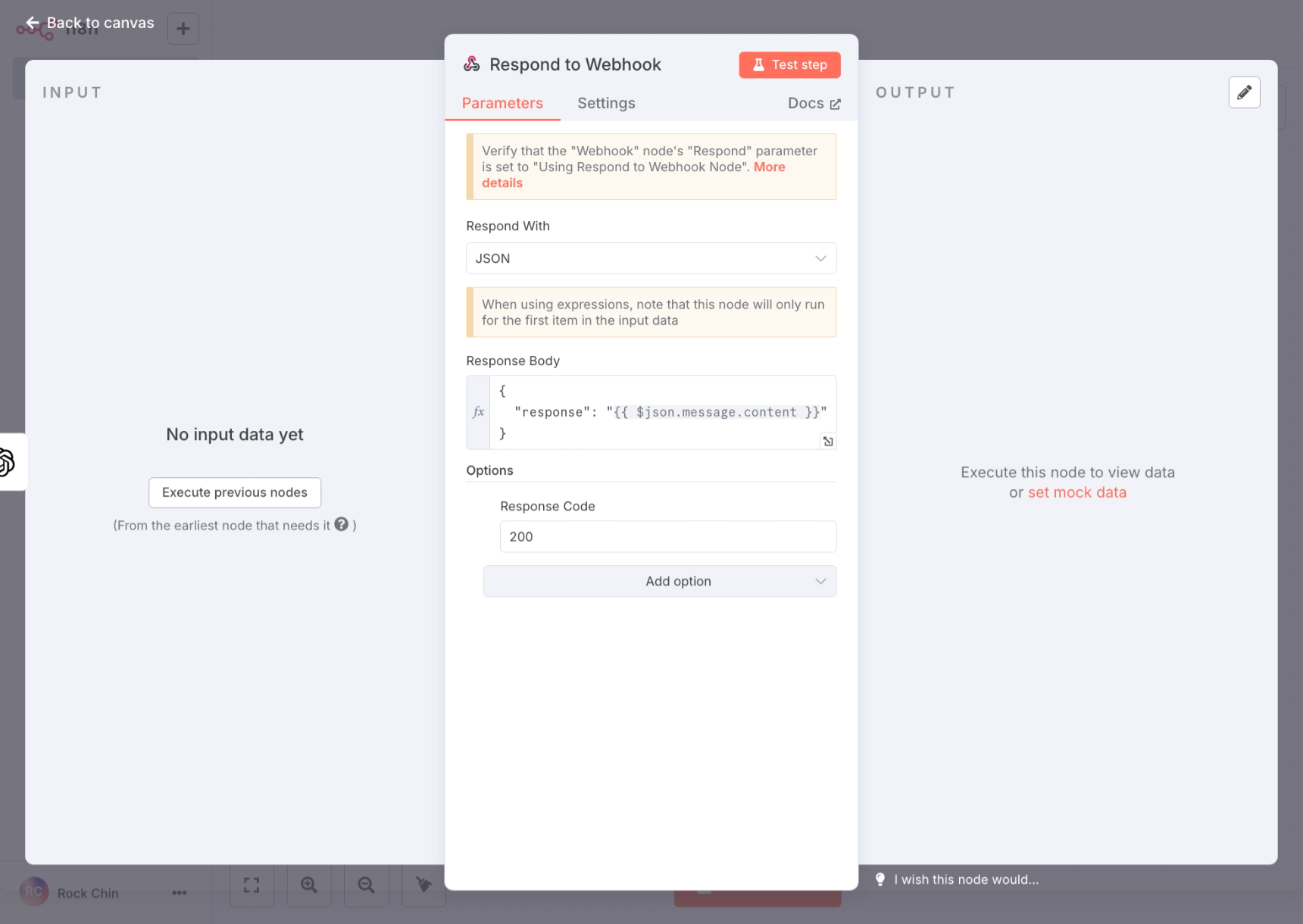
n8n 的工作流响应内容请使用`Respond to Webhook`节点，并参考下图配置（如果你选择的是流式响应和`AI Agent`节点，则不需要操作此步骤）：

<img src="https://mintcdn.com/langbot/OB26CZsqXqbSrW_A/images/zh/deploy/pipelines/n8n/config_respond.png?fit=max&auto=format&n=OB26CZsqXqbSrW_A&q=85&s=aa78274dfbadbf896ede3a86f4cab3b8" alt="n8n 工作流响应配置" width="1720" height="1220" data-path="images/zh/deploy/pipelines/n8n/config_respond.png" />

`Response Body`中的响应内容键名需要与 LangBot 流水线配置中的`输出键名`一致。

在完成 n8n 工作流的配置之后，请在其顶部点击`Active`以启用工作流。