> ## Documentation Index
> Fetch the complete documentation index at: https://docs.langbot.app/llms.txt
> Use this file to discover all available pages before exploring further.
# 手动部署
> 从源码手动部署 LangBot:在 Linux、Windows、macOS 上搭建开源 AI 机器人平台的详细步骤。
Unix-like 系统上请优先考虑使用 Docker 部署。
## 安装主程序
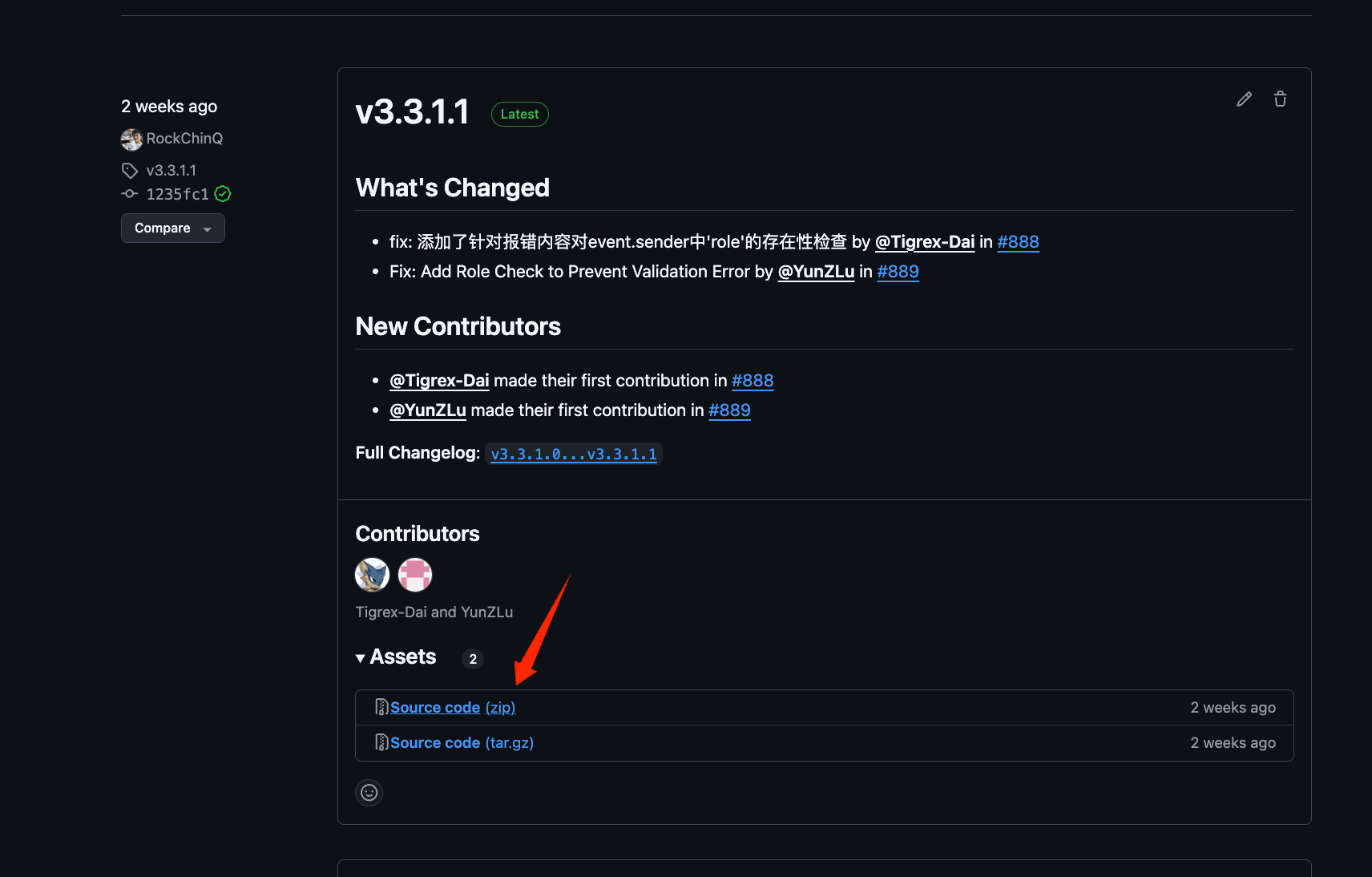
1. 前往[Release](https://github.com/langbot-app/LangBot/releases)页面下载最新版本的压缩包(推荐)`langbot-xxx-all.zip`(请勿下载 Source Code,因为其中不包含 WebUI)。解压,在解压目录打开命令行(终端)
 2. 安装依赖
我们使用 [uv](https://docs.astral.sh/uv/) 管理依赖。
```bash theme={null}
pip install uv
uv sync
```
或者使用清华源
```bash theme={null}
pip install uv -i https://pypi.tuna.tsinghua.edu.cn/simple
uv sync
```
3. 运行一次主程序,生成配置文件
```bash theme={null}
uv run main.py
```
提示如下信息
```
_ ___ _
| | __ _ _ _ __ _| _ ) ___| |_
| |__/ _` | ' \/ _` | _ \/ _ \ _|
|____\__,_|_||_\__, |___/\___/\__|
|___/
⭐️开源地址: https://github.com/langbot-app/LangBot
📖文档地址: https://docs.langbot.app
以下文件不存在,已自动生成,请按需修改配置文件后重启:
- data/config.yaml
...
```
接下来可以使用 Ctrl+C 退出程序,继续查看[配置机器人](/zh/usage/platforms/readme)页。
2. 安装依赖
我们使用 [uv](https://docs.astral.sh/uv/) 管理依赖。
```bash theme={null}
pip install uv
uv sync
```
或者使用清华源
```bash theme={null}
pip install uv -i https://pypi.tuna.tsinghua.edu.cn/simple
uv sync
```
3. 运行一次主程序,生成配置文件
```bash theme={null}
uv run main.py
```
提示如下信息
```
_ ___ _
| | __ _ _ _ __ _| _ ) ___| |_
| |__/ _` | ' \/ _` | _ \/ _ \ _|
|____\__,_|_||_\__, |___/\___/\__|
|___/
⭐️开源地址: https://github.com/langbot-app/LangBot
📖文档地址: https://docs.langbot.app
以下文件不存在,已自动生成,请按需修改配置文件后重启:
- data/config.yaml
...
```
接下来可以使用 Ctrl+C 退出程序,继续查看[配置机器人](/zh/usage/platforms/readme)页。