> ## Documentation Index
> Fetch the complete documentation index at: https://docs.langbot.app/llms.txt
> Use this file to discover all available pages before exploring further.
# Web Page Bot
> Embed a LangBot AI chatbot on your web page. Add an LLM-powered chat widget to any website.
Embed a LangBot chat widget into any website with a single script tag.
## Create Bot
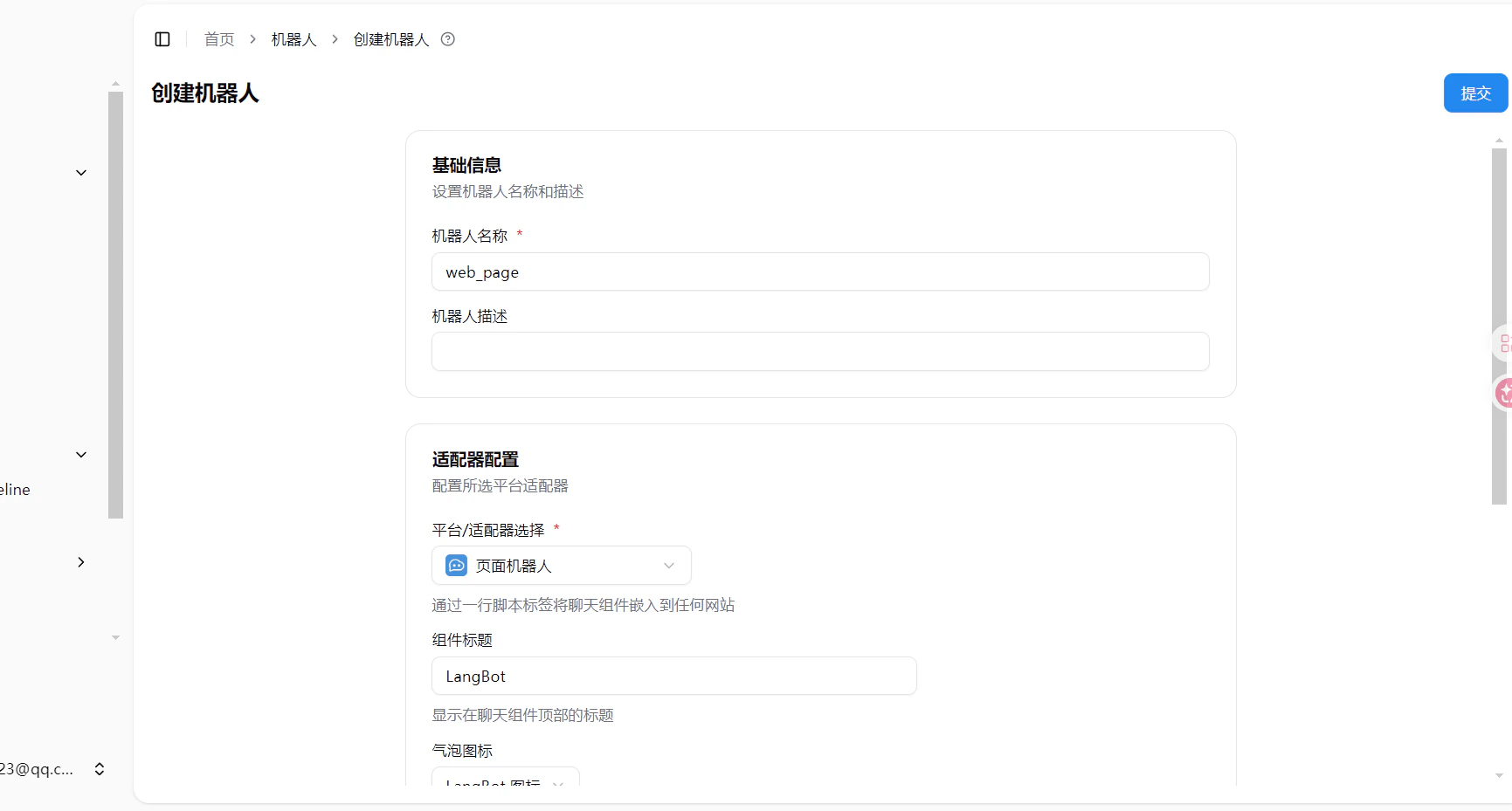
Open LangBot WebUI, go to **Bots > Create Bot**, enter a bot name, and select `Web Page Bot` as the platform/adapter.
 ## Configuration
| Option | Description |
| -------------------- | --------------------------------------------------------------------------------------------------------------------------- |
| Component Title | Title displayed at the top of the chat widget, defaults to LangBot |
| Bubble Icon | Icon displayed on the floating chat bubble |
| Component Language | Display language for the chat widget (Simplified Chinese, English, etc.) |
| Turnstile Site Key | Cloudflare Turnstile site key for anti-abuse protection. Leave empty to disable |
| Turnstile Secret Key | Cloudflare Turnstile secret key, obtained together with the site key from Cloudflare console. Required when site key is set |
## Get Embed Code
After creating and saving the bot, an auto-generated `
```
The embed code URL defaults to `localhost`. If your LangBot is deployed on a server, replace `localhost:5300` with your actual address.
## Anti-Abuse (Optional)
To protect against abuse, you can enable Cloudflare Turnstile:
1. Go to [Cloudflare Turnstile](https://dash.cloudflare.com/) > Add Site
2. Get the **Site Key** and **Secret Key**
3. Fill them into the corresponding fields in the LangBot Web Page Bot configuration
4. Save to take effect
## Local Preview / Demo
Want to try the embed widget before wiring it into your own site? The LangBot
main repo ships a self-contained single-file demo page `index.html` under
[`examples/web-page-bot/`](https://github.com/langbot-app/LangBot/tree/master/examples/web-page-bot):
open it in a browser, fill in your LangBot address and Page Bot UUID, and it
loads the live embed widget so you can chat with the bot just like a site
visitor — and generates the exact `
## Configuration
| Option | Description |
| -------------------- | --------------------------------------------------------------------------------------------------------------------------- |
| Component Title | Title displayed at the top of the chat widget, defaults to LangBot |
| Bubble Icon | Icon displayed on the floating chat bubble |
| Component Language | Display language for the chat widget (Simplified Chinese, English, etc.) |
| Turnstile Site Key | Cloudflare Turnstile site key for anti-abuse protection. Leave empty to disable |
| Turnstile Secret Key | Cloudflare Turnstile secret key, obtained together with the site key from Cloudflare console. Required when site key is set |
## Get Embed Code
After creating and saving the bot, an auto-generated `
```
The embed code URL defaults to `localhost`. If your LangBot is deployed on a server, replace `localhost:5300` with your actual address.
## Anti-Abuse (Optional)
To protect against abuse, you can enable Cloudflare Turnstile:
1. Go to [Cloudflare Turnstile](https://dash.cloudflare.com/) > Add Site
2. Get the **Site Key** and **Secret Key**
3. Fill them into the corresponding fields in the LangBot Web Page Bot configuration
4. Save to take effect
## Local Preview / Demo
Want to try the embed widget before wiring it into your own site? The LangBot
main repo ships a self-contained single-file demo page `index.html` under
[`examples/web-page-bot/`](https://github.com/langbot-app/LangBot/tree/master/examples/web-page-bot):
open it in a browser, fill in your LangBot address and Page Bot UUID, and it
loads the live embed widget so you can chat with the bot just like a site
visitor — and generates the exact `