> ## Documentation Index
> Fetch the complete documentation index at: https://docs.langbot.app/llms.txt
> Use this file to discover all available pages before exploring further.
# LiteLoaderQQNT
> Connect QQ to LangBot via LiteLoaderQQNT (LLOneBot). Set up an AI bot for QQ groups and chats.
Connect through the OneBot 11 protocol, you need to select `OneBot v11` as the adapter.
# LiteLoaderQQNT
* [LiteLoaderQQNT's OneBot API plugin](https://github.com/LLOneBot/LLOneBot) injects into the QQ client and converts it to the OneBot 11 protocol
Installation tutorial for LiteLoaderQQNT: [https://llonebot.github.io/zh-CN/guide/getting-started](https://llonebot.github.io/zh-CN/guide/getting-started)
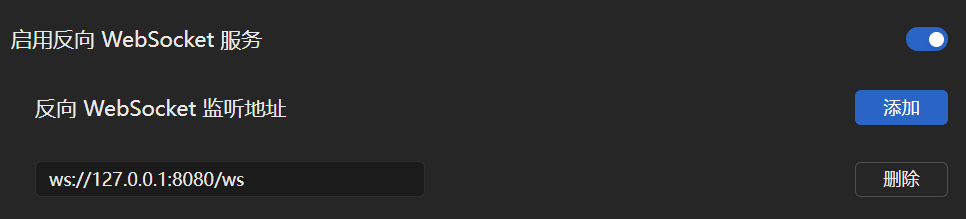 Make sure the IP address in the address is the address of the host running LangBot (if running on the same network, use 127.0.0.1)
## Lagrange Integration
Next, open the LangBot configuration page
Click on Bots, then click Add
Select `OneBot v11` for `Platform/Adapter Selection`
Make sure the IP address in the address is the address of the host running LangBot (if running on the same network, use 127.0.0.1)
## Lagrange Integration
Next, open the LangBot configuration page
Click on Bots, then click Add
Select `OneBot v11` for `Platform/Adapter Selection`
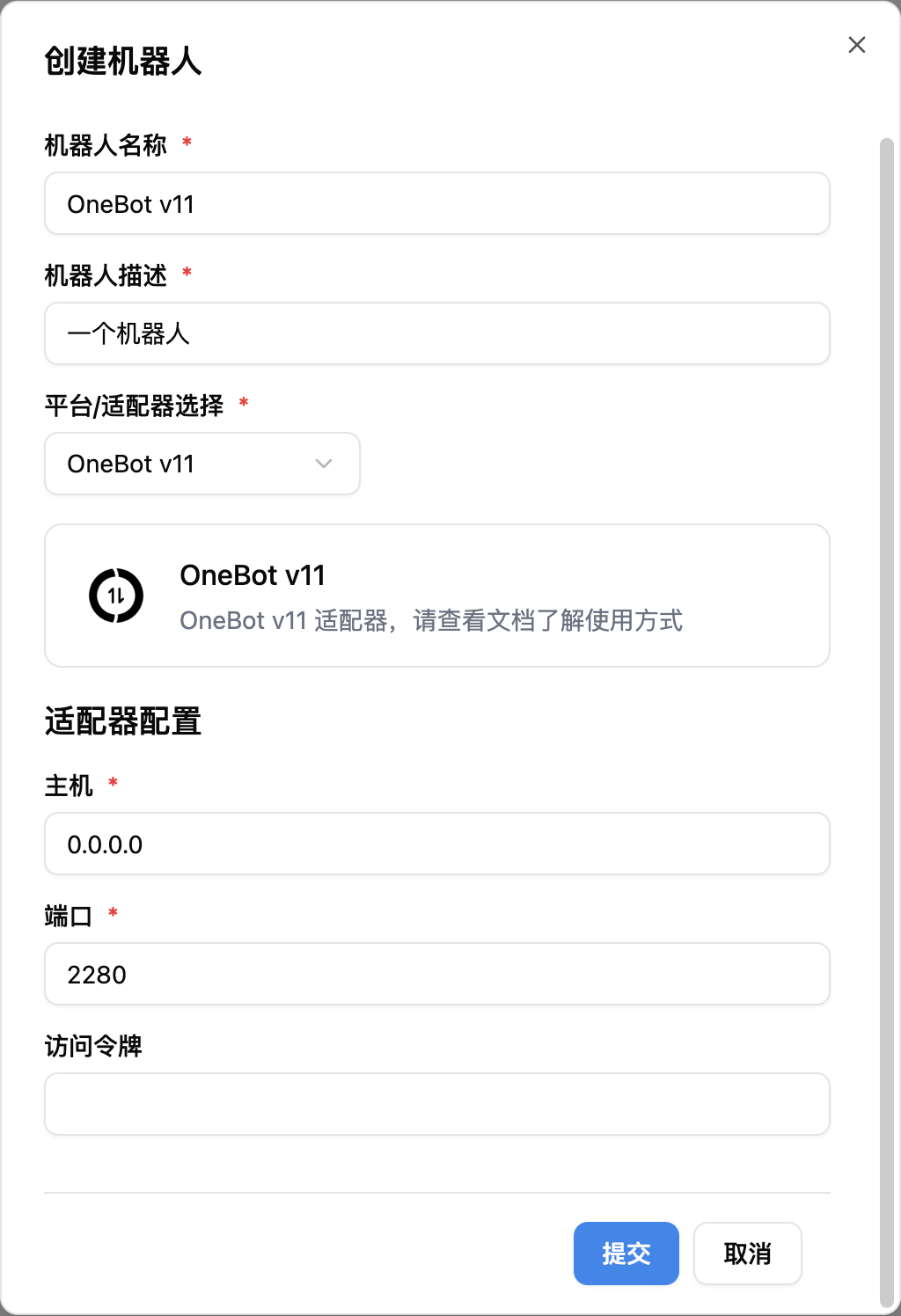 Note, if you have network connection issues involving multiple docker containers, please refer to [Network Configuration Details](/en/workshop/network-details)