> ## Documentation Index
> Fetch the complete documentation index at: https://docs.langbot.app/llms.txt
> Use this file to discover all available pages before exploring further.
# Models
## LangBot Models
LangBot Models is an official model service provided by LangBot. When you initialize a local instance with your LangBot Space account, available models will be automatically added to your instance without any configuration. You will receive a certain amount of free quota to get started quickly.
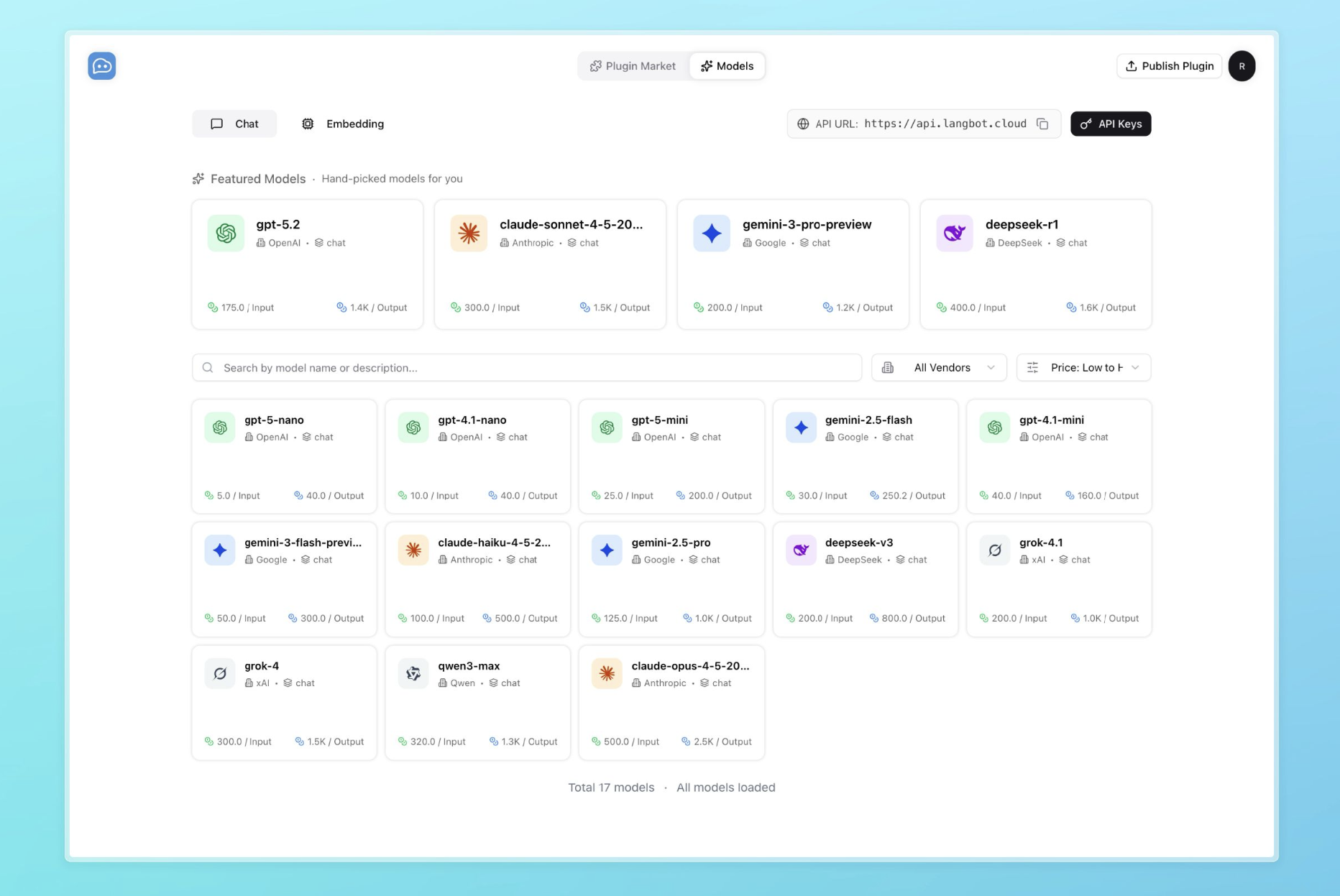 For specific available models, please check [LangBot Space](https://space.langbot.app/models).
## Custom Models
You can also add models from other sources.
### LLM Model
Models will be used by pipelines to process messages. The first model you configure will be set as the model for the default pipeline.
For specific available models, please check [LangBot Space](https://space.langbot.app/models).
## Custom Models
You can also add models from other sources.
### LLM Model
Models will be used by pipelines to process messages. The first model you configure will be set as the model for the default pipeline.
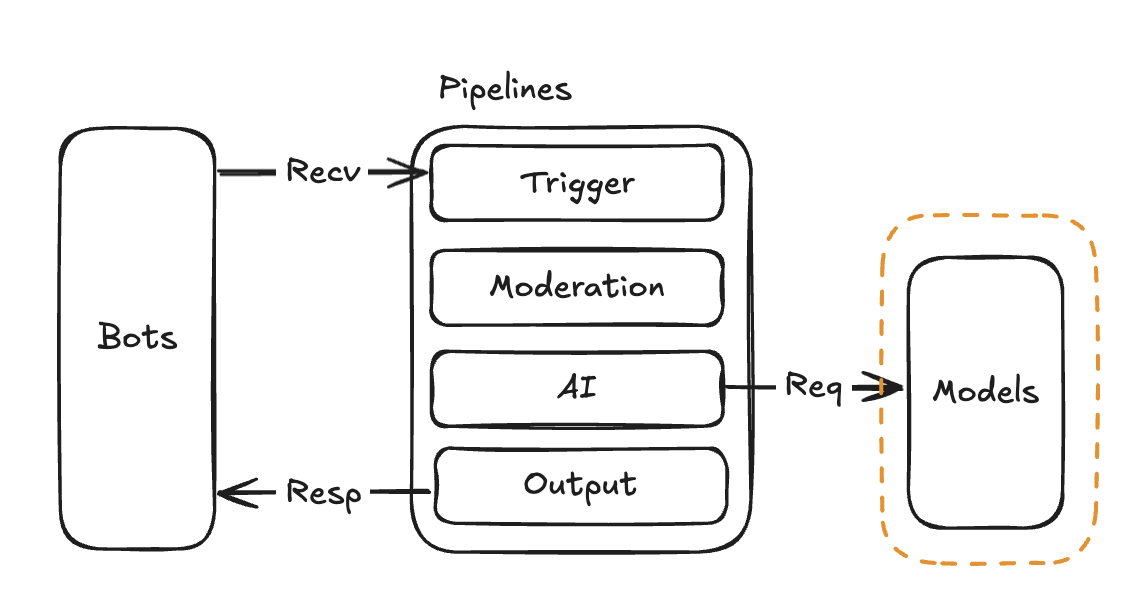 You can add multiple models, and then select which model to use in the pipeline.
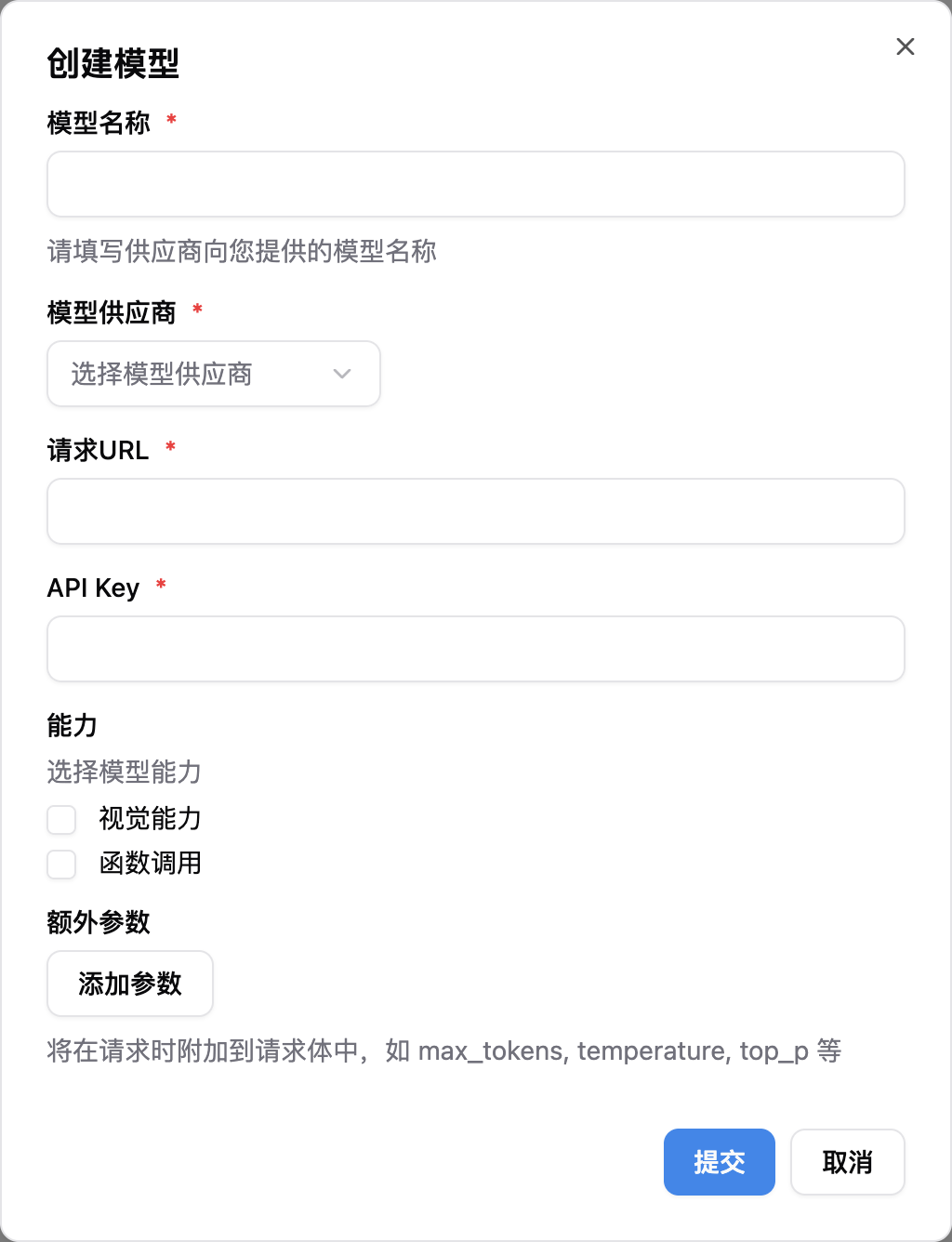 Enter these four parameters: `Model Name`, `Model Provider`, `Request URL`, and `API Key`, then submit.
For model capabilities, enable the ones the underlying model actually supports:
* **Vision**: enable to recognize images
* **Tool Use** (function calling / tool use): enable so the LLM can call tools during a conversation
**Tool Use must be enabled on the model whenever you want to use tools from MCP servers, sandbox built-ins (`exec`/`read`/`write`/`edit`/`glob`/`grep`), or Skills.** Without it, even if the pipeline binds those extensions, the Agent won't call any tools.
The underlying model has to actually support function calling for this checkbox to take effect — check the model provider's docs if unsure.
### Embedding Model
Embedding models are used to compute vector representations of messages. If you need to use knowledge bases, please configure this model.
Enter these four parameters: `Model Name`, `Model Provider`, `Request URL`, and `API Key`, then submit.
For model capabilities, enable the ones the underlying model actually supports:
* **Vision**: enable to recognize images
* **Tool Use** (function calling / tool use): enable so the LLM can call tools during a conversation
**Tool Use must be enabled on the model whenever you want to use tools from MCP servers, sandbox built-ins (`exec`/`read`/`write`/`edit`/`glob`/`grep`), or Skills.** Without it, even if the pipeline binds those extensions, the Agent won't call any tools.
The underlying model has to actually support function calling for this checkbox to take effect — check the model provider's docs if unsure.
### Embedding Model
Embedding models are used to compute vector representations of messages. If you need to use knowledge bases, please configure this model.
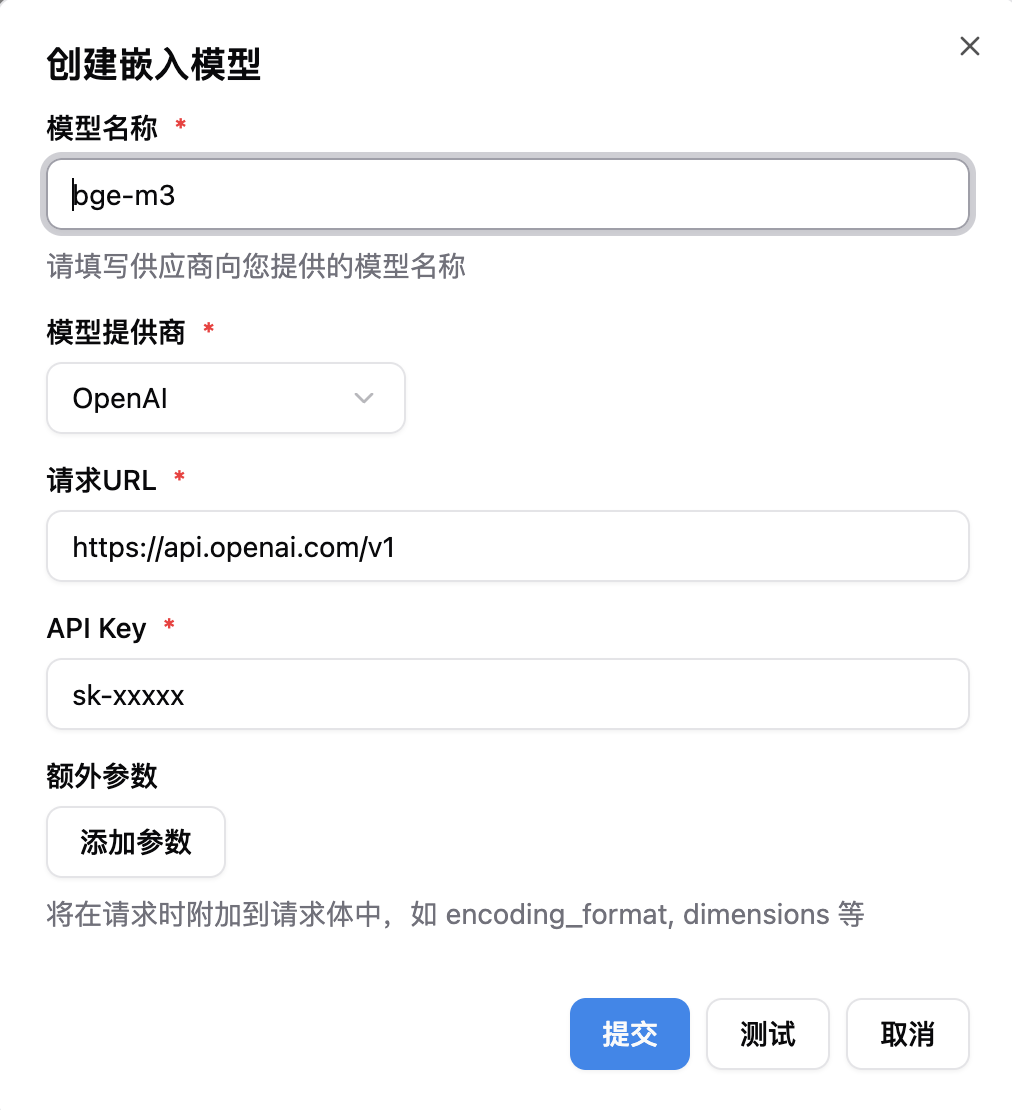 Enter these four parameters: `Model Name`, `Model Provider`, `Request URL`, and `API Key`, then submit. After that, please configure the knowledge base to use this model.
### Using seekdb Built-in Embedding Model (Zero Configuration)
The system has integrated the official embedding model provided by seekdb, no parameters required.
* On the "Embedding Model" page, select "seekdb-built-in";
* Click "Save" to use it immediately;
* Then select this model in your knowledge base to take effect.
### Using Chroma Built-in Embedding Model (Zero Configuration)
The system has integrated Chroma's built-in embedding model (all-MiniLM-L6-v2), no parameters required.
* On the "Embedding Model" page, select "chroma-built-in";
* Click "Save" to use it immediately;
* Then select this model in your knowledge base to take effect.
### Rerank Model
Rerank models re-score RAG retrieval results to significantly improve the precision of knowledge base answers. When a knowledge base returns multiple candidate documents, the rerank model uses a cross-encoder to precisely score each document's relevance to the query, selecting only the most relevant content.
Enter `Model Name` and select `Model Provider`, then submit. After that, select this model in your pipeline's "AI" configuration.
Rerank models are optional. Without one, knowledge base results are used in their original retrieval order. With a rerank model configured, results are re-scored and only the top-K most relevant results are kept.
Enter these four parameters: `Model Name`, `Model Provider`, `Request URL`, and `API Key`, then submit. After that, please configure the knowledge base to use this model.
### Using seekdb Built-in Embedding Model (Zero Configuration)
The system has integrated the official embedding model provided by seekdb, no parameters required.
* On the "Embedding Model" page, select "seekdb-built-in";
* Click "Save" to use it immediately;
* Then select this model in your knowledge base to take effect.
### Using Chroma Built-in Embedding Model (Zero Configuration)
The system has integrated Chroma's built-in embedding model (all-MiniLM-L6-v2), no parameters required.
* On the "Embedding Model" page, select "chroma-built-in";
* Click "Save" to use it immediately;
* Then select this model in your knowledge base to take effect.
### Rerank Model
Rerank models re-score RAG retrieval results to significantly improve the precision of knowledge base answers. When a knowledge base returns multiple candidate documents, the rerank model uses a cross-encoder to precisely score each document's relevance to the query, selecting only the most relevant content.
Enter `Model Name` and select `Model Provider`, then submit. After that, select this model in your pipeline's "AI" configuration.
Rerank models are optional. Without one, knowledge base results are used in their original retrieval order. With a rerank model configured, results are re-scored and only the top-K most relevant results are kept.