> ## Documentation Index
> Fetch the complete documentation index at: https://docs.langbot.app/llms.txt
> Use this file to discover all available pages before exploring further.
# Knowledge Base
> Build RAG knowledge bases in LangBot. Give your AI bot document retrieval and grounded answers across messaging platforms.
LangBot natively supports RAG (Retrieval-Augmented Generation). You can create a knowledge base and bind it to a pipeline, allowing the pipeline to answer questions based on the contents of the knowledge base.
Knowledge bases are powered by Knowledge Engine plugins, with different Knowledge Engines providing different indexing and retrieval strategies. You can find available Knowledge Engine plugins in the [Plugin Marketplace](https://space.langbot.app/market).
## Creating a Knowledge Base
On the knowledge base page, click the `Create Knowledge Base` button:
1. Fill in the knowledge base name
2. Select a Knowledge Engine (provided by installed plugins)
3. Fill in the relevant parameters based on the selected engine's configuration form (e.g., embedding model, chunk size, etc.)
4. Click the `Create` button
Different Knowledge Engines have different configuration parameters, depending on the engine's `creation_schema` definition. Some engines may require configuring an embedding model first. Please read [Configure Models](/en/usage/models/readme).
If the selected Knowledge Engine supports document upload (declares `DOC_INGESTION` capability), after creation go to the "Documents" tab of your knowledge base and upload documents. LangBot will automatically parse and index these in the background.
## Using the Knowledge Base
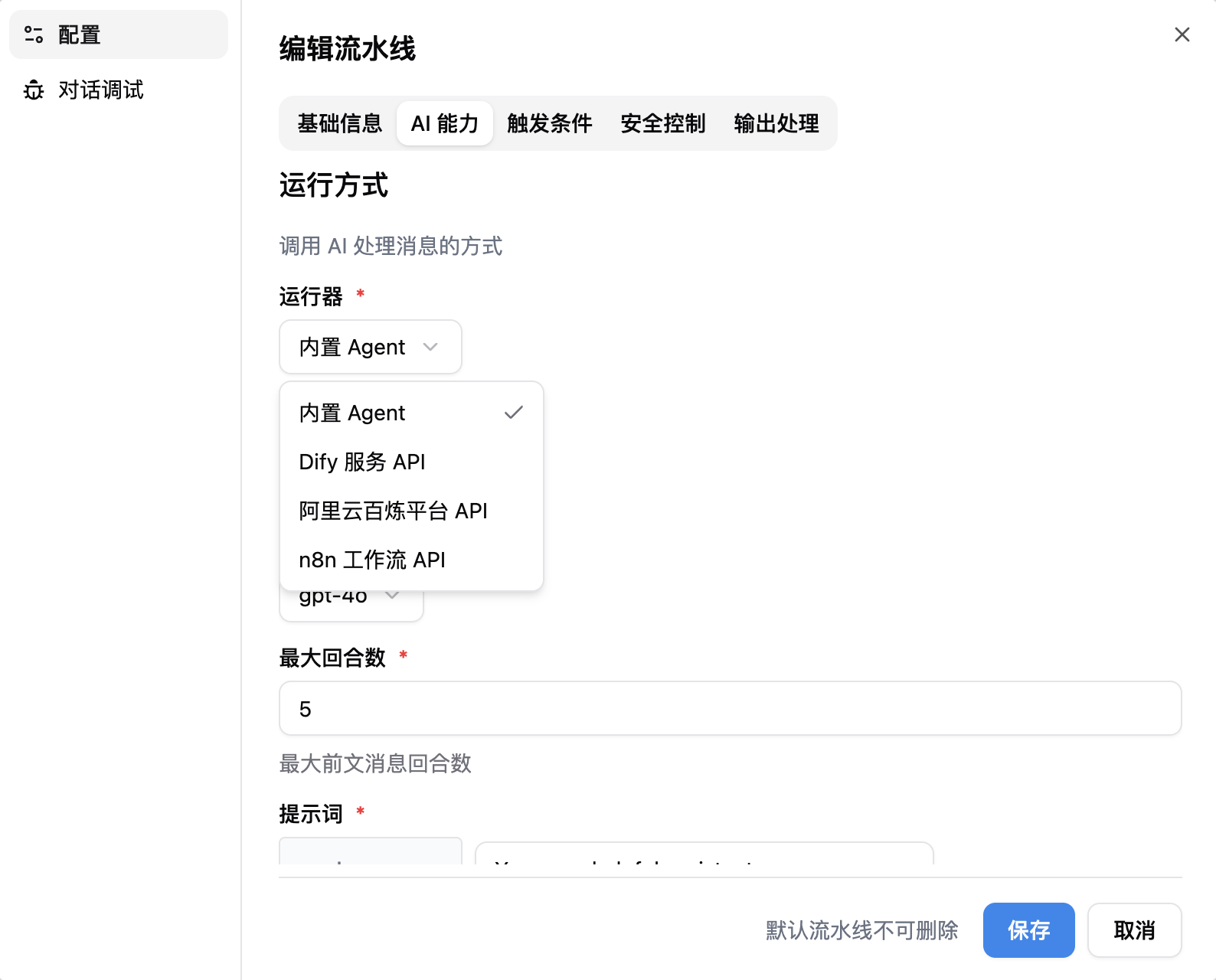
Go to your pipeline configuration, under the "AI" tab, choose `Local Agent` as the runner, then select the knowledge base you just created.
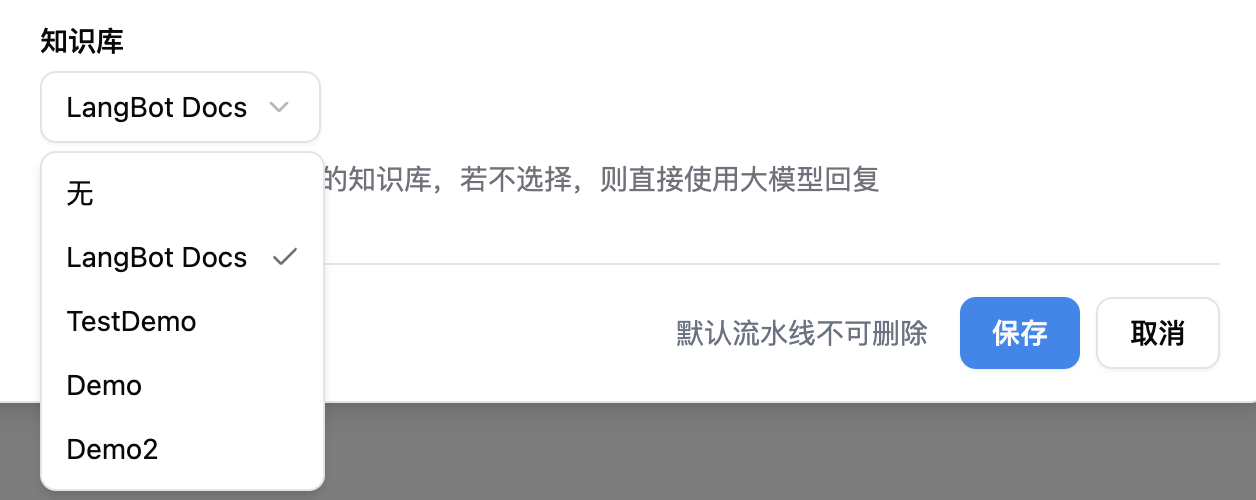 ### Configure Reranking (Optional)
After selecting a knowledge base, you can configure a **Rerank Model** below to improve retrieval quality:
* **Rerank Model**: Select a configured rerank model (if none available, add one in [Model Configuration](/en/usage/models/readme) first)
* **Rerank Top-K**: Number of most relevant results to keep after reranking, default is 5
Rerank models are optional. When configured, candidate documents from knowledge base retrieval are re-scored by the rerank model, keeping only the top-K most relevant results before passing them to the LLM, significantly reducing noise from irrelevant content.
LangBot's built-in knowledge base can be used only when the runner is set to `Local Agent`. For other runners, refer to their documentation.
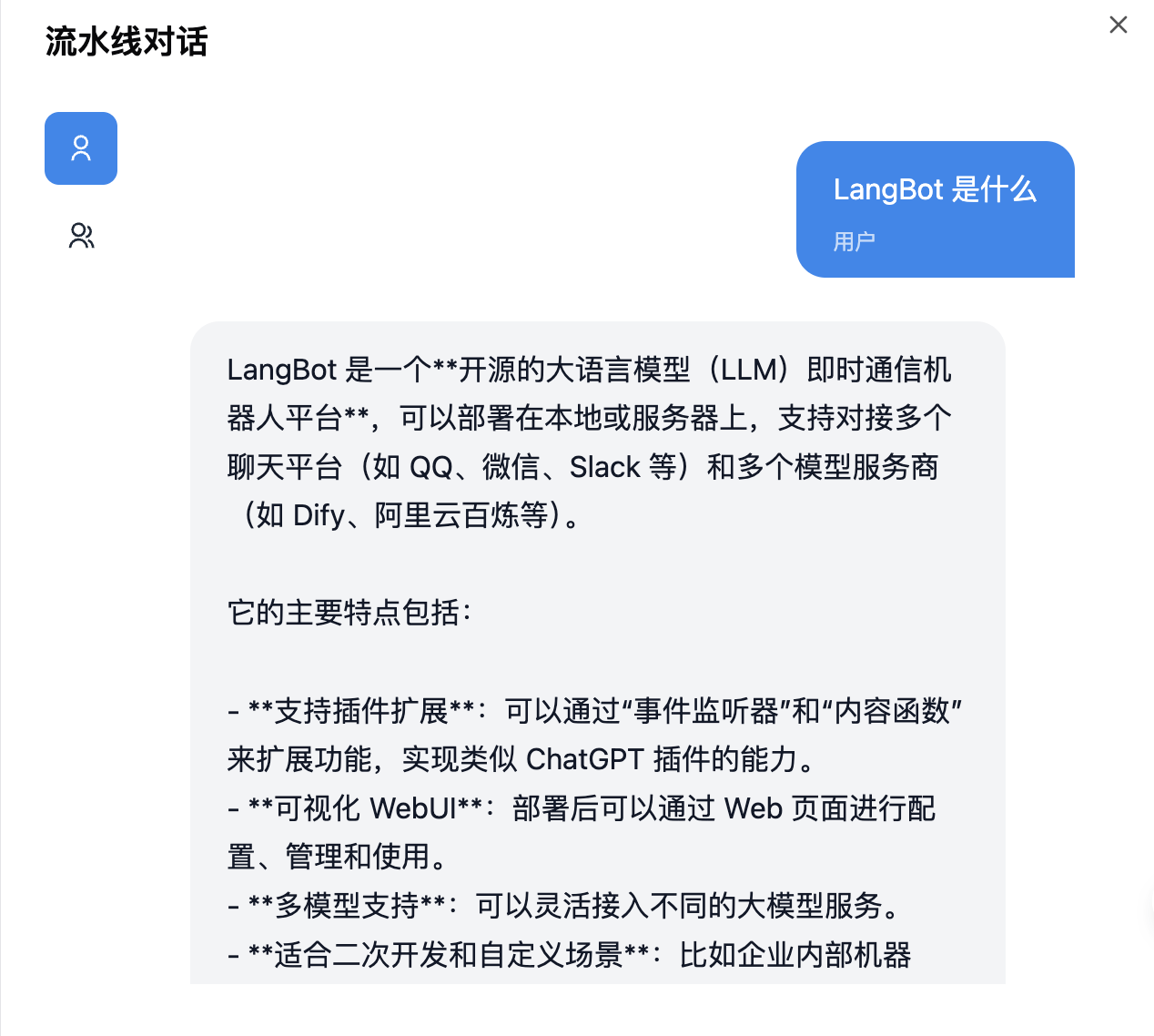
Now you can use the knowledge base in `Chat Debug`, or through the bot linked to this pipeline:
### Configure Reranking (Optional)
After selecting a knowledge base, you can configure a **Rerank Model** below to improve retrieval quality:
* **Rerank Model**: Select a configured rerank model (if none available, add one in [Model Configuration](/en/usage/models/readme) first)
* **Rerank Top-K**: Number of most relevant results to keep after reranking, default is 5
Rerank models are optional. When configured, candidate documents from knowledge base retrieval are re-scored by the rerank model, keeping only the top-K most relevant results before passing them to the LLM, significantly reducing noise from irrelevant content.
LangBot's built-in knowledge base can be used only when the runner is set to `Local Agent`. For other runners, refer to their documentation.
Now you can use the knowledge base in `Chat Debug`, or through the bot linked to this pipeline:
 ## Developing Custom Knowledge Engines
If existing Knowledge engine plugins don't meet your needs, you can develop your own Knowledge engine plugin. See [Component: Knowledge Engine](/en/plugin/dev/components/knowledge-engine) for development details.
## Developing Custom Knowledge Engines
If existing Knowledge engine plugins don't meet your needs, you can develop your own Knowledge engine plugin. See [Component: Knowledge Engine](/en/plugin/dev/components/knowledge-engine) for development details.