> ## Documentation Index
> Fetch the complete documentation index at: https://docs.langbot.app/llms.txt
> Use this file to discover all available pages before exploring further.
# Service API Overview
LangBot provides a set of RESTful APIs for external services to integrate and automate management. These APIs are authenticated with API keys, which are a subset of the HTTP API.
Service API is currently in Beta and some APIs may change frequently.
## Get API Key
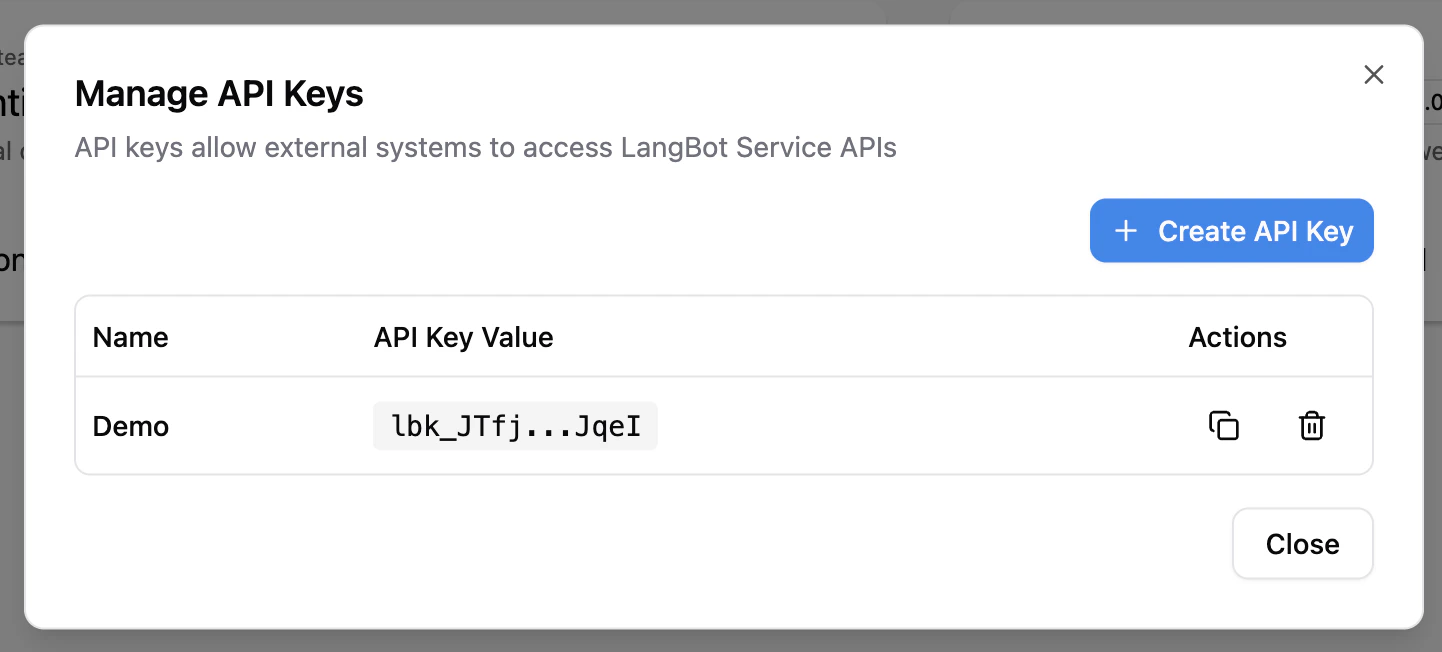
Click the `API Keys` button in the sidebar of the WebUI to create an API Key.
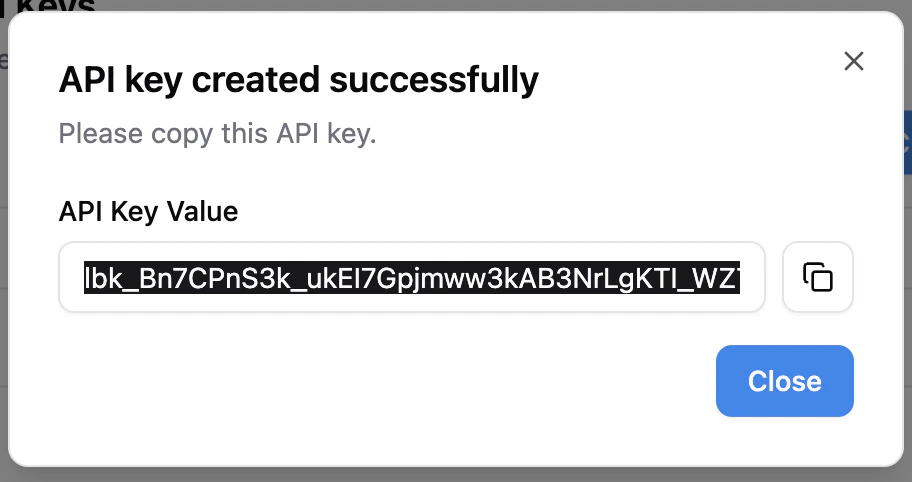
 After creation, copy the API Key and save it.
 ## Authentication
All Service APIs support two authentication methods:
* **API Key**: Via `X-API-Key: ` or `Authorization: Bearer ` header
* **User Token**: Via `Authorization: Bearer ` header (obtained after login)
## Use API
The left sidebar lists all available APIs. You can fill in your instance address (the port address exposed by the backend, default is `http://localhost:5300`) and API Key, then click the `Try it out` button to call the API.
## Core Concepts
### Provider + Model Architecture
LangBot uses a **Provider + Model** two-layer architecture for AI model management:
* **Provider**: Defines the API endpoint (`base_url`), requester type, and API keys. A single provider can be associated with multiple models.
* **Model**: Associated with a provider (via `provider_uuid`), defining the specific model name and parameters. Models inherit the provider's API endpoint and keys.
```
Provider (OpenAI)
├── base_url: https://api.openai.com/v1
├── api_keys: [sk-xxx]
├── LLM: gpt-4o
├── LLM: gpt-4o-mini
└── Embedding: text-embedding-3-small
```
This architecture allows you to manage multiple models under a single provider, sharing API configuration and avoiding redundant key entries.
### Requester
A requester defines the communication protocol with AI services. Use `GET /api/v1/provider/requesters` to list available requesters. Common requesters include:
* `openai-chat-completions` — OpenAI-compatible chat completions API (also works with SiliconFlow, DeepSeek, etc.)
* `anthropic-messages` — Anthropic Claude API
* `openai-embeddings` — OpenAI-compatible embeddings API
### Async Tasks
Some operations (plugin install/delete/upgrade) run asynchronously and return a `task_id`. You can track progress in the WebUI.
## Authentication
All Service APIs support two authentication methods:
* **API Key**: Via `X-API-Key: ` or `Authorization: Bearer ` header
* **User Token**: Via `Authorization: Bearer ` header (obtained after login)
## Use API
The left sidebar lists all available APIs. You can fill in your instance address (the port address exposed by the backend, default is `http://localhost:5300`) and API Key, then click the `Try it out` button to call the API.
## Core Concepts
### Provider + Model Architecture
LangBot uses a **Provider + Model** two-layer architecture for AI model management:
* **Provider**: Defines the API endpoint (`base_url`), requester type, and API keys. A single provider can be associated with multiple models.
* **Model**: Associated with a provider (via `provider_uuid`), defining the specific model name and parameters. Models inherit the provider's API endpoint and keys.
```
Provider (OpenAI)
├── base_url: https://api.openai.com/v1
├── api_keys: [sk-xxx]
├── LLM: gpt-4o
├── LLM: gpt-4o-mini
└── Embedding: text-embedding-3-small
```
This architecture allows you to manage multiple models under a single provider, sharing API configuration and avoiding redundant key entries.
### Requester
A requester defines the communication protocol with AI services. Use `GET /api/v1/provider/requesters` to list available requesters. Common requesters include:
* `openai-chat-completions` — OpenAI-compatible chat completions API (also works with SiliconFlow, DeepSeek, etc.)
* `anthropic-messages` — Anthropic Claude API
* `openai-embeddings` — OpenAI-compatible embeddings API
### Async Tasks
Some operations (plugin install/delete/upgrade) run asynchronously and return a `task_id`. You can track progress in the WebUI.