> ## Documentation Index
> Fetch the complete documentation index at: https://docs.langbot.app/llms.txt
> Use this file to discover all available pages before exploring further.
# Welcome to LangBot Documentation
> LangBot is an open-source LLM bot platform connecting Discord, Telegram, WeChat, Slack and more to GPT, Claude, Gemini, DeepSeek and Dify. Start here.
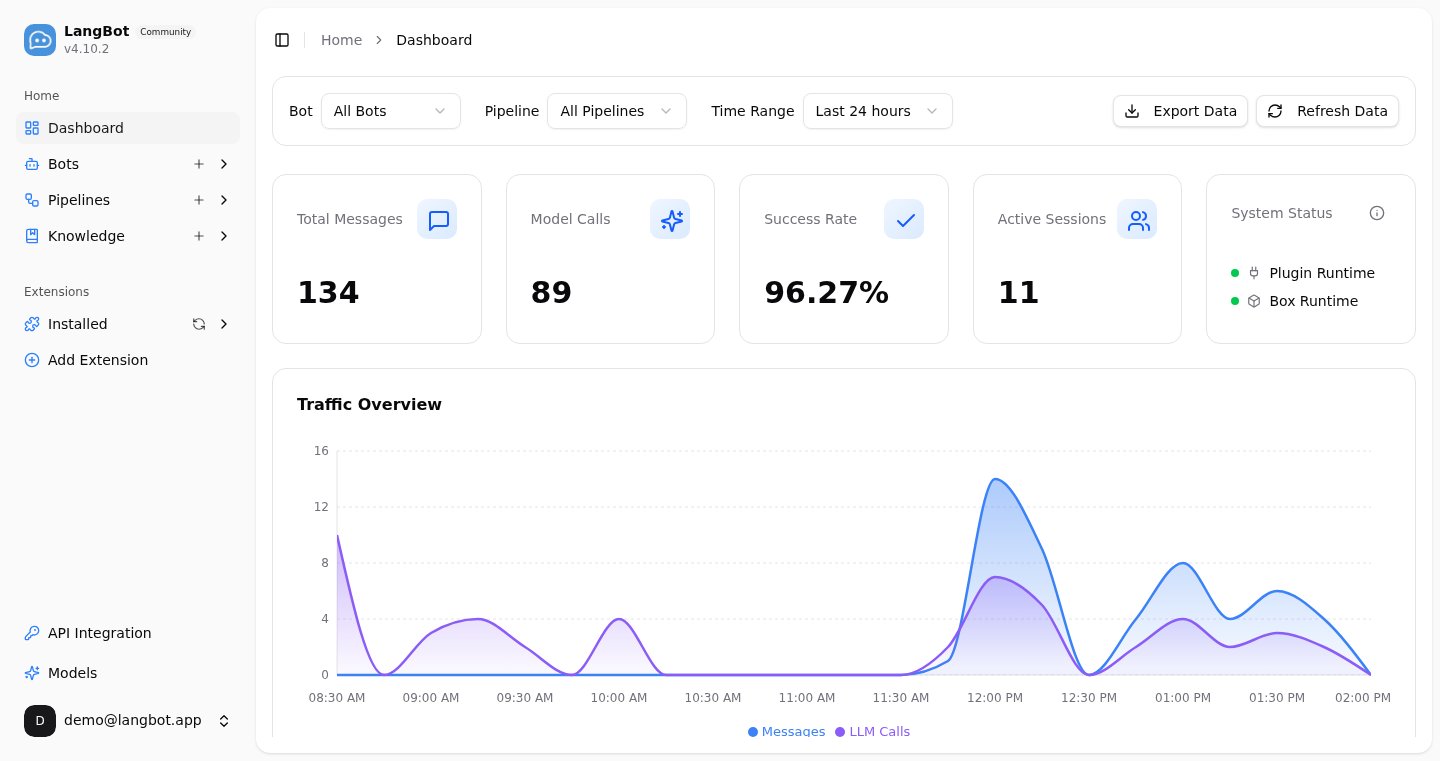
LangBot is an **open-source, production-grade**, LLM-native instant messaging bot platform. It connects large language models — OpenAI, Anthropic, Gemini, DeepSeek and more — and Agent platforms like Dify, Coze and n8n to mainstream messaging platforms including Discord, Telegram, Slack, QQ, WeChat, WeCom, Lark and DingTalk. With built-in Agent, RAG knowledge base, MCP, Skills and a code sandbox, plus an out-of-the-box web management panel, you can get your AI bot online in minutes — no hand-written config files required.
 ## What You Can Build
* **AI customer service / enterprise assistant**: deploy a knowledge-base-backed AI agent to Slack, Discord, Lark, WeCom or DingTalk to answer customer and employee questions automatically.
* **Community operations**: provide AI-powered Q\&A, content moderation and interaction in Discord, Telegram and QQ groups.
* **Workflow integration**: plug your existing Dify / n8n / Coze workflows straight into chat platforms — no need to rewrite business logic.
* **Multi-platform reach**: one bot covers every platform, managed centrally from a unified panel.
## Documentation Structure
The documentation is divided into the following sections:
* Deployment and Usage (Must Read): Detailed steps for deploying and using LangBot
* Plugins: Information related to plugin usage and development
* Practice: Many excellent use cases for LangBot
* Development: Information related to participating in LangBot development
## Quick Start Guide
**Don't want to self-host?** Try [LangBot Cloud](https://space.langbot.app/cloud) — get started instantly with zero infrastructure. Just sign up, pay, and go.
> Two ways to get started quickly:
>
> * Use the simplified tutorial from community resources (see left sidebar)
> * Read the documentation to deploy it yourself (method described below)
### 1. Deploy LangBot
Read the **Deploy LangBot** section on the left and choose a method to deploy LangBot
After deployment, open `http://127.0.0.1:5300` or `http://your-server-public-ip:5300`
Complete the initialization by entering an email and password, and make sure to save them
### 2. Configure Bots
Check [Configure Bots](/en/usage/platforms/readme) in the left sidebar
### 3. Configure Models
Check [Configure Dialogue Models](/en/usage/models/readme) in the left sidebar
## What You Can Build
* **AI customer service / enterprise assistant**: deploy a knowledge-base-backed AI agent to Slack, Discord, Lark, WeCom or DingTalk to answer customer and employee questions automatically.
* **Community operations**: provide AI-powered Q\&A, content moderation and interaction in Discord, Telegram and QQ groups.
* **Workflow integration**: plug your existing Dify / n8n / Coze workflows straight into chat platforms — no need to rewrite business logic.
* **Multi-platform reach**: one bot covers every platform, managed centrally from a unified panel.
## Documentation Structure
The documentation is divided into the following sections:
* Deployment and Usage (Must Read): Detailed steps for deploying and using LangBot
* Plugins: Information related to plugin usage and development
* Practice: Many excellent use cases for LangBot
* Development: Information related to participating in LangBot development
## Quick Start Guide
**Don't want to self-host?** Try [LangBot Cloud](https://space.langbot.app/cloud) — get started instantly with zero infrastructure. Just sign up, pay, and go.
> Two ways to get started quickly:
>
> * Use the simplified tutorial from community resources (see left sidebar)
> * Read the documentation to deploy it yourself (method described below)
### 1. Deploy LangBot
Read the **Deploy LangBot** section on the left and choose a method to deploy LangBot
After deployment, open `http://127.0.0.1:5300` or `http://your-server-public-ip:5300`
Complete the initialization by entering an email and password, and make sure to save them
### 2. Configure Bots
Check [Configure Bots](/en/usage/platforms/readme) in the left sidebar
### 3. Configure Models
Check [Configure Dialogue Models](/en/usage/models/readme) in the left sidebar
After completing the above two steps, you can start using LangBot. If you need to configure more features, you can set them in the [Pipeline](/en/usage/pipelines/readme) section