> ## Documentation Index
> Fetch the complete documentation index at: https://docs.langbot.app/llms.txt
> Use this file to discover all available pages before exploring further.
# Deploy Your Own AI Bot to Discord, Telegram & WeChat in 5 Minutes
> A step-by-step guide to deploying LangBot — the open-source platform that connects 20+ LLMs to 13+ messaging platforms with a single Docker command.
This article is synchronized from the LangBot Blog. [Read the canonical version](https://langbot.app/en/blog/deploy-ai-bot-in-5-minutes).
Published 2026-02-17 · Author: LangBot Team
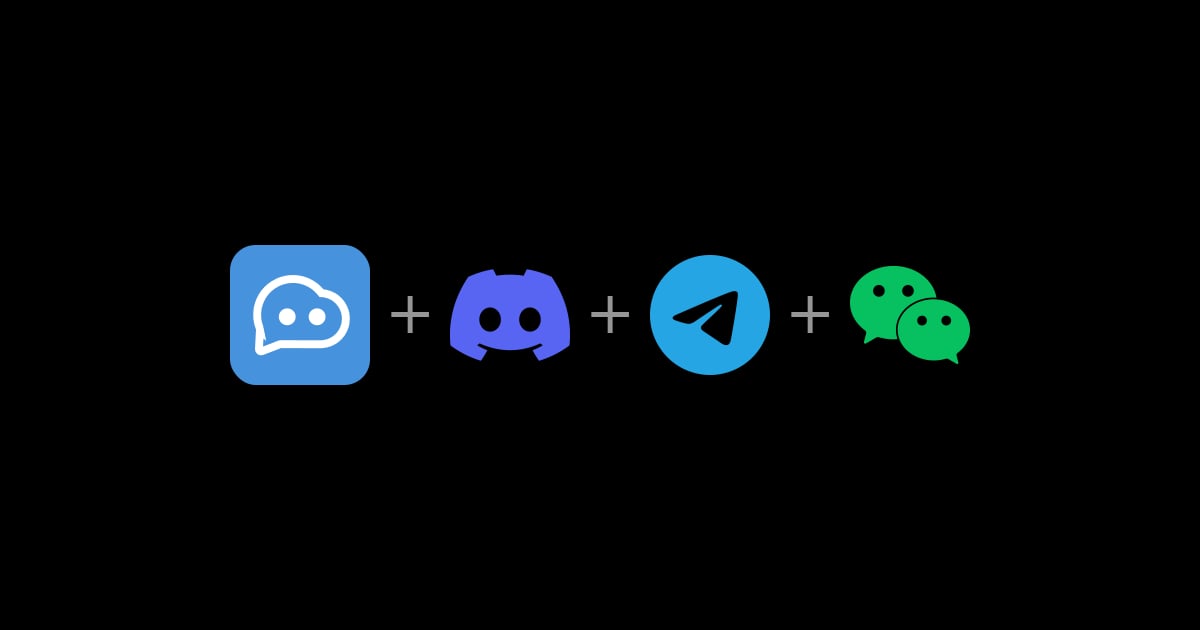 What if you could have GPT-5, Claude, DeepSeek, and Gemini all answering questions in your Discord server, Telegram group, and WeChat — at the same time?
No API wrangling. No weeks of development. Just one Docker command.
That's **LangBot** — and it just crossed **15,000 stars** on GitHub.
## The Problem Everyone Faces
You want an AI assistant in your team's chat. Maybe for customer support on Telegram. Maybe for a coding helper in Discord. Maybe for a knowledge base bot in your company's WeChat or Lark group.
But then reality hits:
* Each platform has its own bot API, webhook format, and auth flow
* You need to handle message queuing, session management, and error recovery
* Switching LLM providers means rewriting your integration layer
* Adding RAG or tool calling is yet another project
LangBot solves all of this with a single, unified platform.
## What Makes LangBot Different
### 13+ Messaging Platforms, One Codebase
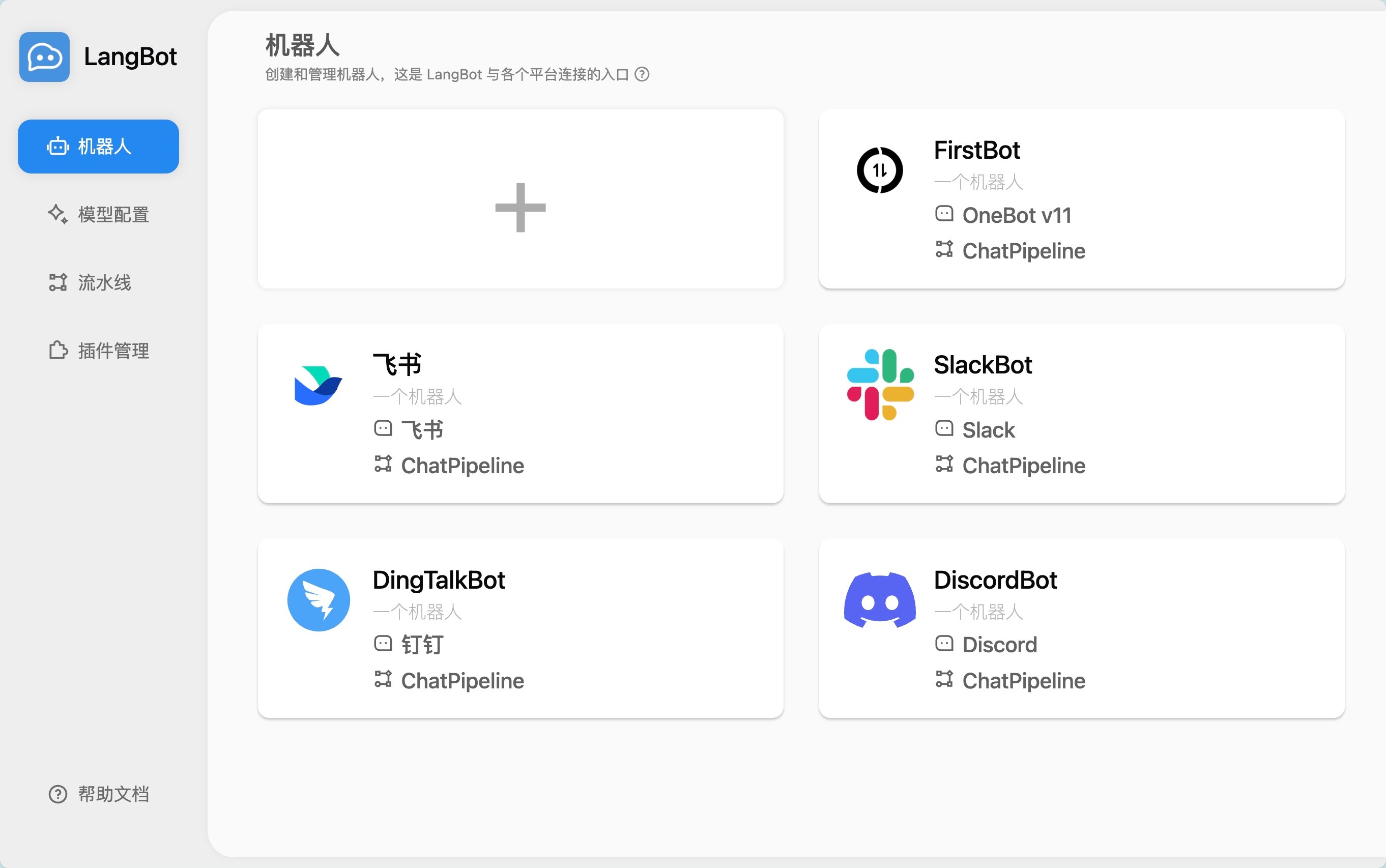
Deploy a single LangBot instance and connect it to:
**Global:** Discord, Telegram, Slack, LINE, WhatsApp
**Asia:** WeChat (Official Account), WeCom, QQ, Lark, DingTalk, Feishu, KOOK
Each platform gets its own adapter — you just fill in your bot token in the WebUI and you're live.
What if you could have GPT-5, Claude, DeepSeek, and Gemini all answering questions in your Discord server, Telegram group, and WeChat — at the same time?
No API wrangling. No weeks of development. Just one Docker command.
That's **LangBot** — and it just crossed **15,000 stars** on GitHub.
## The Problem Everyone Faces
You want an AI assistant in your team's chat. Maybe for customer support on Telegram. Maybe for a coding helper in Discord. Maybe for a knowledge base bot in your company's WeChat or Lark group.
But then reality hits:
* Each platform has its own bot API, webhook format, and auth flow
* You need to handle message queuing, session management, and error recovery
* Switching LLM providers means rewriting your integration layer
* Adding RAG or tool calling is yet another project
LangBot solves all of this with a single, unified platform.
## What Makes LangBot Different
### 13+ Messaging Platforms, One Codebase
Deploy a single LangBot instance and connect it to:
**Global:** Discord, Telegram, Slack, LINE, WhatsApp
**Asia:** WeChat (Official Account), WeCom, QQ, Lark, DingTalk, Feishu, KOOK
Each platform gets its own adapter — you just fill in your bot token in the WebUI and you're live.
 ### 20+ LLM Models, Zero Lock-in
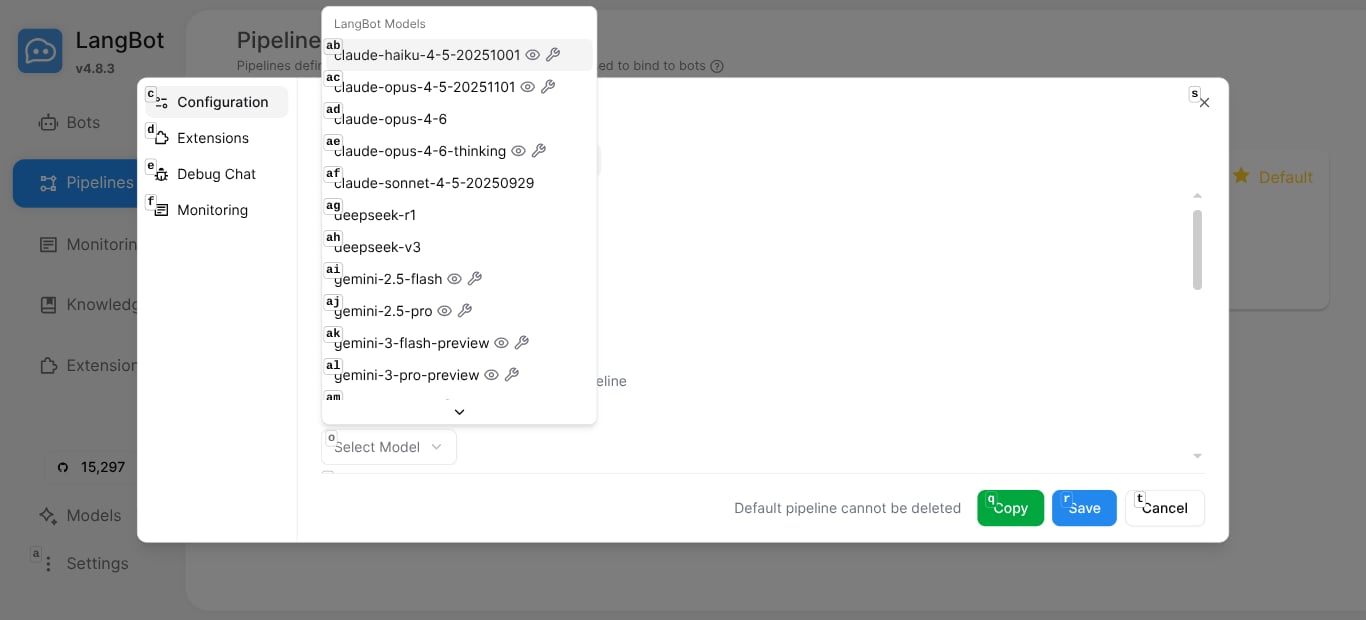
Through **LangBot Space**, you get instant access to 20 cloud models out of the box — no API keys to manage:
* **Claude** (Opus 4.6, Sonnet 4.5, Haiku 4.5)
* **GPT** (GPT-5.2, GPT-5-mini, GPT-4.1-mini)
* **Gemini** (3 Pro, 2.5 Pro, 2.5 Flash)
* **DeepSeek** (R1, V3)
* **Grok** (4, 4.1)
* **Qwen** (3 Max)
Or add your own providers — OpenAI-compatible endpoints, Ollama for local models, any provider you want.
### 20+ LLM Models, Zero Lock-in
Through **LangBot Space**, you get instant access to 20 cloud models out of the box — no API keys to manage:
* **Claude** (Opus 4.6, Sonnet 4.5, Haiku 4.5)
* **GPT** (GPT-5.2, GPT-5-mini, GPT-4.1-mini)
* **Gemini** (3 Pro, 2.5 Pro, 2.5 Flash)
* **DeepSeek** (R1, V3)
* **Grok** (4, 4.1)
* **Qwen** (3 Max)
Or add your own providers — OpenAI-compatible endpoints, Ollama for local models, any provider you want.
 ### Built-in Agent with Tool Calling
LangBot's Local Agent isn't just a chat wrapper — it's a full agent runtime:
* **Multi-round conversations** with configurable memory
* **Function calling / tool use** for LLM-driven actions
* **MCP (Model Context Protocol)** support for connecting to 100+ pre-built tools
* **Knowledge base (RAG)** with built-in vector search
### Built-in Agent with Tool Calling
LangBot's Local Agent isn't just a chat wrapper — it's a full agent runtime:
* **Multi-round conversations** with configurable memory
* **Function calling / tool use** for LLM-driven actions
* **MCP (Model Context Protocol)** support for connecting to 100+ pre-built tools
* **Knowledge base (RAG)** with built-in vector search
 ### Plugin Marketplace
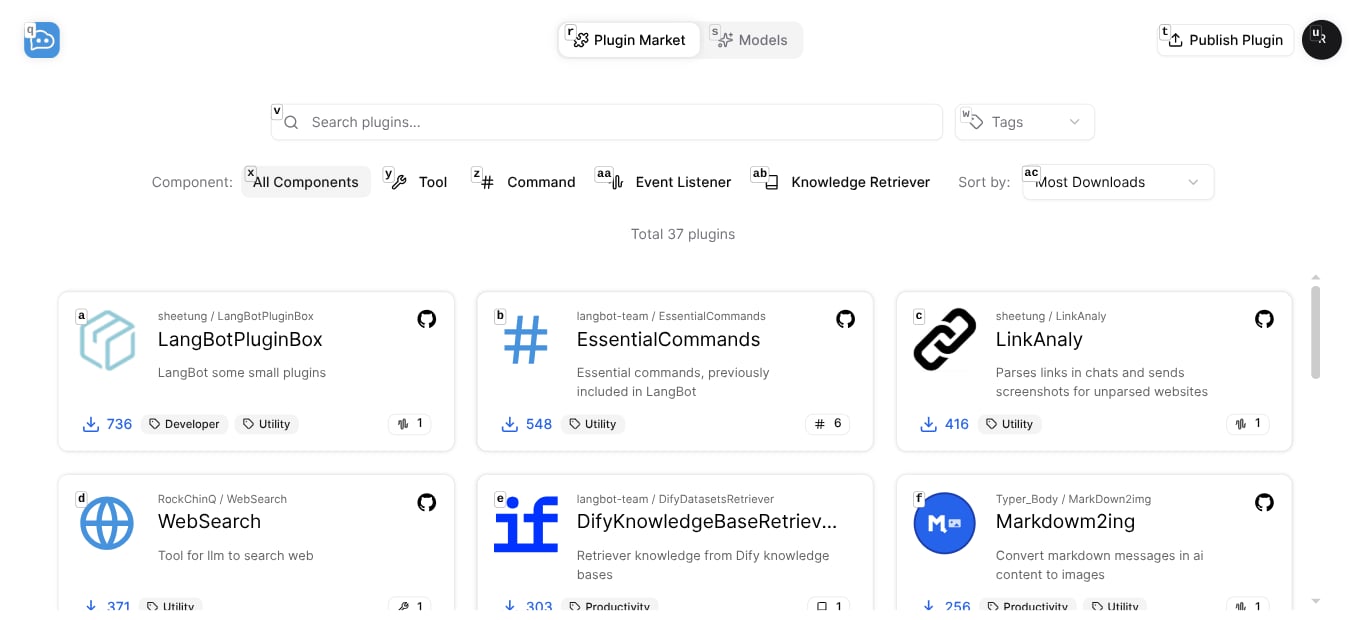
37+ community plugins and growing — install with one click:
* **WebSearch** — Let your bot search the web
* **AI Image Generator** — Generate images from text
* **LinkAnaly** — Auto-preview links in chat
* **ScheNotify** — Schedule reminders with natural language
* **Google Search**, **Tavily Search**, **RAGFlow Retriever**, and more
### Plugin Marketplace
37+ community plugins and growing — install with one click:
* **WebSearch** — Let your bot search the web
* **AI Image Generator** — Generate images from text
* **LinkAnaly** — Auto-preview links in chat
* **ScheNotify** — Schedule reminders with natural language
* **Google Search**, **Tavily Search**, **RAGFlow Retriever**, and more
 ## Deploy in 5 Minutes — For Real
### Step 1: Run Docker Compose
```bash theme={null}
git clone https://github.com/langbot-app/LangBot
cd LangBot/docker
docker compose up -d
```
That's it. LangBot is now running at `http://localhost:5300`.
### Step 2: Initialize with LangBot Space
Open the WebUI and click **"Initialize with Space"**. This connects your instance to LangBot Space, giving you:
* 20 cloud models ready to use (with free credits)
* One-click plugin installation
* Managed API keys
## Deploy in 5 Minutes — For Real
### Step 1: Run Docker Compose
```bash theme={null}
git clone https://github.com/langbot-app/LangBot
cd LangBot/docker
docker compose up -d
```
That's it. LangBot is now running at `http://localhost:5300`.
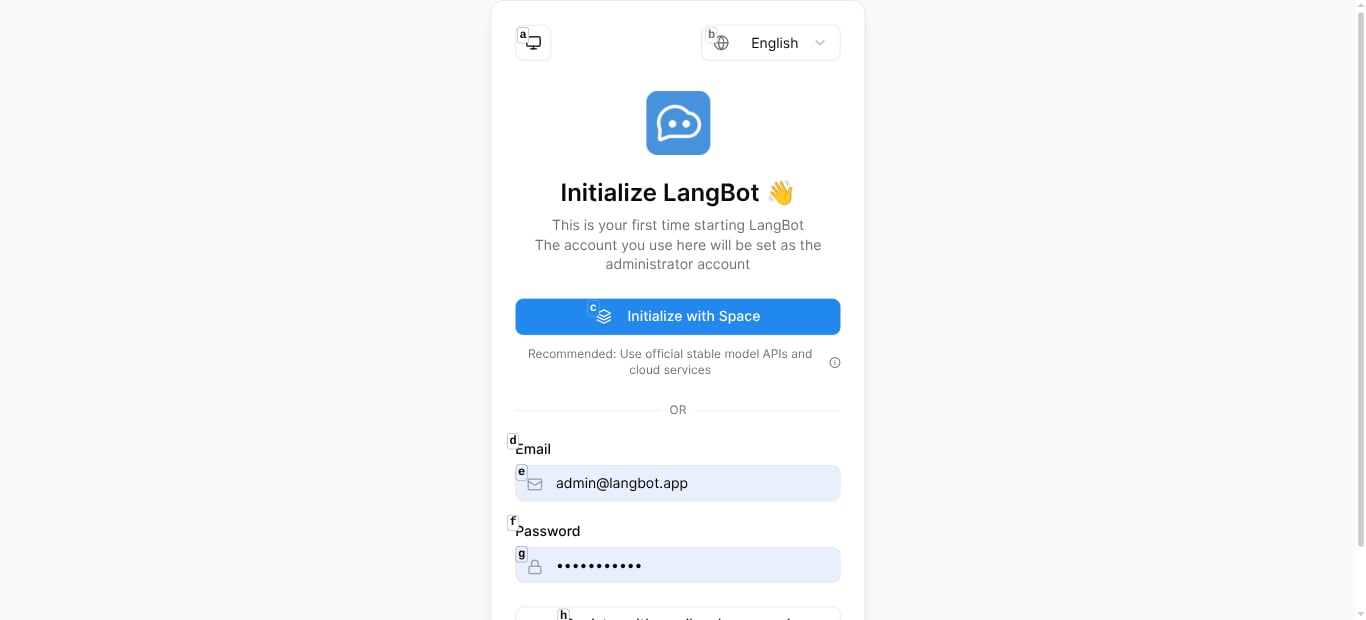
### Step 2: Initialize with LangBot Space
Open the WebUI and click **"Initialize with Space"**. This connects your instance to LangBot Space, giving you:
* 20 cloud models ready to use (with free credits)
* One-click plugin installation
* Managed API keys
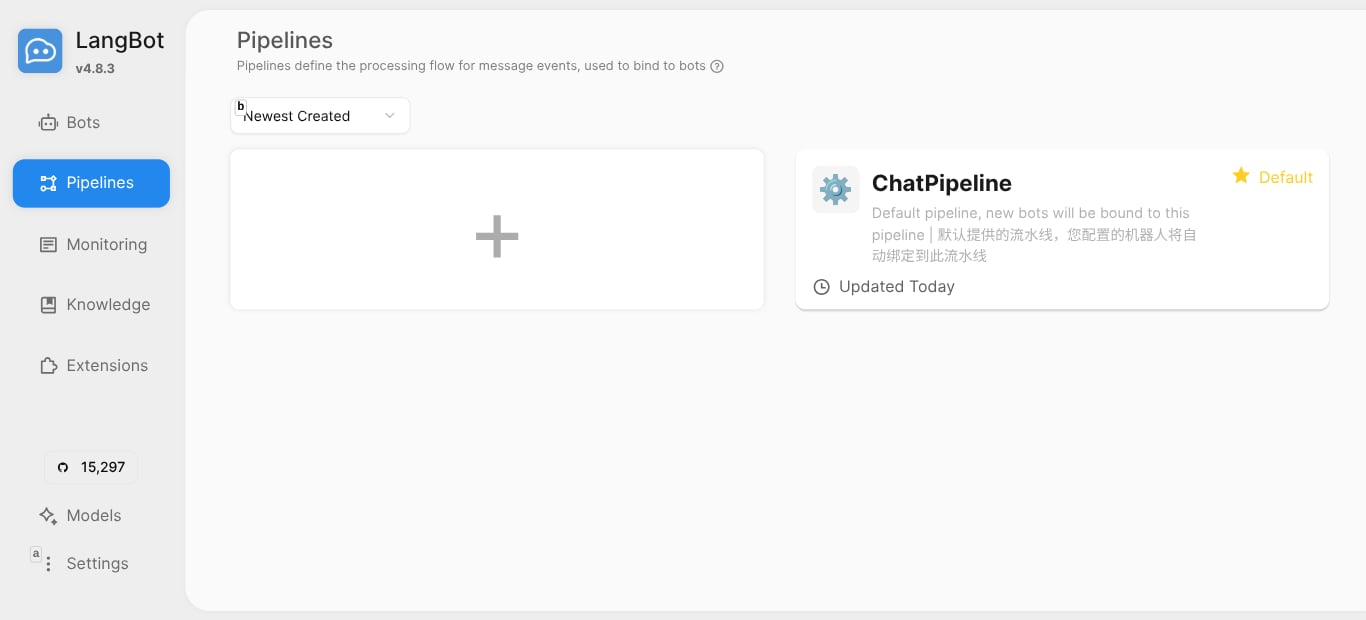
 ### Step 3: Configure Your Pipeline
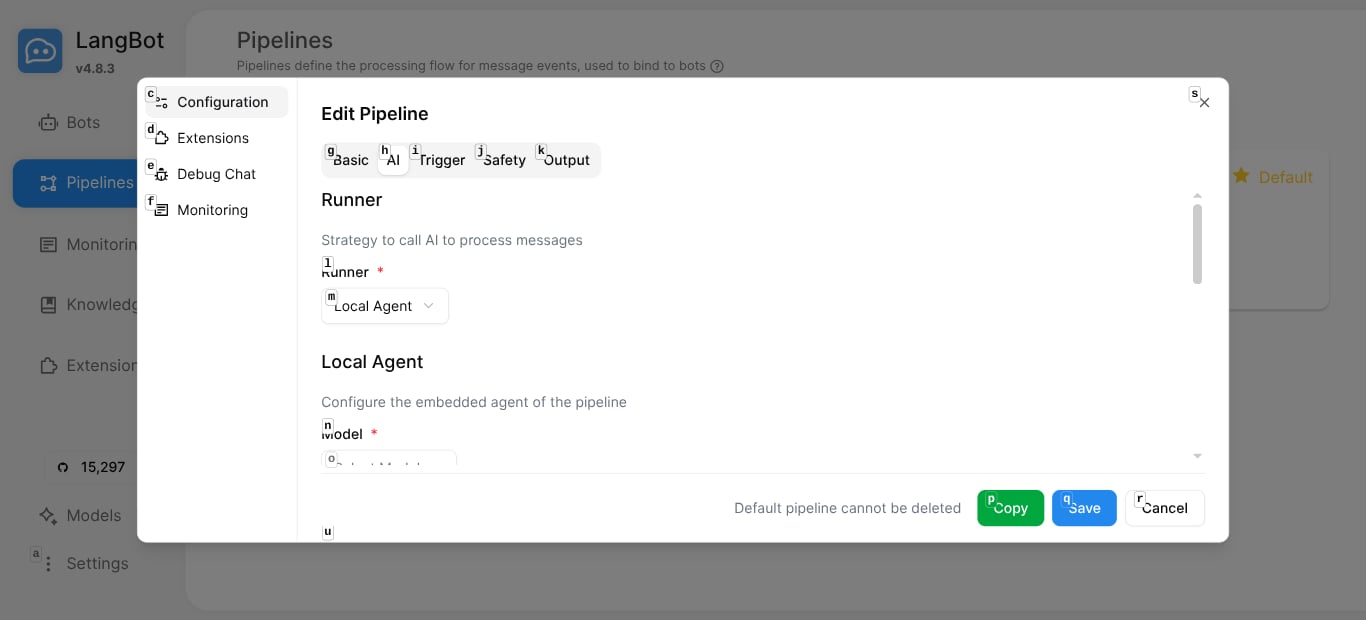
Go to **Pipelines** and edit the default `ChatPipeline`:
1. Select your model (e.g., `deepseek-v3`, `gpt-5-mini`, `claude-sonnet-4-5`)
2. Customize the system prompt
3. Optionally attach a knowledge base or enable tools
### Step 3: Configure Your Pipeline
Go to **Pipelines** and edit the default `ChatPipeline`:
1. Select your model (e.g., `deepseek-v3`, `gpt-5-mini`, `claude-sonnet-4-5`)
2. Customize the system prompt
3. Optionally attach a knowledge base or enable tools
 ### Step 4: Connect a Platform
Go to **Bots** → click **+** → choose your platform (Discord, Telegram, etc.) → enter your bot token.
Done. Your bot is live.
### Step 5: Test It
Use the built-in **Debug Chat** to test your pipeline before going live:
### Step 4: Connect a Platform
Go to **Bots** → click **+** → choose your platform (Discord, Telegram, etc.) → enter your bot token.
Done. Your bot is live.
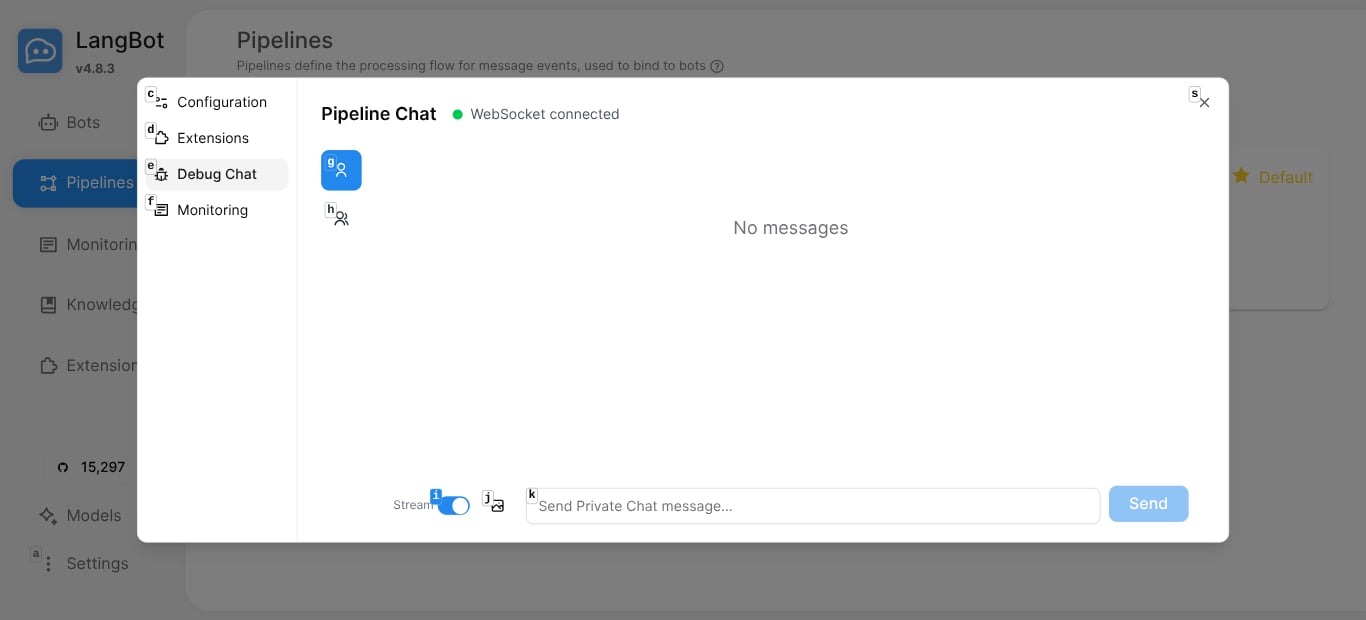
### Step 5: Test It
Use the built-in **Debug Chat** to test your pipeline before going live:
 ## Real Conversations, Real Value
Here's what it looks like when LangBot is running in a QQ group — users asking technical questions and getting instant, accurate answers:
## Real Conversations, Real Value
Here's what it looks like when LangBot is running in a QQ group — users asking technical questions and getting instant, accurate answers:
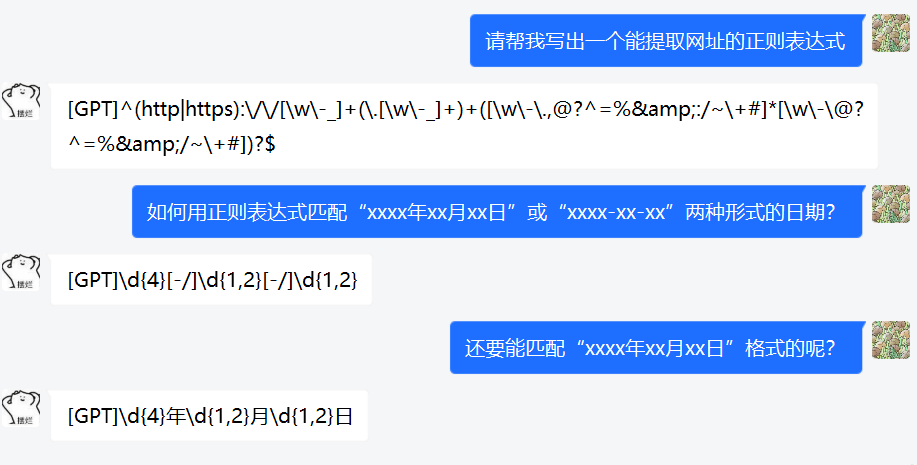
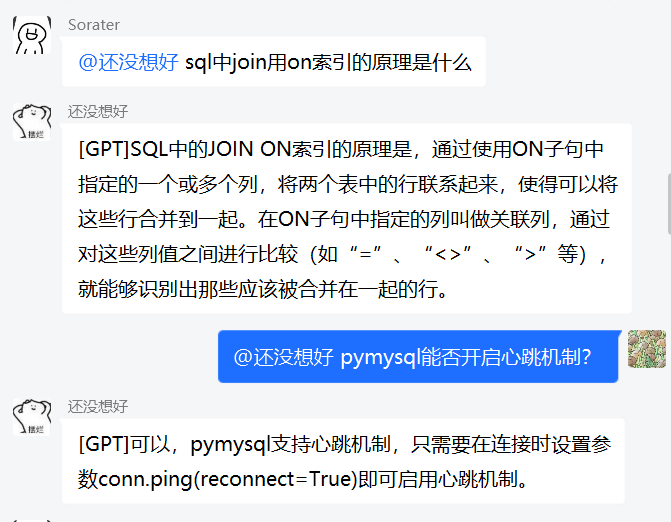 And in private chat:
 ## Architecture That Scales
LangBot is built for production:
* **Pipeline architecture** — each bot binds to a pipeline; pipelines handle AI logic, triggers, safety controls, and output formatting
* **Cross-process plugin isolation** — a bad plugin can't crash your bot
* **Multiple runner backends** — use LangBot's Local Agent, or connect to Dify, n8n, Langflow, Coze for complex workflows
* **Database flexibility** — SQLite for dev, PostgreSQL for production
* **Vector DB options** — Chroma, Qdrant, Milvus, pgvector, SeekDB
## Why 15,000+ Developers Choose LangBot
| Feature | LangBot | Building from Scratch |
| ------------- | ------------------- | --------------------- |
| Platforms | 13+ ready | Weeks per platform |
| LLM Providers | 20+ models | Manual integration |
| Agent Runtime | Built-in | Build your own |
| RAG | Native + external | Separate project |
| Plugin System | Marketplace | DIY |
| Deployment | `docker compose up` | Days of setup |
| WebUI | Included | Build your own |
## Get Started
* **GitHub:** [github.com/langbot-app/LangBot](https://github.com/langbot-app/LangBot) — give us a star!
* **Documentation:** [docs.langbot.app](https://docs.langbot.app)
* **Plugin Market:** [space.langbot.app](https://space.langbot.app)
```bash theme={null}
git clone https://github.com/langbot-app/LangBot
cd LangBot/docker
docker compose up -d
```
Your AI bot empire starts with one command.
## Architecture That Scales
LangBot is built for production:
* **Pipeline architecture** — each bot binds to a pipeline; pipelines handle AI logic, triggers, safety controls, and output formatting
* **Cross-process plugin isolation** — a bad plugin can't crash your bot
* **Multiple runner backends** — use LangBot's Local Agent, or connect to Dify, n8n, Langflow, Coze for complex workflows
* **Database flexibility** — SQLite for dev, PostgreSQL for production
* **Vector DB options** — Chroma, Qdrant, Milvus, pgvector, SeekDB
## Why 15,000+ Developers Choose LangBot
| Feature | LangBot | Building from Scratch |
| ------------- | ------------------- | --------------------- |
| Platforms | 13+ ready | Weeks per platform |
| LLM Providers | 20+ models | Manual integration |
| Agent Runtime | Built-in | Build your own |
| RAG | Native + external | Separate project |
| Plugin System | Marketplace | DIY |
| Deployment | `docker compose up` | Days of setup |
| WebUI | Included | Build your own |
## Get Started
* **GitHub:** [github.com/langbot-app/LangBot](https://github.com/langbot-app/LangBot) — give us a star!
* **Documentation:** [docs.langbot.app](https://docs.langbot.app)
* **Plugin Market:** [space.langbot.app](https://space.langbot.app)
```bash theme={null}
git clone https://github.com/langbot-app/LangBot
cd LangBot/docker
docker compose up -d
```
Your AI bot empire starts with one command.